

Screen Rotation Control
Dev Jang Tools Contains ads
Control screen rotation with a Quick Settings tile and per-app rules
- Downloads
- 4K+
- on Google Play
- Price
- Free
- No in-app purchases
- Updated
- Jul 23
- 2026 · v1.0.3
Screenshots


About Screen Rotation Control
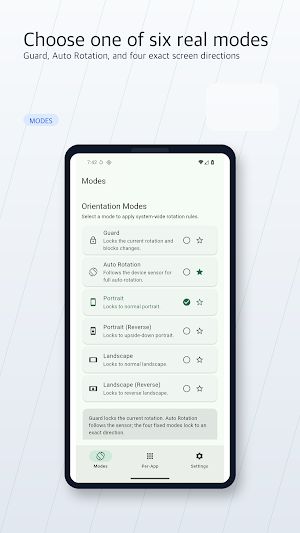
Screen Rotation Control gives you six clear choices: Auto, Portrait, Landscape,
Reverse portrait, Reverse landscape, and Lock current. Switch modes inside the
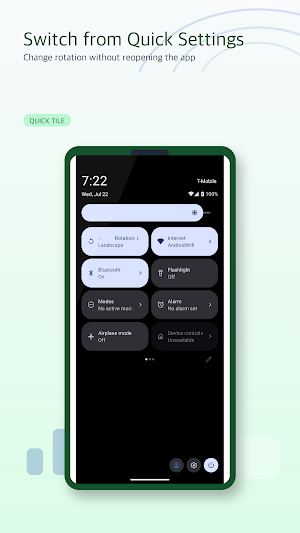
app or add the Quick Settings tile for fast access from anywhere.
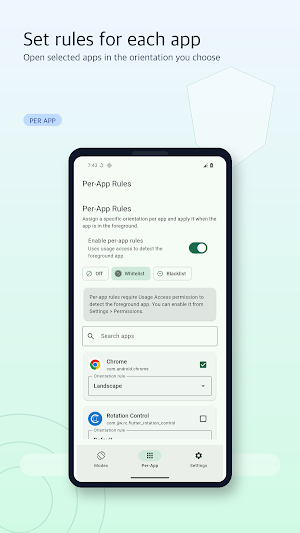
Create optional per-app rules when one app works best in portrait and another in
landscape. Rules are stored on your device. When per-app rules are enabled, the
app uses Usage Access and a visible foreground service to detect the app in use
and apply your selected orientation.
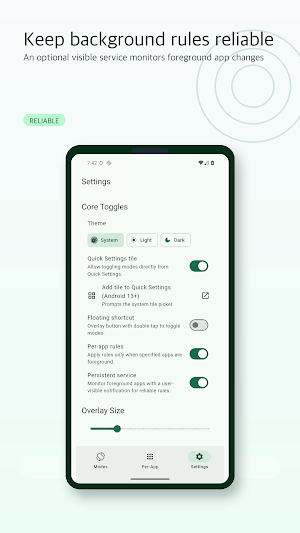
You can also enable an optional floating shortcut for quick access over other
apps. Android will ask for display-over-other-apps permission, and the shortcut
runs only when you turn it on.
Highlights:
- Six practical rotation modes
- Quick Settings tile with Auto, Portrait, and Landscape cycle
- Optional per-app orientation rules
- Optional floating shortcut
- Responsive interface with large, clear controls
- Local settings with no account required
System permissions are requested only when you enable the feature that needs
them. The app contains ads. Where required, privacy choices are requested before
ads can load, and you can revisit those choices from Settings when available.
What’s new
Version 1.0.3 · Updated July 23, 2026
Improved rotation reliability with a rebuilt Quick Settings tile and per-app engine. - Simplified to six modes that work consistently across Android versions - Added clearer, responsive controls for large text and narrow screens - Improved per-app rules with local app discovery and a visible service - Added in-app privacy information and consent-aware ad loading - Removed unused permissions, analytics, and background components
Alternatives to Screen Rotation Control
Looking for apps like Screen Rotation Control? Here are 6 similar Android apps on Google Play. The highest rated is Typhur (4.8/5), and all 6 are free to download.
-
MYCPE ONE 4.4
-
proudP: Urine Flow Test 4.3
-
TAP Kiln Control Mobile 4.1
-
Typhur 4.8
-
Sensi 4.5
-
IFSTA Company Officer 6 2.7
| App | Rating | Price | Installs | Last updated | Compare |
|---|---|---|---|---|---|
| Screen Rotation Control | – | Free | 1,000+ | Jul 23, 2026 | |
| MYCPE ONE | 4.4 / 5 | Free | 1,000+ | Oct 28, 2026 | Compare |
| proudP: Urine Flow Test | 4.3 / 5 | Free | 1,000+ | Sep 23, 2026 | Compare |
| TAP Kiln Control Mobile | 4.1 / 5 | Free | 5,000+ | Oct 22, 2026 | Compare |
| Typhur | 4.8 / 5 | Free | 50,000+ | Sep 23, 2026 | Compare |
| Sensi | 4.5 / 5 | Free | 1,000,000+ | Sep 14, 2026 | Compare |
| IFSTA Company Officer 6 | 2.7 / 5 | Free | 5,000+ | Aug 1, 2025 | Compare |