
Wave to Lock/Unlock Screen
Jivubaa Developer Tools Contains ads
Now Lock & Unlock Your Mobile Screen Just by waving Hand.
- Rating
- 4.0
- 15.1K ratings
- Downloads
- 500K+
- on Google Play
- Price
- Free
- No in-app purchases
- Updated
- Jul 9
- 2025 · v11.0
Screenshots
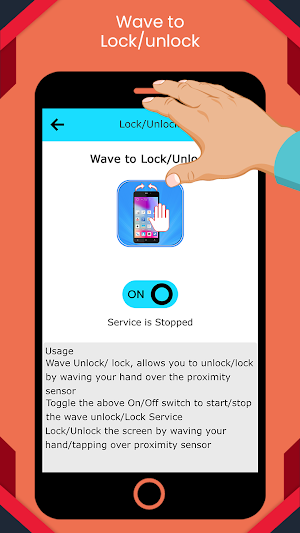
About Wave to Lock/Unlock Screen
Wave To lock And Unlock ScreenFeatures
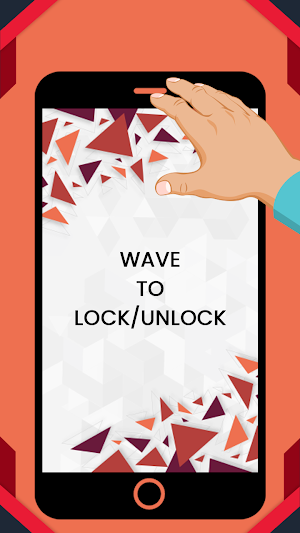
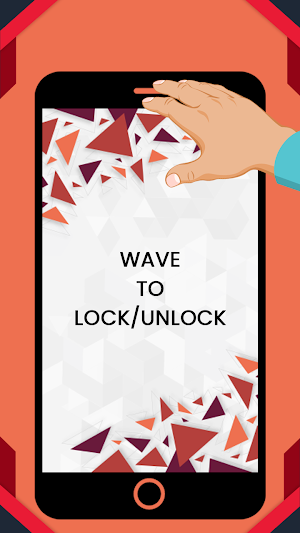
★ You can wave your hand to unlock device
★ Cover to lock screen , You can Cover the Proximity sensor to lock the device.
★ When your phone is locked, waving your hand over the sensor to wake screen up Mobile Screen.
★ When your phone screen is on, Cover the proximity sensor to Lock device ( You can enable this function in setting, by default it is not enabled).
★ Option vibrate Notifies you of detection of Proximity to avoid locking the phone accidentally
★ Option excluded apps prevent locking if one of these apps in foreground.
=>How to use
★ To enable the app,Click on Service ON/OFF switch.
★ You’re now ready to unlock your device’s screen by waving your hand over the screen.
★ Turn your device’s screen off simply by covering the proximity sensor for about one second. This feature is not enabled by default.
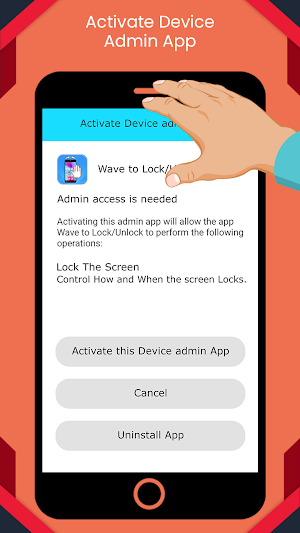
★ Click on Lock screen row You will then be asked to add the app as the device administrator in order to enable the feature.
Simply enable it and you’re ready to use it. To turn off the screen, cover the proximity sensor of your device for 1 second or more.
Note :
-Wave Unlock/Lock Service starts automatically on Reboot
-For Lock Service you need to activate Admin access
-This is small Effort From our Team and still you have any suggestion then you can contact us anytime on [email protected] and if you like our work then surely tell you friend and share with them so that they all can also enjoy.
★ You can wave your hand to unlock device
★ Cover to lock screen , You can Cover the Proximity sensor to lock the device.
★ When your phone is locked, waving your hand over the sensor to wake screen up Mobile Screen.
★ When your phone screen is on, Cover the proximity sensor to Lock device ( You can enable this function in setting, by default it is not enabled).
★ Option vibrate Notifies you of detection of Proximity to avoid locking the phone accidentally
★ Option excluded apps prevent locking if one of these apps in foreground.
=>How to use
★ To enable the app,Click on Service ON/OFF switch.
★ You’re now ready to unlock your device’s screen by waving your hand over the screen.
★ Turn your device’s screen off simply by covering the proximity sensor for about one second. This feature is not enabled by default.
★ Click on Lock screen row You will then be asked to add the app as the device administrator in order to enable the feature.
Simply enable it and you’re ready to use it. To turn off the screen, cover the proximity sensor of your device for 1 second or more.
Note :
-Wave Unlock/Lock Service starts automatically on Reboot
-For Lock Service you need to activate Admin access
-This is small Effort From our Team and still you have any suggestion then you can contact us anytime on [email protected] and if you like our work then surely tell you friend and share with them so that they all can also enjoy.
User reviews

Mm

Nice

Wave to screen lock Hamare mobile mein se delete karo

Super app

What a nice app

Hafsa
Alternatives to Wave to Lock/Unlock Screen
Looking for apps like Wave to Lock/Unlock Screen? Here are 3 similar Android apps on Google Play. The highest rated is KinScreen: Screen Control (4.4/5), and all 3 are free to download.
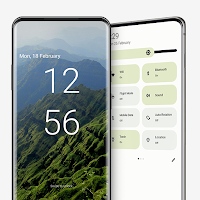
| App | Rating | Price | Installs | Last updated | Compare |
|---|---|---|---|---|---|
| Wave to Lock/Unlock Screen | 4.0 / 5 | Free | 500,000+ | Jul 9, 2025 | |
| KinScreen: Screen Control | 4.4 / 5 | Free | 1,000,000+ | Nov 8, 2023 | Compare |
| Android 13 Style Lock screen | 3.7 / 5 | Free | 100,000+ | Oct 24, 2026 | Compare |
| Touch Lock - screen lock | 2.9 / 5 | Free | 1,000,000+ | Jul 29, 2026 | Compare |