

My Asset
ITspresso Tools
Welcome to our Asset Management App, the ultimate solution for asset management.
- Downloads
- 50+
- on Google Play
- Price
- Free
- No in-app purchases
- Updated
- Aug 14
- 2024 · v1.0
Screenshots
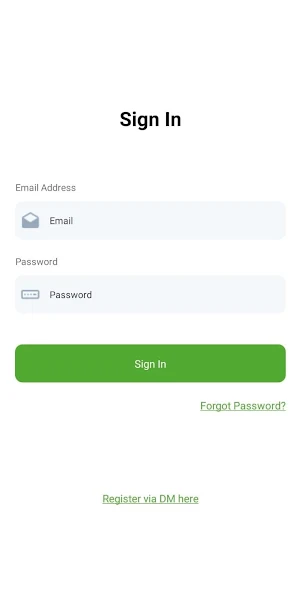
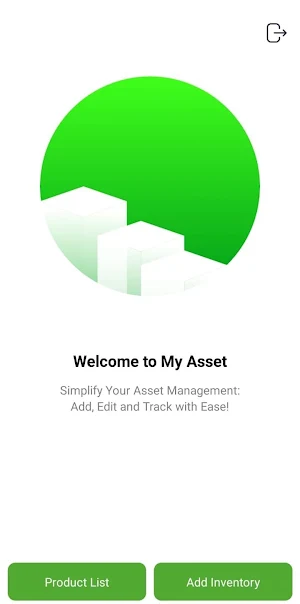
About My Asset
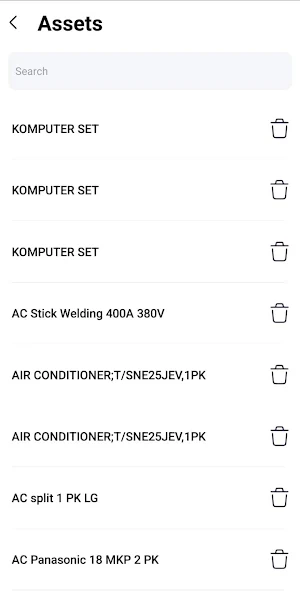
The "My Asset" section provides powerful tools for managing the product list, ensuring that the inventory is always current and accurate:
Delete Product: Remove outdated or decommissioned assets from the list, maintaining an up-to-date inventory.
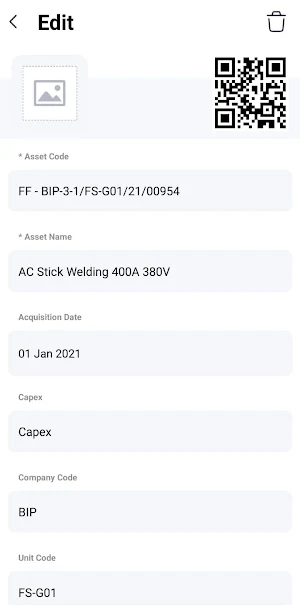
Edit Product Details: Update and modify the details of listed products to reflect current information, ensuring accuracy and reliability.
Add New Products: Seamlessly add new assets to the inventory, expanding the product list and ensuring comprehensive asset tracking.
Our Asset Management App offers a comprehensive suite of features designed to enhance efficiency, accuracy, and ease of use for both asset managers and users. By adopting this app, your team will experience streamlined inventory management, quick issue resolution, and precise tracking of all assets, empowering you to maintain an organized and effective asset management system.
Get started with our Asset Management App today and transform the way you manage your inventory!
Delete Product: Remove outdated or decommissioned assets from the list, maintaining an up-to-date inventory.
Edit Product Details: Update and modify the details of listed products to reflect current information, ensuring accuracy and reliability.
Add New Products: Seamlessly add new assets to the inventory, expanding the product list and ensuring comprehensive asset tracking.
Our Asset Management App offers a comprehensive suite of features designed to enhance efficiency, accuracy, and ease of use for both asset managers and users. By adopting this app, your team will experience streamlined inventory management, quick issue resolution, and precise tracking of all assets, empowering you to maintain an organized and effective asset management system.
Get started with our Asset Management App today and transform the way you manage your inventory!
Alternatives to My Asset
Looking for apps like My Asset? Here are 6 similar Android apps on Google Play. All of them are free to download.




| App | Rating | Price | Installs | Last updated | Compare |
|---|---|---|---|---|---|
| My Asset | – | Free | 50+ | Aug 14, 2024 | |
| Asset User | – | Free | 5+ | Aug 13, 2024 | Compare |
| Asset Manager | – | Free | 10+ | Aug 15, 2024 | Compare |
| Calivu Writer | – | Free | 5+ | – | Compare |
| Calivu Reader | – | Free | 1+ | Jun 14, 2024 | Compare |
| TCN | – | Free | 100+ | – | Compare |
| MarFin | – | Free | 100+ | Feb 23, 2026 | Compare |
Compare My Asset with the top alternatives: ratings, updates, ASO score and keyword gaps →