

Illustrator Viewer: PDF Export
Pen Ringtones Tools In-app purchases Contains ads
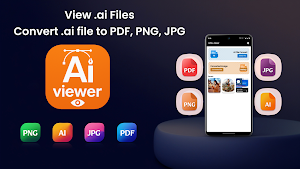
Open, View .ai files easily and export .ai files to PDF, JPG or PNG in seconds.
- Downloads
- 4.2K+
- on Google Play
- Price
- Free
- In-app purchases
- Updated
- Sep 11
- 2026 · v23.0
Screenshots


About Illustrator Viewer: PDF Export
Can’t open Illustrator (.AI) files on your Android device?
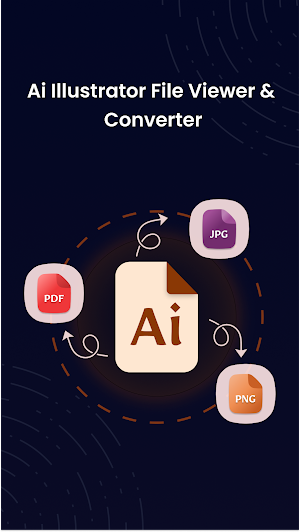
With Illustrator Viewer: PDF Export, you can easily open, view, convert, and export .ai files to PDF, JPG, or PNG. Whether you’re a designer, artist, or client, preview your Illustrator projects anywhere and share them instantly with perfect quality.
🎨 View Illustrator Files with Ease
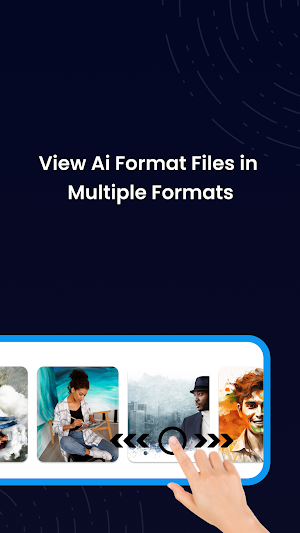
- Open and inspect any .AI file in seconds. The built-in AI file viewer renders every detail of your vector artwork with precision — from smooth curves to vibrant colors. Whether it’s a logo, poster, or digital illustration, Illustrator Viewer brings your designs to life in full clarity.
🔄 Convert & Export Instantly
Need your Illustrator file as a PDF or image?
- With Illustrator Viewer: PDF Export, you can convert .ai to PDF, JPG, or PNG in one tap. Our smart ai file converter preserves resolution, gradients, and vector accuracy, ensuring every exported file looks professional. Ideal for sharing, printing, or presenting your artwork.
📤 Share & Manage Effortlessly
- Once your file is converted, save it or share it right away!
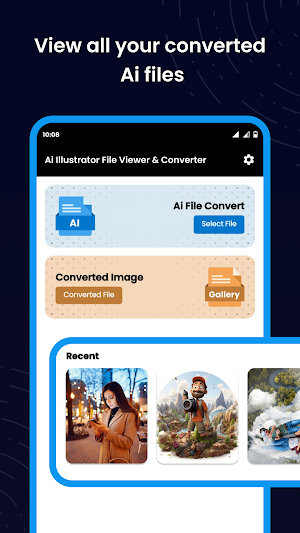
- Send designs or export to your personal cloud storage. All converted files appear in the “Converted Files” section — organized and easy to find. Whether for client approvals or quick edits, AI file management has never been this simple.
⚙️ Smart & Simple Interface
Illustrator Viewer: PDF Export is designed to make your workflow effortless.
✅ No sign-up or internet needed
✅ Works seamless
✅ Opens large Illustrator files without lag
✅ Minimal, easy-to-navigate design
✅ Even if you’re not a designer, Illustrator Viewer: PDF Export makes handling .ai files feel simple and intuitive.
👩🎨 Perfect For
1) Graphic Designers: Quickly preview or convert Illustrator designs
2) Students: View .ai assignments on mobile
3) Clients: Open Illustrator drafts before approval
4) Print Shops: Convert Illustrator files to PDF or PNG for printing
🌟 Illustrator Viewer: PDF Export Features
✅ Open & View .ai files instantly
✅ Convert Illustrator files to PDF, JPG, PNG
✅ Keep full design quality – no compression loss
✅ Lightweight, fast, and secure
✅ Save, manage & share easily
🔒 Safe, Fast & Reliable
All conversions are done locally on your device — your files never leave your phone. Illustrator Viewer ensures your data stays private while delivering lightning-fast performance for all file sizes.
🚀 How Illustrator Viewer: PDF Export Works
1️⃣ Open any .ai file from your device storage.
2️⃣ View your artwork in full clarity.
3️⃣ Convert to PDF, JPG, or PNG instantly.
4️⃣ Export or Share with clients, printers, or teammates.
Download Illustrator Viewer: PDF Export now and experience the easiest way to open, view, and convert Illustrator files anytime, anywhere!
Transform your creative workflow — open .ai files, export to PDF, and share instantly with the world.
With Illustrator Viewer: PDF Export, you can easily open, view, convert, and export .ai files to PDF, JPG, or PNG. Whether you’re a designer, artist, or client, preview your Illustrator projects anywhere and share them instantly with perfect quality.
🎨 View Illustrator Files with Ease
- Open and inspect any .AI file in seconds. The built-in AI file viewer renders every detail of your vector artwork with precision — from smooth curves to vibrant colors. Whether it’s a logo, poster, or digital illustration, Illustrator Viewer brings your designs to life in full clarity.
🔄 Convert & Export Instantly
Need your Illustrator file as a PDF or image?
- With Illustrator Viewer: PDF Export, you can convert .ai to PDF, JPG, or PNG in one tap. Our smart ai file converter preserves resolution, gradients, and vector accuracy, ensuring every exported file looks professional. Ideal for sharing, printing, or presenting your artwork.
📤 Share & Manage Effortlessly
- Once your file is converted, save it or share it right away!
- Send designs or export to your personal cloud storage. All converted files appear in the “Converted Files” section — organized and easy to find. Whether for client approvals or quick edits, AI file management has never been this simple.
⚙️ Smart & Simple Interface
Illustrator Viewer: PDF Export is designed to make your workflow effortless.
✅ No sign-up or internet needed
✅ Works seamless
✅ Opens large Illustrator files without lag
✅ Minimal, easy-to-navigate design
✅ Even if you’re not a designer, Illustrator Viewer: PDF Export makes handling .ai files feel simple and intuitive.
👩🎨 Perfect For
1) Graphic Designers: Quickly preview or convert Illustrator designs
2) Students: View .ai assignments on mobile
3) Clients: Open Illustrator drafts before approval
4) Print Shops: Convert Illustrator files to PDF or PNG for printing
🌟 Illustrator Viewer: PDF Export Features
✅ Open & View .ai files instantly
✅ Convert Illustrator files to PDF, JPG, PNG
✅ Keep full design quality – no compression loss
✅ Lightweight, fast, and secure
✅ Save, manage & share easily
🔒 Safe, Fast & Reliable
All conversions are done locally on your device — your files never leave your phone. Illustrator Viewer ensures your data stays private while delivering lightning-fast performance for all file sizes.
🚀 How Illustrator Viewer: PDF Export Works
1️⃣ Open any .ai file from your device storage.
2️⃣ View your artwork in full clarity.
3️⃣ Convert to PDF, JPG, or PNG instantly.
4️⃣ Export or Share with clients, printers, or teammates.
Download Illustrator Viewer: PDF Export now and experience the easiest way to open, view, and convert Illustrator files anytime, anywhere!
Transform your creative workflow — open .ai files, export to PDF, and share instantly with the world.
What’s new
Version 23.0 · Updated September 11, 2026
- Bug Fixes. - Enhanced New UI - More Language Support
Alternatives to Illustrator Viewer: PDF Export
Looking for apps like Illustrator Viewer: PDF Export? Here are 3 similar Android apps on Google Play. The highest rated is Blend: AI Videos Logos Try On (4.6/5), and all 3 are free to download.



| App | Rating | Price | Installs | Last updated | Compare |
|---|---|---|---|---|---|
| Illustrator Viewer: PDF Export | – | Free | 1,000+ | Sep 11, 2026 | |
| Logo Maker Design AI Generator | 4.0 / 5 | Free | 500,000+ | Oct 21, 2026 | Compare |
| Blend: AI Videos Logos Try On | 4.6 / 5 | Free | 1,000,000+ | Oct 8, 2026 | Compare |
| DesignEvo - Logo Maker | 3.0 / 5 | Free | 1,000,000+ | Apr 19, 2018 | Compare |