AR Drawing Sketchflow
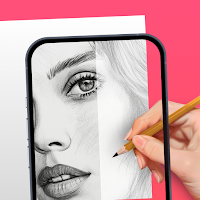
Master drawing via AR! Trace, sketch & paint anime, cartoons, and portraits.
About AR Drawing Sketchflow
🎨 The Ultimate AR Drawing Companion: Trace, Sketch, and Create with Ease!
Unlock your true creative potential and revolutionize the way you create art with the ultimate Augmented Reality (AR) drawing companion!
Whether you are a beginner holding a pencil for the first time, an aspiring illustrator, or a seasoned hobbyist, this app is your dedicated personal art instructor. We successfully bridged the gap between digital imagination and physical paper using advanced AR technology, making learning to draw easier, faster, and more fun than ever.
Turn your smartphone into a powerful AR drawing tool today. Eliminate the need for expensive light boxes or professional projectors. Just look through your phone lens, lock your virtual AR guide, and trace lines directly onto paper to create a stunning, gallery-worthy masterpiece in minutes.
🌟 TRANSFORM YOUR DRAWING EXPERIENCE WITH AR
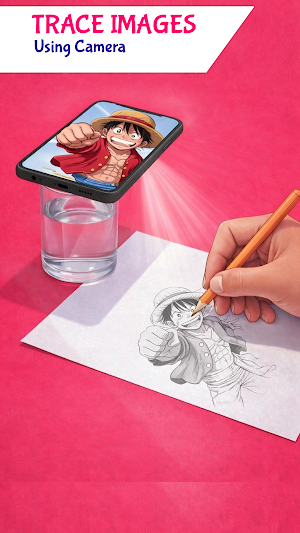
Drawing intricate designs has never been this accessible. Our advanced "AR Trace" technology projects any image from your phone directly onto a physical surface (paper, canvas, or wood). This technique is a digital evolution of the "Camera Lucida," utilizing Augmented Reality to help you achieve perfect proportions and perspective every time.
🔥 KEY FEATURES & MODES
1. AR Camera Projection Mode (Trace with Augmented Reality) Use your phone’s camera as a virtual AR projector to sketch on any opaque surface.
Stable Setup: Place your phone on a tripod or stable surface. The AR overlay stays visible while you trace on paper.
Precision Control: Use sliders for Opacity Control and Flashlight Integration for low-light AR drawing sessions.
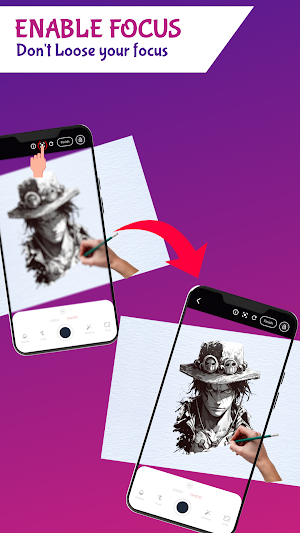
Lock & Zoom: Zoom into details, then engage the screen lock to keep your AR sketch steady.
2. Screen Trace Mode (Digital Lightbox) Turn your device into a bright digital light box, ideal for quick sketches or thin tracing paper.
Touch Lock System: Place paper directly on the screen. The specialized touch-lock feature ignores hand movements, keeping the image stable while you trace.
Brightness Boost: Maximize screen brightness for effortless outline copying without using the AR camera.
3. Smart Grid Method Learn to draw using the proven technique of the Old Masters. Apply a customizable grid over any reference image.
Perfect Proportions: Break down complex images into manageable squares, ensuring accurate scale and composition before applying AR details.
Customization: Adjust rows, columns, and line thickness for any canvas size.
📂 MASSIVE TEMPLATE LIBRARY & CUSTOM AR IMPORT
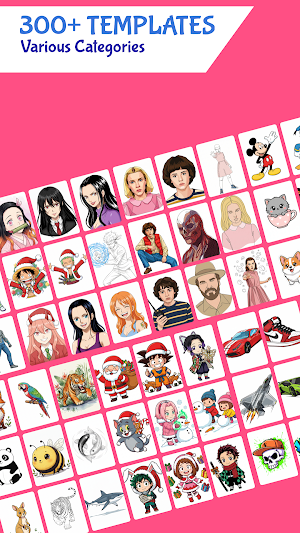
Never run out of inspiration. We have curated a diverse collection of high-quality sketches and outlines optimized for Augmented Reality tracing.
Inspiration Library: Access popular categories immediately: Anime, Manga, Animals, Cars, Nature, and Food.
Gallery Import: Turn any photo from your gallery into a traceable AR guide.
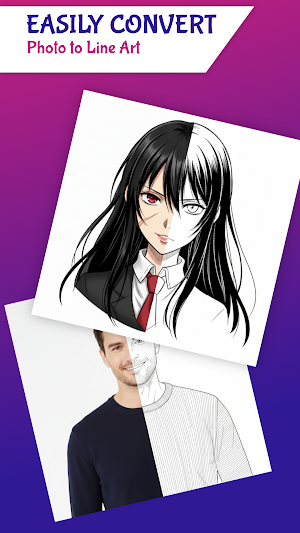
AI-Powered Edge Detection: Converts imported photos into clean, high-contrast line art, ready for AR tracing in seconds.
📹 RECORD & SHARE YOUR AR ART JOURNEY
Document your artistic growth and show the world your process.
Time-Lapse Recording: The app automatically records a high-definition video of your AR drawing session.
Social Ready: Capture satisfying speed-drawing videos to share on social media reels and status updates. Prove you created the artwork by hand using Augmented Reality!
🚀 WHO IS THIS AR APP FOR?
Art Students: Perfect hand-eye coordination and learn complex proportions faster using AR visualization.
Content Creators: Create engaging time-lapse AR art videos for social media.
DIY Crafters: Easily transfer designs onto fabric, wood, or walls using Augmented Reality projection.
✨ WHY CHOOSE US?
We prioritize a seamless, lag-free user experience. Our engine is optimized for long drawing sessions, providing all essential tools—AR Overlay, Grid, and Lightbox—in one clean, user-friendly interface.
Download now and start your creative journey today!
Similar Apps

AR Drawing - Paint and Sketch
Draw Sketch, Paint and become master of art in this AR Drawing Paint and Sketch
AR Drawing: Sketch & Paint
Just trace a projected picture on paper and color! Draw & Paint with AR drawing

NerdSnap: AI Homework Helper
AI Math Solver & Homework Helper. Scan to get step-by-step answers.

Game Booster GFX - No Lag
Enjoy a smoother gameplay experience with Game Booster Low Lag and AI Analysis

Antique Identifier - AntiqAI
Antique Snap & Antiqsnap ID & Antique Identifier by Picture & Antique ID

Sketchar AR Drawing Sketchpad
Become PRO with AR: learn, create, collaborate


