
LockLock - App Locks & Vaults
Tools Contains ads
LockLock helps lock apps with pin, pattern, fingerprint and hide photos, videos
- Rating
- 5.0
- 9 ratings
- Downloads
- 1K+
- on Google Play
- Price
- Free
- No in-app purchases
- Updated
- Dec 11
- 2022 · v3.0
Screenshots
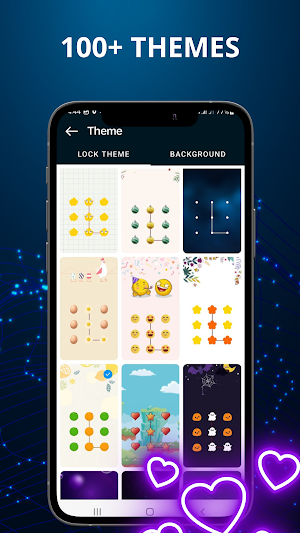


About LockLock - App Locks & Vaults
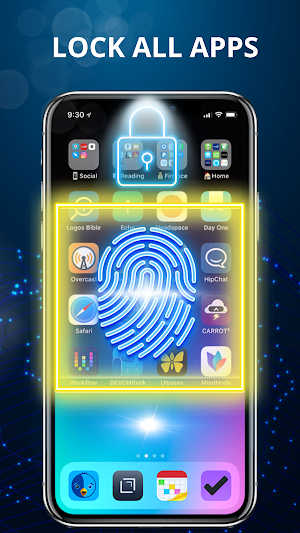
This LockLock has PIN, pattern or fingerprint support for your apps.
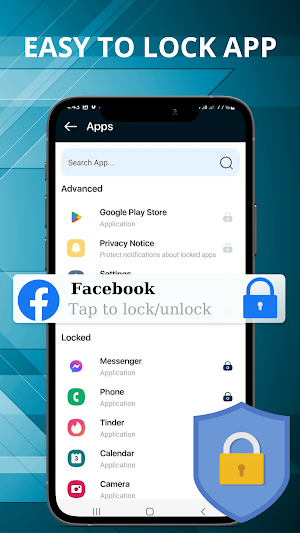
Lock all apps like: Facebook, WhatsApp, Instagram, TikTok, Twitter, Zalo, SMS, Contacts, Messenger, Settings, Library, Gmail, Browser, Play Store...
Protect apps every time you access them with a password that only you know. Support quick access to apps with fingerprint (Works on Android 6.0 and above fingerprint-enabled devices) fast and safe.
⭐Main Features:
🔒LockLock locks all apps
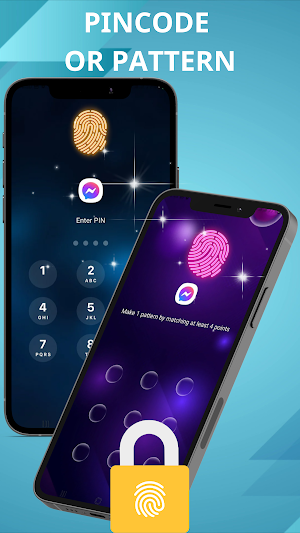
- Pattern lock: simple and fresh interface, faster unlock!
- PIN lock (password lock): Much safer for you to lock apps
- Fingerprint lock
- Customization: change type, change button, change wallpaper
- Very effective app lock
- Very high security app lock
- Easy to use and fast.
- Lower capacity, less memory.
- Power saving mode to save battery.
📸LockLock helps protect data
- Hide Photos
- Hide Videos
💡How it works
■ Download and install Transparent Pattern Lock.
■ Go to settings and activate the lock.
■ Place your template.
■ To unlock, draw your pattern and you unlock and see your home screen.
♥️ LockLock thank you very much.
Lock all apps like: Facebook, WhatsApp, Instagram, TikTok, Twitter, Zalo, SMS, Contacts, Messenger, Settings, Library, Gmail, Browser, Play Store...
Protect apps every time you access them with a password that only you know. Support quick access to apps with fingerprint (Works on Android 6.0 and above fingerprint-enabled devices) fast and safe.
⭐Main Features:
🔒LockLock locks all apps
- Pattern lock: simple and fresh interface, faster unlock!
- PIN lock (password lock): Much safer for you to lock apps
- Fingerprint lock
- Customization: change type, change button, change wallpaper
- Very effective app lock
- Very high security app lock
- Easy to use and fast.
- Lower capacity, less memory.
- Power saving mode to save battery.
📸LockLock helps protect data
- Hide Photos
- Hide Videos
💡How it works
■ Download and install Transparent Pattern Lock.
■ Go to settings and activate the lock.
■ Place your template.
■ To unlock, draw your pattern and you unlock and see your home screen.
♥️ LockLock thank you very much.
What’s new
Version 3.0 · Updated December 11, 2022
Optimized function, better experience!
User reviews

Managosiziba
Picture

good

Great app
Alternatives to LockLock - App Locks & Vaults
Looking for apps like LockLock - App Locks & Vaults? Here are 3 similar Android apps on Google Play. The highest rated is AnyLocker-applock (4.6/5), and all 3 are free to download.


| App | Rating | Price | Installs | Last updated | Compare |
|---|---|---|---|---|---|
| LockLock - App Locks & Vaults | 5.0 / 5 | Free | 1,000+ | Dec 11, 2022 | |
| Norton App Lock | 4.4 / 5 | Free | 1,000,000+ | Jul 16, 2020 | Compare |
| AnyLocker-applock | 4.6 / 5 | Free | 1,000,000+ | Aug 26, 2024 | Compare |
| AppLock Face/Voice Recognition | 3.8 / 5 | Free | 1,000,000+ | Mar 16, 2020 | Compare |