
TwinCalc - Calculator
HC Infotech Tools Contains ads
A simple and easy-to-use calculator app that combines two calculators into one.
- Downloads
- 50K+
- on Google Play
- Price
- Free
- No in-app purchases
- Updated
- Mar 26
- 2025 · v4.2
Screenshots
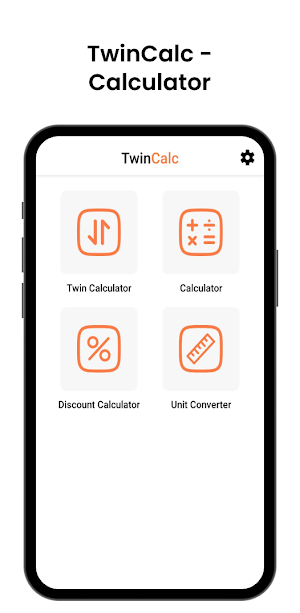


About TwinCalc - Calculator
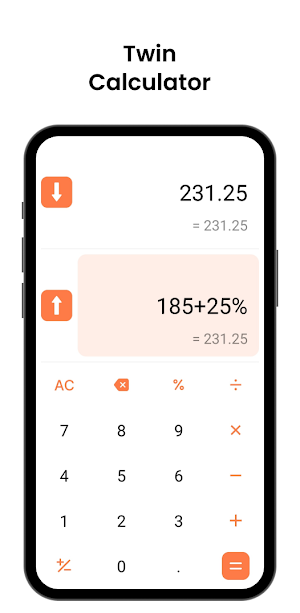
In addition to being able to perform separate calculations with each calculator, calculation results can be also copied and pasted with one touch, so you can perform other calculations during calculations, making it even more convenient to use than you might imagine.
Features:
1. Calculation results can be copied and pasted between two calculators with one touch.
2. The result calculated can be input from one calculator to the other with one touch.
• When pressing the “↑” key, the calculation result of the bottom calculator is entered at the end of the formula on the top calculator.
• When pressing the “↓” key, the calculation result of the top calculator is entered at the end of the formula on the bottom calculator.
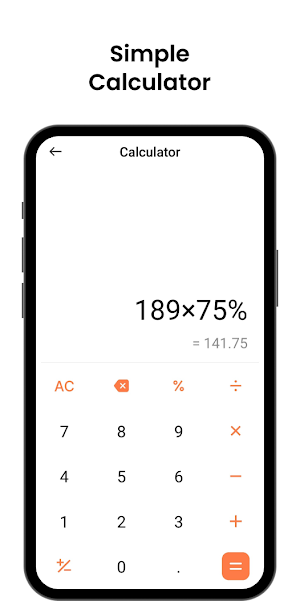
3. Add, subtract, multiply, divide, and a percentage is performed.
4. While typing a formula, you can check the result below the formula instant for a better experience.
Example of use:
When you find a product for 580 for 3 pieces and a product for 750 for 4 pieces while shopping, you can easily calculate "Which is cheaper?" And "How cheaper?" with this calculator.
1) Use the top and bottom calculators to find the unit price of the product (unit price = product price/number).
2) Tap the "- (minus key)" and "arrow key" on either the top or bottom calculator to calculate the unit price difference.
Limitations:
• The answer can be calculated up to 8 digits, minimum 0.00000001.
• If you divide a value by 0, it will not allow you to enter.
Features:
1. Calculation results can be copied and pasted between two calculators with one touch.
2. The result calculated can be input from one calculator to the other with one touch.
• When pressing the “↑” key, the calculation result of the bottom calculator is entered at the end of the formula on the top calculator.
• When pressing the “↓” key, the calculation result of the top calculator is entered at the end of the formula on the bottom calculator.
3. Add, subtract, multiply, divide, and a percentage is performed.
4. While typing a formula, you can check the result below the formula instant for a better experience.
Example of use:
When you find a product for 580 for 3 pieces and a product for 750 for 4 pieces while shopping, you can easily calculate "Which is cheaper?" And "How cheaper?" with this calculator.
1) Use the top and bottom calculators to find the unit price of the product (unit price = product price/number).
2) Tap the "- (minus key)" and "arrow key" on either the top or bottom calculator to calculate the unit price difference.
Limitations:
• The answer can be calculated up to 8 digits, minimum 0.00000001.
• If you divide a value by 0, it will not allow you to enter.
What’s new
Version 4.2 · Updated March 26, 2025
Version: 4.2 - Bug Fixes - Performance Improvement
User reviews

superb

very helpful

the best calc which I needed,ad is more

Good

Good app

Nice
Alternatives to TwinCalc - Calculator
Looking for apps like TwinCalc - Calculator? Here are 6 similar Android apps on Google Play. All of them are free to download.
-
Typing Speed Tester
-
Text Speaker - Text to Speech
-
Sound Meter - dB Measurement
-
Bluetooth Manager & Locator
-
InstantText - Text from Image
-
FinCalc - Financial Calculator
| App | Rating | Price | Installs | Last updated | Compare |
|---|---|---|---|---|---|
| TwinCalc - Calculator | – | Free | 50,000+ | Mar 26, 2025 | |
| Typing Speed Tester | – | Free | 1,000+ | Apr 12, 2025 | Compare |
| Text Speaker - Text to Speech | – | Free | 5,000+ | Apr 15, 2025 | Compare |
| Sound Meter - dB Measurement | – | Free | 50+ | Jun 19, 2025 | Compare |
| Bluetooth Manager & Locator | – | Free | 100+ | May 4, 2025 | Compare |
| InstantText - Text from Image | – | Free | 5,000+ | Apr 9, 2025 | Compare |
| FinCalc - Financial Calculator | – | Free | 1,000+ | Mar 31, 2025 | Compare |