
Screen Mirroring with All TV
Guru AppTech Tools Contains ads
Screen Mirroring app will help you to scan and mirror your smart tv display.
- Rating
- 4.4
- 261 ratings
- Downloads
- 80.1K+
- on Google Play
- Price
- Free
- No in-app purchases
- Updated
- Feb 22
- 2024 · v1.4
Screenshots


About Screen Mirroring with All TV
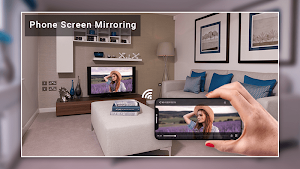
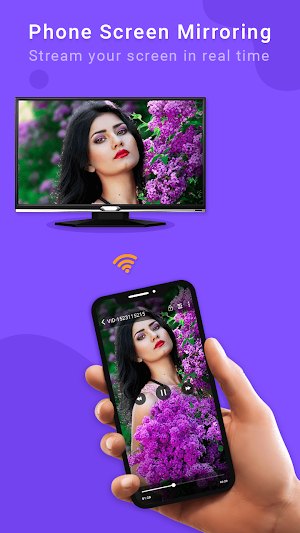
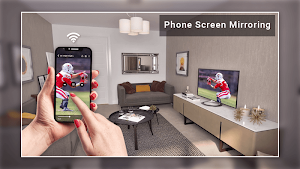
Screen Mirroring app will help you to scan and mirror your android phone or tablet screen on your Smart TV display. Enjoy your mobile screen contents or tablet screen in your smart tv screen using screen mirroring.
Play games in your smart tv display with Screen Mirroring or ScreenCast app. Screen Mirroring with TV is a very useful application for mirroring your mobile screen and audio to your smart TV using screen mirroring.
This Screen Mirroring app will also has Video Player using the hardware decoding, with the most smallest size and smaller memory usage, which make your video play more faster and smoother HD playback!
Supports All Video Formats Including 3GP,AVI,FLV,M4V,MKV,MOV,MP4,WMV, and etc.
Please follow below steps for screen mirroring your mobile screen to smart TV.
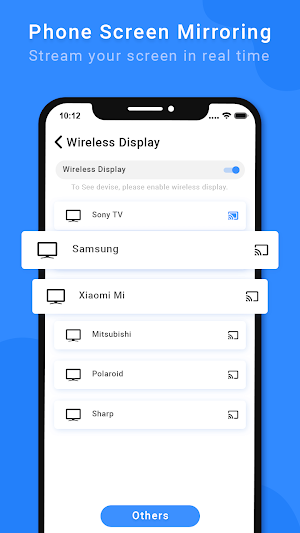
1) Your TV should support Wireless Display or any sort of Display Dongles.
2) Smart TV must be connected to same wifi network as your phone.
3) Download and run Screen Mirroring With All TV App.
4) Enjoy using Screen Mirroring !!
Mirroring your Android device's display on your TV can be useful when you're showing off photos from a recent trip, playing games or giving a demonstration. With this Screen Mirroring App, you will be able to duplicate your Android phone's screen on TV screen.
Play games in your smart tv display with Screen Mirroring or ScreenCast app. Screen Mirroring with TV is a very useful application for mirroring your mobile screen and audio to your smart TV using screen mirroring.
This Screen Mirroring app will also has Video Player using the hardware decoding, with the most smallest size and smaller memory usage, which make your video play more faster and smoother HD playback!
Supports All Video Formats Including 3GP,AVI,FLV,M4V,MKV,MOV,MP4,WMV, and etc.
Please follow below steps for screen mirroring your mobile screen to smart TV.
1) Your TV should support Wireless Display or any sort of Display Dongles.
2) Smart TV must be connected to same wifi network as your phone.
3) Download and run Screen Mirroring With All TV App.
4) Enjoy using Screen Mirroring !!
Mirroring your Android device's display on your TV can be useful when you're showing off photos from a recent trip, playing games or giving a demonstration. With this Screen Mirroring App, you will be able to duplicate your Android phone's screen on TV screen.
What’s new
Version 1.4 · Updated February 22, 2024
- Fixed Issues - Improve Performance
User reviews

Wow
Alternatives to Screen Mirroring with All TV
Looking for apps like Screen Mirroring with All TV? Here are 6 similar Android apps on Google Play. The highest rated is Music Player - Audio Player (5.0/5), and all 6 are free to download.
-
Breaking News Video Maker - Br 3.4
-
DJ Mixer Player - DJ Mixer
-
Music Player - Audio Player 5.0
-
Screen Lock
-
Christmas Photo Frame - Christ
-
Diwali Photos Frames- Diwali V
| App | Rating | Price | Installs | Last updated | Compare |
|---|---|---|---|---|---|
| Screen Mirroring with All TV | 4.4 / 5 | Free | 50,000+ | Feb 22, 2024 | |
| Breaking News Video Maker - Br | 3.4 / 5 | Free | 50,000+ | Dec 8, 2020 | Compare |
| DJ Mixer Player - DJ Mixer | – | Free | 10,000+ | Oct 4, 2023 | Compare |
| Music Player - Audio Player | 5.0 / 5 | Free | 50+ | Dec 8, 2021 | Compare |
| Screen Lock | – | Free | 5,000+ | Mar 18, 2024 | Compare |
| Christmas Photo Frame - Christ | – | Free | 5,000+ | Oct 4, 2023 | Compare |
| Diwali Photos Frames- Diwali V | – | Free | 10,000+ | – | Compare |