Ultra Digital Dashboard Face
The ultimate sci-fi dashboard for Wear OS. Highly customizable & data-rich.
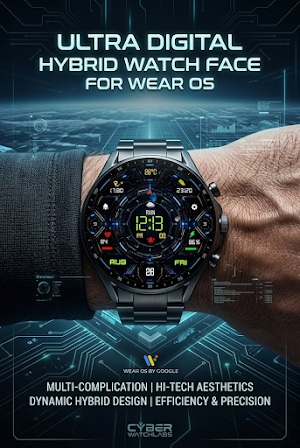
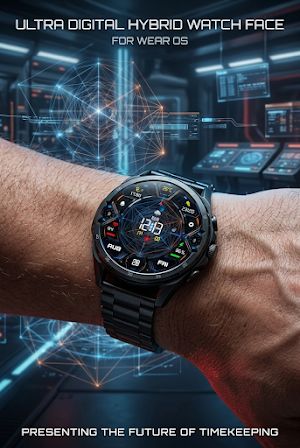
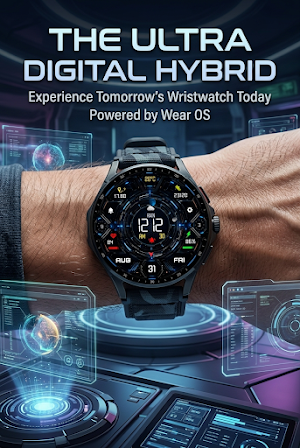
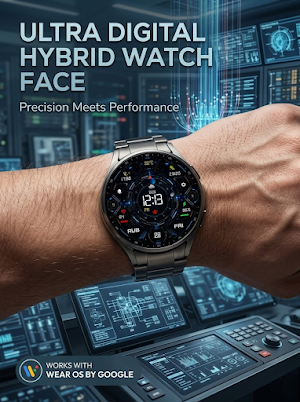
About Ultra Digital Dashboard Face
Elevate your Wear OS experience with the Ultra Digital Dashboard—a masterpiece of futuristic engineering and functional design.
Inspired by advanced sci-fi interfaces and tactical cockpit displays, this watch face transforms your smartwatch into a high-performance information hub. Whether you are a tech enthusiast, a fitness buff, or a professional on the go, the Ultra Digital Dashboard puts everything you need right on your wrist.
CORE FEATURES:
Futuristic Visuals: Choose between a mechanical "Circuit Core" background or a "Sacred Geometry" line-art style to match your aesthetic.
Deep Customization: Multiple color themes (Neon Cyan, Tactical Green, Solar Yellow, and Classic White) for time, date, and data readouts.
Comprehensive Health Suite: Real-time Heart Rate (BPM) monitoring with visual progress bars and a Step Counter with daily goal tracking.
Weather & Environment: Stay prepared with live weather conditions (Rain/Sun/Clouds), temperature in Celsius/Fahrenheit, and Moon Phase tracking.
Productivity at a Glance: Digital time (12H/24H), full date display (Day, Month, Year), and Distance Tracked (KM).
Power Management: Dedicated Battery percentage indicator with a color-coded status bar to keep you powered up.
Quick Access: Interactive shortcuts for Alarms, Settings, and Notifications (indicated by intuitive icons).
WHY CHOOSE ULTRA DIGITAL DASHBOARD?
Optimized for Battery Life: Built with the latest Watch Face Format for minimal battery drain.
Always-On Display (AOD): A sleek, dimmed version of the face keeps the time visible while saving power.
Universal Compatibility: Perfectly optimized for Samsung Galaxy Watch 4, 5, 6, & 7, Google Pixel Watch 1 & 2, TicWatch, and other Wear OS devices (API 30+).
How to Install:
Ensure your watch is connected to your phone via Bluetooth.
Select "Install on Watch" from the Play Store dropdown on your phone.
Long-press your current watch face and swipe to find "Ultra Digital Dashboard."
Ultra Digital Dashboard Face details
Ultra Digital Dashboard Face is a paid Personalization app for Android with 100+ installs on Google Play. It was released on August 17, 2026 and last updated on August 27, 2026. The app contains ads.
- Category
- Personalization
- Installs
- 100+
- Price
- $1.79
- In-app purchases
- No
- Ads
- Contains ads
- Requires Android
- Varies with device
- Content rating
- Everyone
- Released
- August 17, 2026
- Last updated
- August 27, 2026

