
Note OCR: Handwriting to Text
Kukuh N Tools In-app purchases
Turn images into text with AI. Structured OCR for documents, receipts, and more.
- Downloads
- 258+
- on Google Play
- Price
- Free
- In-app purchases
- Updated
- May 4
- 2026 · v1.0.1
Screenshots
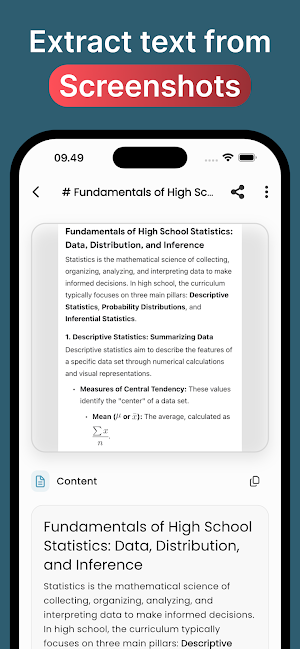


About Note OCR: Handwriting to Text
Turn Photos into Structured Text with AI
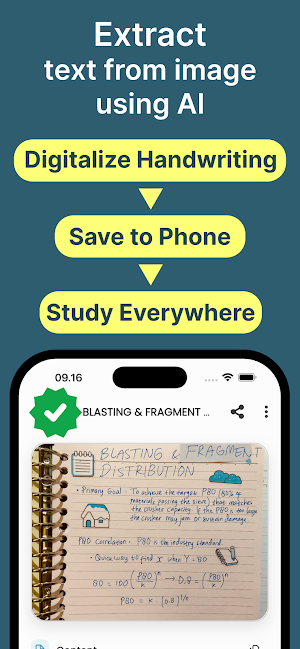
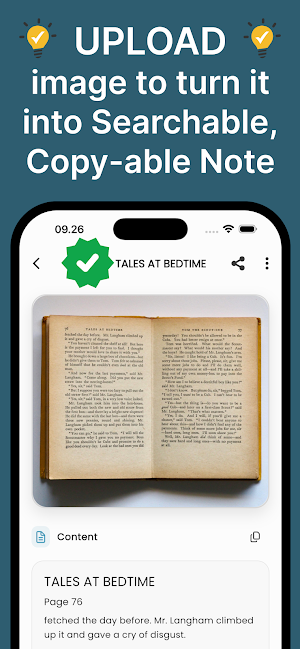
Note OCR helps you capture text from images and keep it organized. Use AI to extract structured text from photos, documents, receipts, whiteboards, and more—then save everything as notes you can search and revisit anytime.
Take a picture or import from your library. Our AI reads the image and turns it into clean, structured text you can edit. Perfect for students, professionals, and anyone who needs quick, accurate text capture on the go.
KEY FEATURES:
- AI-powered OCR: Extract readable, structured text from images using advanced AI. The free tier has a daily usage limit; unlimited daily extractions require Note OCR Pro (optional in-app purchase, sold separately).
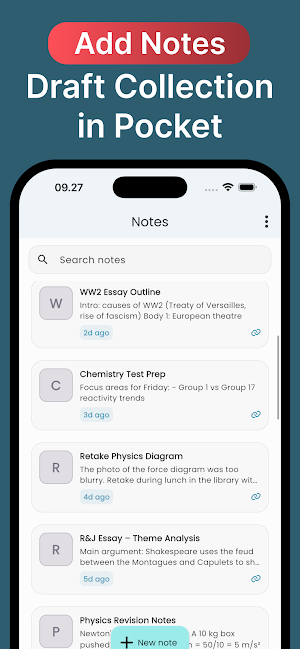
- Smart notes: Save extractions as notes with a clean, readable layout.
- Full history: Access past scans and notes whenever you need them.
- Beautiful formatting: Markdown-style formatting keeps extracted text easy to read.
- Personalized experience: Choose Light, Dark, or System themes with a sleek, modern design.
GOOD FOR:
- Students: Digitize lecture boards, handouts, and textbook pages.
- Professionals: Capture meeting notes, business cards, and documents.
- Everyday use: Save recipes, labels, signs, and any text you need from a photo.
IN-APP PURCHASES (Note OCR Pro)
Note OCR is free to download. The free experience includes a limited number of photo captures or OCR text extractions per day; see the app for the current free limits. Unlimited daily captures and extractions are not included with the free download—they require a separate in-app purchase or subscription to Note OCR Pro (optional, sold separately). Prices, plans, and any trial offers are shown in the app before you buy.
Note OCR helps you capture text from images and keep it organized. Use AI to extract structured text from photos, documents, receipts, whiteboards, and more—then save everything as notes you can search and revisit anytime.
Take a picture or import from your library. Our AI reads the image and turns it into clean, structured text you can edit. Perfect for students, professionals, and anyone who needs quick, accurate text capture on the go.
KEY FEATURES:
- AI-powered OCR: Extract readable, structured text from images using advanced AI. The free tier has a daily usage limit; unlimited daily extractions require Note OCR Pro (optional in-app purchase, sold separately).
- Smart notes: Save extractions as notes with a clean, readable layout.
- Full history: Access past scans and notes whenever you need them.
- Beautiful formatting: Markdown-style formatting keeps extracted text easy to read.
- Personalized experience: Choose Light, Dark, or System themes with a sleek, modern design.
GOOD FOR:
- Students: Digitize lecture boards, handouts, and textbook pages.
- Professionals: Capture meeting notes, business cards, and documents.
- Everyday use: Save recipes, labels, signs, and any text you need from a photo.
IN-APP PURCHASES (Note OCR Pro)
Note OCR is free to download. The free experience includes a limited number of photo captures or OCR text extractions per day; see the app for the current free limits. Unlimited daily captures and extractions are not included with the free download—they require a separate in-app purchase or subscription to Note OCR Pro (optional, sold separately). Prices, plans, and any trial offers are shown in the app before you buy.
What’s new
Version 1.0.1 · Updated May 4, 2026
Initial release
Alternatives to Note OCR: Handwriting to Text
Looking for apps like Note OCR: Handwriting to Text? Here are 6 similar Android apps on Google Play. All of them are free to download.
-
Anatomy & Physiology Solver
-
Reptile ID: Reptile Identifier
-
Medical Note: Pathology AI
-
Anatomy Note Mindmap Flashcard
-
Home Appliances Repair Guide
-
Craft DIY: Build, Repair Craft
| App | Rating | Price | Installs | Last updated | Compare |
|---|---|---|---|---|---|
| Note OCR: Handwriting to Text | – | Free | 100+ | May 4, 2026 | |
| Anatomy & Physiology Solver | – | Free | 100+ | – | Compare |
| Reptile ID: Reptile Identifier | – | Free | 500+ | May 4, 2026 | Compare |
| Medical Note: Pathology AI | – | Free | 100+ | May 4, 2026 | Compare |
| Anatomy Note Mindmap Flashcard | – | Free | 10+ | May 4, 2026 | Compare |
| Home Appliances Repair Guide | – | Free | 500+ | May 2, 2026 | Compare |
| Craft DIY: Build, Repair Craft | – | Free | 100+ | May 2, 2026 | Compare |
Similar apps on Google Play
- Anatomy & Physiology Solver
- Reptile ID: Reptile Identifier
- Medical Note: Pathology AI
- Anatomy Note Mindmap Flashcard
- Home Appliances Repair Guide
- Craft DIY: Build, Repair Craft
- Count Pic: AI Counter Camera
- Rock ID: Stone Identifier
- Geology Homework & Quiz Solver
- Algebra Quiz & Homework Helper
- Mushroom ID: AI Identifier
- Physics Quiz & Homework Helper
- Math Homework & Quiz Solver AI
- Geometry: Fix Homework & Quiz
- Stats AI: Statistics Solver
- Geography AI Homework Helper
- Calculus AI: Homework & Quiz
- Flower Identifier: Learn, Care
- Animal Pic: AI Identifier
- Wood & Tree Identifier
- Snake ID: AI Snake Identifier
- Fish Pic: AI Fish Identifier
- Plant ID: Identify & Diagnose
- Bird Cam: Bird Identifier AI
- Insect ID: Bug Identifier AI
- Biology Homework & Quiz Helper
- Chemistry AI: Homework & Quiz
- Habit Builder - Habitoday
- Counterz
- QR Code Scanner and Generator
- Optikal: OCR, QR Code, Barcode
- Speech-to-Text with AI: Voisme