
GIF Maker : Video to GIF Share
GIFUN Entertainment In-app purchases Contains ads
Screen recorder & meme maker. Capture clips, make GIFs, and send via keyboard!
- Downloads
- 10+
- on Google Play
- Price
- Free
- In-app purchases
- Updated
- Jul 24
- 2026 · v1.1.5
Screenshots
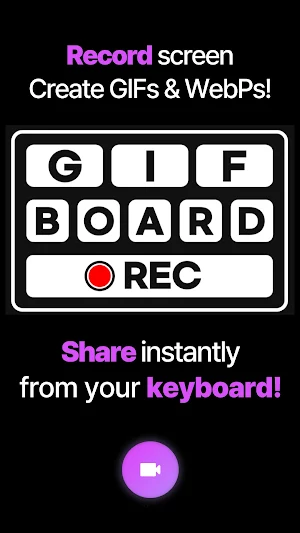
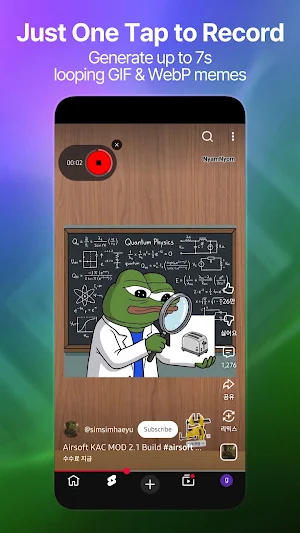
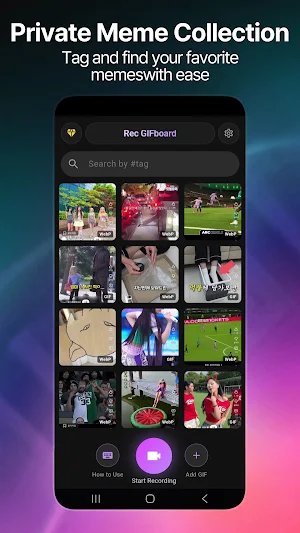


About GIF Maker : Video to GIF Share
Record Your Screen, Create GIFs, and Share Instantly via Keyboard!
Looking for the fastest way to capture funny moments and share them? Rec Gifboard is the ultimate screen recorder and meme maker that lets you clip, edit, and send custom GIFs directly from your chat!
✨ Key Features:
▶ Fast Screen Recorder: Capture any video, stream, or gameplay on your screen instantly. Perfect for grabbing that hilarious 1-second clip!
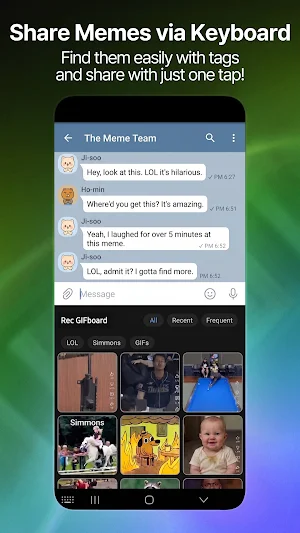
▶ Direct GIF Keyboard (Exclusive): No need to switch apps! Access your created memes directly from your custom keyboard and paste them into WhatsApp, Messenger, Discord, and more in one tap.
▶ Precision Trimming & Cropping: Keep only the best parts! Easily trim unnecessary footage, crop the screen, and add text to make the perfect looping meme.
▶ High-Quality GIF & WebP: Export your clips in classic GIF or lightning-fast WebP formats for optimized size and smooth playback.
▶ Privacy Focused: Your media is processed locally on your device. We respect your privacy—no cloud uploads required.
✨ Why choose Rec Gifboard?
Stop downloading heavy video editors. Rec Gifboard combines a powerful screen recorder, a fast meme generator, and a custom keyboard all in one seamless app. Clip that funny moment instantly and be the first one to send the viral meme in your group chat. Spend less time editing and more time sharing!
✨ How to use:
Record your screen or select media from your gallery.
Trim & Edit the clip to save only the exact moment you want.
Enable the Rec Gifboard Keyboard in your settings.
Share! Open any chat, switch to the keyboard, and send your masterpiece instantly.
Download Rec Gifboard today, clip that moment, and level up your meme game!
Looking for the fastest way to capture funny moments and share them? Rec Gifboard is the ultimate screen recorder and meme maker that lets you clip, edit, and send custom GIFs directly from your chat!
✨ Key Features:
▶ Fast Screen Recorder: Capture any video, stream, or gameplay on your screen instantly. Perfect for grabbing that hilarious 1-second clip!
▶ Direct GIF Keyboard (Exclusive): No need to switch apps! Access your created memes directly from your custom keyboard and paste them into WhatsApp, Messenger, Discord, and more in one tap.
▶ Precision Trimming & Cropping: Keep only the best parts! Easily trim unnecessary footage, crop the screen, and add text to make the perfect looping meme.
▶ High-Quality GIF & WebP: Export your clips in classic GIF or lightning-fast WebP formats for optimized size and smooth playback.
▶ Privacy Focused: Your media is processed locally on your device. We respect your privacy—no cloud uploads required.
✨ Why choose Rec Gifboard?
Stop downloading heavy video editors. Rec Gifboard combines a powerful screen recorder, a fast meme generator, and a custom keyboard all in one seamless app. Clip that funny moment instantly and be the first one to send the viral meme in your group chat. Spend less time editing and more time sharing!
✨ How to use:
Record your screen or select media from your gallery.
Trim & Edit the clip to save only the exact moment you want.
Enable the Rec Gifboard Keyboard in your settings.
Share! Open any chat, switch to the keyboard, and send your masterpiece instantly.
Download Rec Gifboard today, clip that moment, and level up your meme game!
What’s new
Version 1.1.5 · Updated July 24, 2026
- Added a cancel button to the post-recording save popup. - Polished the save popup's design. - Swipe left/right in the gallery preview to browse to the next/previous meme. - Fixed a crash that could occur when editing tags. - Updated for the latest Android version and improved in-app purchase reliability.
Alternatives to GIF Maker : Video to GIF Share
Looking for apps like GIF Maker : Video to GIF Share? Here are 5 similar Android apps on Google Play. All of them are free to download.
-
Sticker Maker Auto WhatsApp
-
DayDone : Fit Rep Counter
-
Telegram Sticker Maker Auto
-
PFP Studio : Discord/TG Avatar
-
GIF Maker - Convert & Compress
| App | Rating | Price | Installs | Last updated | Compare |
|---|---|---|---|---|---|
| GIF Maker : Video to GIF Share | – | Free | 10+ | Jul 24, 2026 | |
| Sticker Maker Auto WhatsApp | – | Free | 100+ | Aug 19, 2026 | Compare |
| DayDone : Fit Rep Counter | – | Free | 5+ | Aug 21, 2026 | Compare |
| Telegram Sticker Maker Auto | – | Free | 100+ | Nov 2, 2026 | Compare |
| PFP Studio : Discord/TG Avatar | – | Free | 100+ | – | Compare |
| GIF Maker - Convert & Compress | – | Free | 100+ | Aug 28, 2026 | Compare |