

Screenshot Inbox
Dar Khan Productivity Contains ads
A smarter way to organize, edit, and manage screenshots.
- Downloads
- 21+
- on Google Play
- Price
- Free
- No in-app purchases
- Updated
- Jan 28
- 2026 · v1.0
Screenshots


About Screenshot Inbox
Screenshot Inbox
Screenshots add up quickly. Screenshot Inbox helps you organize, clean, enhance, and find your screenshots in a simple and reliable way.
Designed for productivity and clarity, Screenshot Inbox turns scattered screenshots into an organized inbox that is easy to browse and manage.
Screenshot Inbox helps you keep your screenshots structured and accessible:
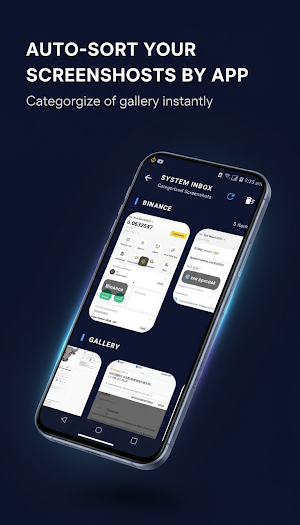
View your screenshots in a clean, organized feed
Group screenshots by app
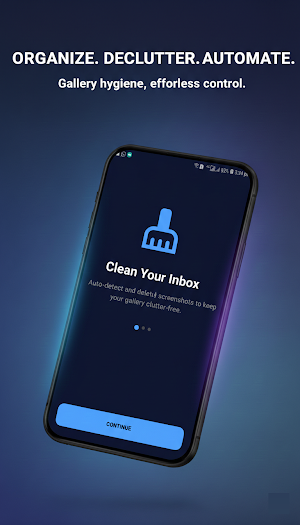
Remove older screenshots with one-tap cleanup
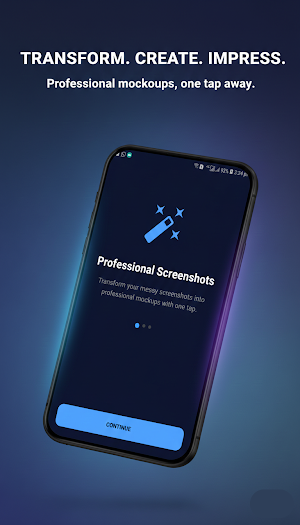
Enhance your screenshots before sharing:
Remove visual distractions
Add clean frames and spacing
Stitch multiple screenshots into one long image
Export high-quality images
Find what you need faster:
Search screenshots by app name or filename
Search text inside screenshots using on-device text recognition
Copy detected text, links, or numbers from images
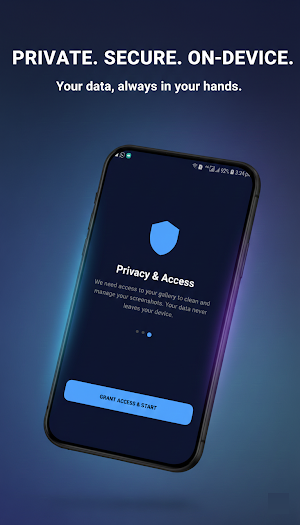
Your data stays on your device:
All image processing happens locally
No cloud storage is used
Optional private vault for sensitive screenshots
Built for users who want control and simplicity, Screenshot Inbox provides practical tools without unnecessary complexity.
Download Screenshot Inbox to organize and manage your screenshots with confidence.
Screenshots add up quickly. Screenshot Inbox helps you organize, clean, enhance, and find your screenshots in a simple and reliable way.
Designed for productivity and clarity, Screenshot Inbox turns scattered screenshots into an organized inbox that is easy to browse and manage.
Screenshot Inbox helps you keep your screenshots structured and accessible:
View your screenshots in a clean, organized feed
Group screenshots by app
Remove older screenshots with one-tap cleanup
Enhance your screenshots before sharing:
Remove visual distractions
Add clean frames and spacing
Stitch multiple screenshots into one long image
Export high-quality images
Find what you need faster:
Search screenshots by app name or filename
Search text inside screenshots using on-device text recognition
Copy detected text, links, or numbers from images
Your data stays on your device:
All image processing happens locally
No cloud storage is used
Optional private vault for sensitive screenshots
Built for users who want control and simplicity, Screenshot Inbox provides practical tools without unnecessary complexity.
Download Screenshot Inbox to organize and manage your screenshots with confidence.
What’s new
Version 1.0 · Updated January 28, 2026
First Deploy
Alternatives to Screenshot Inbox
Looking for apps like Screenshot Inbox? Here are 6 similar Android apps on Google Play. The highest rated is TimeMark Alarm: Time & Loc Cam (3.9/5), and 2 of the 6 are free to download.
-
Sentenceify: My Text Converter
-
Duplifix: Duplicate Photos
-
TimeMark Alarm: Time & Loc Cam 3.9
-
QmetaRam AI: Quantum Assistant
-
Home Interior Design AI App
-
Loom – Screen and Cam Recorder 3.8
| App | Rating | Price | Installs | Last updated | Compare |
|---|---|---|---|---|---|
| Screenshot Inbox | – | Free | 10+ | Jan 28, 2026 | |
| Sentenceify: My Text Converter | – | – | – | Jan 26, 2026 | Compare |
| Duplifix: Duplicate Photos | – | – | 10,000+ | Sep 27, 2026 | Compare |
| TimeMark Alarm: Time & Loc Cam | 3.9 / 5 | Free | – | Jan 16, 2026 | Compare |
| QmetaRam AI: Quantum Assistant | – | – | 5,000+ | Jun 2, 2026 | Compare |
| Home Interior Design AI App | – | – | – | Jan 21, 2026 | Compare |
| Loom – Screen and Cam Recorder | 3.8 / 5 | Free | 1,000,000+ | Oct 13, 2026 | Compare |
Compare Screenshot Inbox with the top alternatives: ratings, updates, ASO score and keyword gaps →