

Good Vibes
GenuineSoundware Music & Audio
Physical Modeling Vibraphone
- Downloads
- 50+
- on Google Play
- Price
- Free
- No in-app purchases
- Updated
- May 15
- 2023 · v1.0.0
Screenshots
About Good Vibes
GSi Free Vibes.
Physical modeling emulation of Vibraphone.
This istrument emulates the sound and the behavior of a Vibraphone. It doesn't make any use of sampled material as the sound you hear is completely generated in real time thanks to some pretty complex math calculations performed by your device while you play.
Main Features:
- Physical Modeling - no samples
- Full polyphony (49 notes)
- Two different modes: Keyboard or Mallet
- Adjustable mallet hardness
- Very low CPU and RAM usage
USAGE
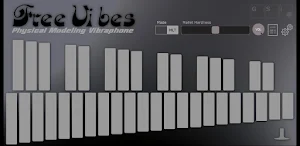
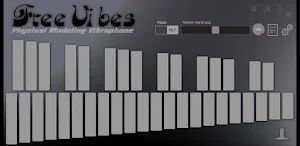
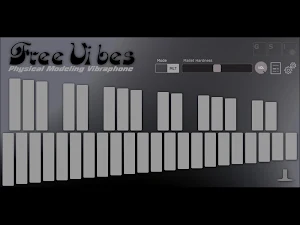
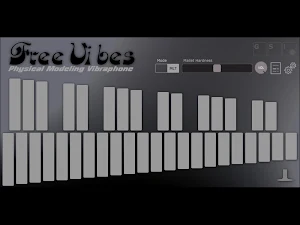
The usage is pretty simple. The main interface shows the layout of a classic 3 octave Vibraphone, from F to F, but the sound engine can generate up to 4 octaves, from C (Midi note #48) to C (Midi note #96).
Touch a bar to play it, the lower the touch goes, the higher the velocity is. Operate the sustain pedal by tapping the icon on the bottom right.
Parameters are:
- MODE: choose between Keyboard Mode or Mallet Mode. As opposed to Keyboard Mode, in Mallet Mode the sound will not sustain while the key is depressed.
- MALLET HARDNESS: adjust the hardness of the mallet from soft to hard, this will affect the attack and the way the whole instrument reacts to velocity.
The Settings page offers only two settings:
- Tuning: default is A=440 Hz, but this can be changed from 430 to 450.
- Midi Channel: default is OMNI, but you can set it to receive on a specific channel.
This App is freeware. No IAP, no 3rd party ads, no notifications.
Physical modeling emulation of Vibraphone.
This istrument emulates the sound and the behavior of a Vibraphone. It doesn't make any use of sampled material as the sound you hear is completely generated in real time thanks to some pretty complex math calculations performed by your device while you play.
Main Features:
- Physical Modeling - no samples
- Full polyphony (49 notes)
- Two different modes: Keyboard or Mallet
- Adjustable mallet hardness
- Very low CPU and RAM usage
USAGE
The usage is pretty simple. The main interface shows the layout of a classic 3 octave Vibraphone, from F to F, but the sound engine can generate up to 4 octaves, from C (Midi note #48) to C (Midi note #96).
Touch a bar to play it, the lower the touch goes, the higher the velocity is. Operate the sustain pedal by tapping the icon on the bottom right.
Parameters are:
- MODE: choose between Keyboard Mode or Mallet Mode. As opposed to Keyboard Mode, in Mallet Mode the sound will not sustain while the key is depressed.
- MALLET HARDNESS: adjust the hardness of the mallet from soft to hard, this will affect the attack and the way the whole instrument reacts to velocity.
The Settings page offers only two settings:
- Tuning: default is A=440 Hz, but this can be changed from 430 to 450.
- Midi Channel: default is OMNI, but you can set it to receive on a specific channel.
This App is freeware. No IAP, no 3rd party ads, no notifications.
What’s new
Version 1.0.0 · Updated May 15, 2023
First release.
Alternatives to Good Vibes
Looking for apps like Good Vibes? Here are 4 similar Android apps on Google Play. The highest rated is VB3m (4.5/5), and 2 of the 4 are free to download.


| App | Rating | Price | Installs | Last updated | Compare |
|---|---|---|---|---|---|
| Good Vibes | – | Free | 50+ | May 15, 2023 | |
| Just Piano | – | 13.99 USD | 50+ | Sep 14, 2025 | Compare |
| Gemini Editor | – | Free | 500,000+ | Jan 28, 2024 | Compare |
| VB3m | 4.5 / 5 | 13.99 USD | 1,000+ | Sep 1, 2025 | Compare |
| GSi SafeBox | – | Free | 50+ | Jan 28, 2024 | Compare |
Compare Good Vibes with the top alternatives: ratings, updates, ASO score and keyword gaps →