
BR Screen Recorder
Growing Bangla Tech Studio Tools Contains ads
Record your screen in HD with audio, smooth controls, and easy sharing.
- Downloads
- 753+
- on Google Play
- Price
- Free
- No in-app purchases
- Updated
- Sep 14
- 2026 · v1.9.5
Screenshots
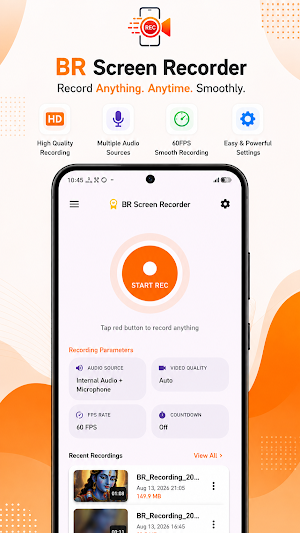
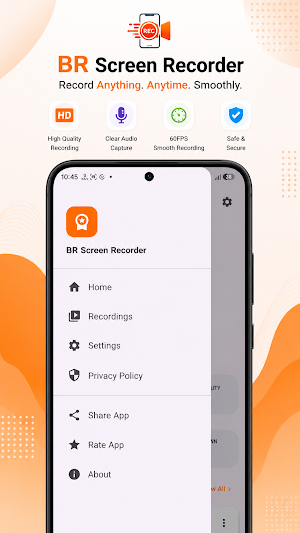
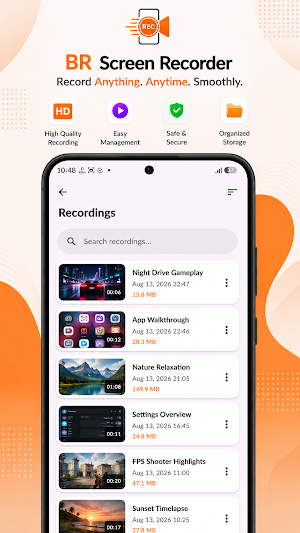
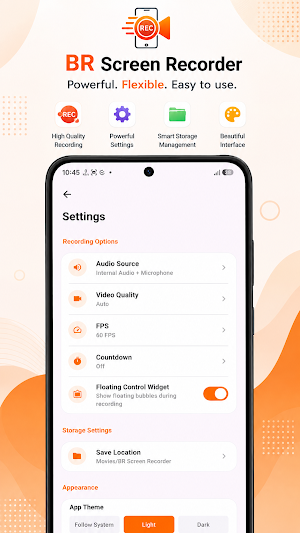

About BR Screen Recorder
BR Screen Recorder is a simple and reliable screen recording app that helps you capture everything on your device with high-quality video.
Whether you want to record gameplay, tutorials, video calls, online classes, presentations, or any on-screen activity, BR Screen Recorder provides a smooth and easy recording experience.
Key Features:
• Record your screen in high quality
• Record with microphone audio
• Internal audio recording on supported devices
• Choose video resolution, frame rate, and quality
• Easy start, pause, resume, and stop controls
• Built-in recordings manager
• Preview, rename, delete, and share recordings
• Modern, clean, and easy-to-use interface
• Fast performance with optimized recording engine
• Designed for Android devices
BR Screen Recorder is built with performance, stability, and ease of use in mind, making it suitable for everyday screen recording needs.
We continuously improve the app by fixing bugs, enhancing performance, and adding useful features to provide the best recording experience.
Thank you for using BR Screen Recorder.
Whether you want to record gameplay, tutorials, video calls, online classes, presentations, or any on-screen activity, BR Screen Recorder provides a smooth and easy recording experience.
Key Features:
• Record your screen in high quality
• Record with microphone audio
• Internal audio recording on supported devices
• Choose video resolution, frame rate, and quality
• Easy start, pause, resume, and stop controls
• Built-in recordings manager
• Preview, rename, delete, and share recordings
• Modern, clean, and easy-to-use interface
• Fast performance with optimized recording engine
• Designed for Android devices
BR Screen Recorder is built with performance, stability, and ease of use in mind, making it suitable for everyday screen recording needs.
We continuously improve the app by fixing bugs, enhancing performance, and adding useful features to provide the best recording experience.
Thank you for using BR Screen Recorder.
What’s new
Version 1.9.5 · Updated September 14, 2026
• Fixed a crash related to runtime permission handling. • Improved permission dialogs and app stability. • Fixed lifecycle issues during screen rotation. • Minor bug fixes and performance improvements.
User reviews

first screen recorder is high powerful makes voice and heigest attractive voices this app first app in the world's and show on public d j sound and very very much thanku this app developer

Very useful and well-designed screen recorder. The interface is clean and easy to understand, and the recording controls are simple and convenient. Overall, a great app for everyday screen recording!

Excellent screen recorder! The app is simple, smooth, and easy to use. Recording with internal audio and microphone works really well, and the floating controls make recording very convenient. Great work!👍
Alternatives to BR Screen Recorder
Looking for apps like BR Screen Recorder? Here are 6 similar Android apps on Google Play. All of them are free to download.
-
Noti Alert - Save Notification
-
QR ScanX - Barcode Scanner
-
Speed Go - Speed Meter
-
BR Converter
-
BR Photo Resizer
-
BR Image To PDF
| App | Rating | Price | Installs | Last updated | Compare |
|---|---|---|---|---|---|
| BR Screen Recorder | – | Free | 500+ | Sep 14, 2026 | |
| Noti Alert - Save Notification | – | Free | 100+ | Aug 5, 2026 | Compare |
| QR ScanX - Barcode Scanner | – | Free | 10+ | – | Compare |
| Speed Go - Speed Meter | – | Free | 100+ | Aug 19, 2026 | Compare |
| BR Converter | – | Free | 1,000+ | Aug 19, 2026 | Compare |
| BR Photo Resizer | – | Free | 500+ | Oct 18, 2026 | Compare |
| BR Image To PDF | – | Free | 5,000+ | Sep 30, 2026 | Compare |
Compare BR Screen Recorder with the top alternatives: ratings, updates, ASO score and keyword gaps →