5G LTE Mode Switch - Force 4G
5G LTE Mode Settings allow you to access hidden mobile network settings.
About 5G LTE Mode Switch - Force 4G
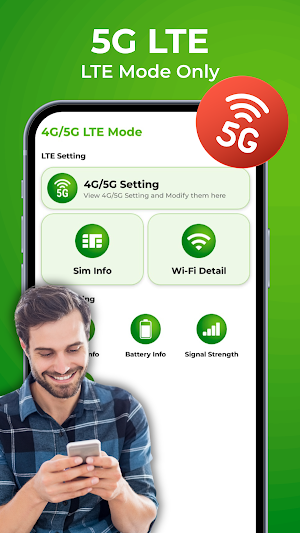
5G LTE Mode Switch is a powerful network utility app designed to help users manage hidden mobile network settings, improve signal stability, and test internet performance with ease.
Using this app, you can easily access hidden network settings and switch between different network modes such as 5G, 4G LTE, 3G, and 2G. Many smartphones do not show advanced network options in their default settings. This app helps you open those secret settings so you can configure your preferred mobile network quickly.
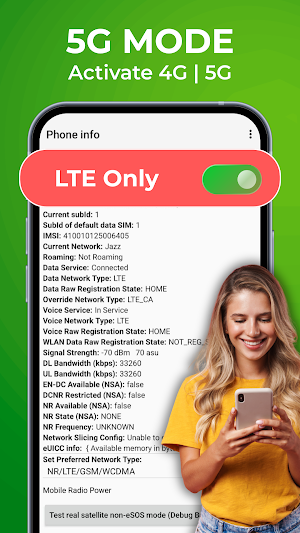
Experience fast and stable 5G internet by selecting LTE Only or NR Only mode on supported devices. The app includes a simple 5G LTE switch that allows you to lock your device into a stable network for better browsing, gaming, streaming, and downloading. Whether you want better signal quality or improved battery efficiency, 5G LTE Mode helps optimize your connection.
Key Features of 5G LTE Mode Switch
Quick 5G LTE switch to change between 5G, 4G LTE, or 3G modes
Enable Force LTE mode for a stable and reliable connection
Activate 4G Force LTE to avoid weak or fluctuating signals
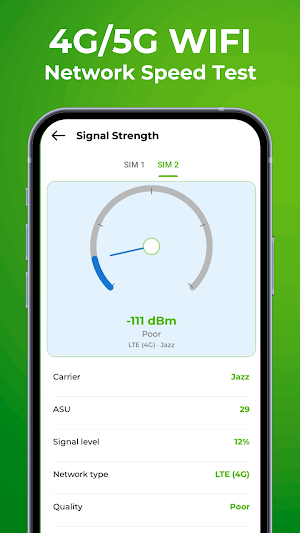
Real-time 5G internet speed testing and monitoring
Detailed SIM card and phone information
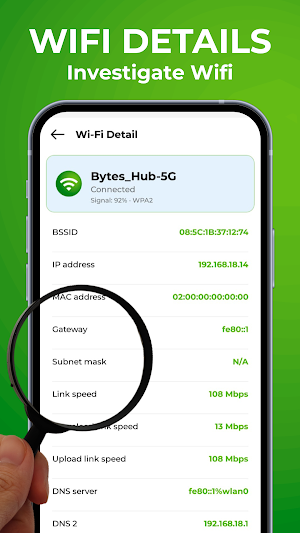
Check signal strength and nearby WiFi networks with built-in analyzer
Battery and device info for better optimization
Lock your phone in 5G LTE mode for uninterrupted performance
The 4G Force LTE feature helps prevent your phone from switching between unstable network signals. With Force LTE mode enabled, your device can remain connected to LTE networks for a more reliable internet experience. The app also supports 5G settings switch tools for compatible smartphones.
5G LTE Switch allows you to measure upload speed, download speed, ping, and network response time in just one tap. Test your WiFi, LTE, and mobile data performance accurately with the built-in network analyzer. The app supports internet speed testing for 2G, 3G, 4G, LTE, WiFi, and 5G networks.
The integrated 5G LTE mode tools help users choose advanced network configurations quickly and easily. You can switch between network types including LTE Only, WCDMA Only, GSM Only, CDMA Only, NR Only, and Auto mode, depending on your device support.
How to Use:
Open the app and tap on 4G/5G Settings Switch
Tap “Open Settings” to view the advanced network options
Select your preferred network type
Choose LTE Only, NR Only, or Automatic mode
Enjoy stable 5G internet speed and better connectivity
5G LTE Mode is designed for users who want more control over their network settings and better internet performance. Enjoy stable connectivity, smart network tools, and accurate 5G internet speed testing in one powerful app.
Note: This 5G/4G Force LTE Mode app won't work on all devices as some manufacturers restrict the force switching mode
Similar Apps

Roku Cast: Cast Phone to TV
Cast phone screen, videos and images on TV with Roku Screen Cast.

Ghost Video: Scary Prank Calls
Ghostly chats await in creepy prank calls and ghost videos of horror prank

Ghost Detector & Ghost Tracker
Paranormal Activity Detector, Ghost Detector, Ghost Tracker & Ghost Video.
Json File Viewer - Json Editor
Create file with json reader edit with json editor & view with json file viewer.

Ghost Video Call - Scary Prank
Get ready for a terrifying experience with Scary Ghost Video Call Prank.

Magic Voice Changer
Magic Voice Changer recorder transform your voice with magic audio effects.