
TV Remote for Fire TV
FIRE Ltd Tools In-app purchases
Smart remote with fast connection and seamless screen mirroring for Fire TV.
- Rating
- 4.0
- 1K ratings
- Downloads
- 89.3K+
- on Google Play
- Price
- Free
- In-app purchases
- Updated
- Sep 29
- 2026 · v9.0
Screenshots


About TV Remote for Fire TV
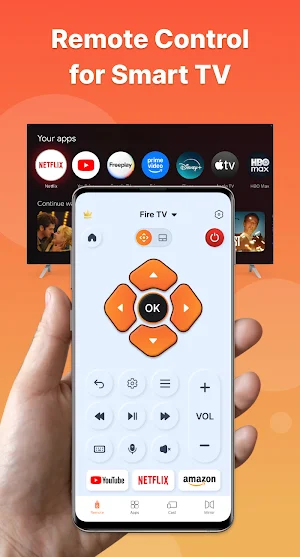
Turn your phone into a powerful remote for Fire TV devices, giving you seamless control and effortless casting in seconds. No more searching for lost remotes or struggling with slow navigation — everything you need is right at your fingertips.
Simply connect your phone and Fire TV to the same Wi-Fi network and start controlling your TV instantly.
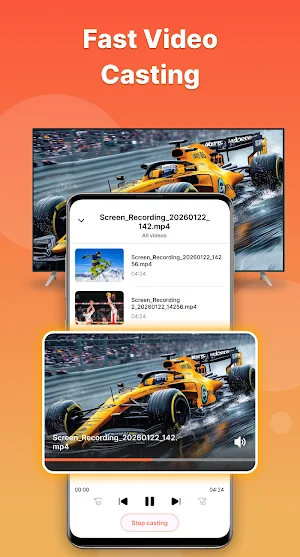
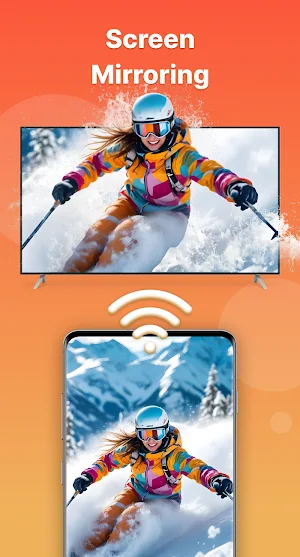
With built-in screen mirroring, you can easily cast videos, photos, movies, and more from your phone to your TV in high quality. Whether you're sharing memories or watching your favorite content, enjoy a smooth and immersive viewing experience on the big screen.
KEY FEATURES
• Smart remote for Fire TV
Control volume, switch channels, navigate menus, and access all your TV functions with ease.
• Fast and stable screen mirroring
Cast your phone screen to your TV instantly with seamless and smooth performance.
• High-quality casting
Stream photos, videos, and media content directly to your Fire TV for a better viewing experience.
• Quick access to favorite apps & channels
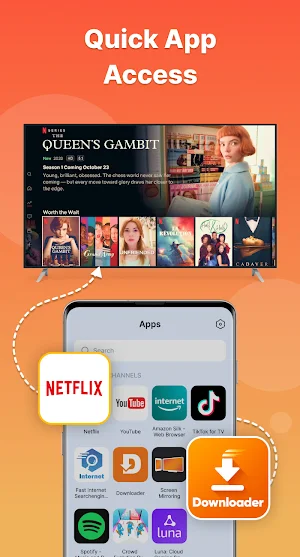
Launch your go-to entertainment faster without extra steps.
• Smart keyboard & voice input
Type and search effortlessly using your phone’s keyboard or voice commands.
• Responsive touchpad navigation
Swipe and navigate your TV smoothly with an intuitive touch interface.
• Easy setup in seconds
No complicated configuration — connect and start using the app instantly.
HOW TO CONNECT
1. Turn on your Fire TV
2. Make sure your phone and TV are connected to the same Wi-Fi network
3. Tap to connect, and the app will automatically search for available Fire devices.
SCREEN MIRRORING GUIDE
1. Connect the app to your Fire TV
2. Tap “Screen Mirroring”
3. Select your TV from available devices
4. Start casting and enjoy your content on a bigger screen
DISCLAIMER
This application is an independent product and is not affiliated with, endorsed by, or sponsored by Amazon.com, Inc. or any of its affiliates.
“Fire TV” are trademarks of Amazon.com, Inc. or its affiliates. This app is not an official Amazon product.
Simply connect your phone and Fire TV to the same Wi-Fi network and start controlling your TV instantly.
With built-in screen mirroring, you can easily cast videos, photos, movies, and more from your phone to your TV in high quality. Whether you're sharing memories or watching your favorite content, enjoy a smooth and immersive viewing experience on the big screen.
KEY FEATURES
• Smart remote for Fire TV
Control volume, switch channels, navigate menus, and access all your TV functions with ease.
• Fast and stable screen mirroring
Cast your phone screen to your TV instantly with seamless and smooth performance.
• High-quality casting
Stream photos, videos, and media content directly to your Fire TV for a better viewing experience.
• Quick access to favorite apps & channels
Launch your go-to entertainment faster without extra steps.
• Smart keyboard & voice input
Type and search effortlessly using your phone’s keyboard or voice commands.
• Responsive touchpad navigation
Swipe and navigate your TV smoothly with an intuitive touch interface.
• Easy setup in seconds
No complicated configuration — connect and start using the app instantly.
HOW TO CONNECT
1. Turn on your Fire TV
2. Make sure your phone and TV are connected to the same Wi-Fi network
3. Tap to connect, and the app will automatically search for available Fire devices.
SCREEN MIRRORING GUIDE
1. Connect the app to your Fire TV
2. Tap “Screen Mirroring”
3. Select your TV from available devices
4. Start casting and enjoy your content on a bigger screen
DISCLAIMER
This application is an independent product and is not affiliated with, endorsed by, or sponsored by Amazon.com, Inc. or any of its affiliates.
“Fire TV” are trademarks of Amazon.com, Inc. or its affiliates. This app is not an official Amazon product.
What’s new
Version 9.0 · Updated September 29, 2026
- New features - New design
Alternatives to TV Remote for Fire TV
Looking for apps like TV Remote for Fire TV? Here are 6 similar Android apps on Google Play. The highest rated is Printer App & Document Scanner (4.4/5), and all 6 are free to download.
-
Authenticator App & VPN Proxy 3.8
-
IPTV Player: Smart Online TV 4.0
-
TV Remote - Universal Control・ 4.3
-
TV Cast for Chromecast 3.7
-
Authenticator - 2FA & Password 2.6
-
Printer App & Document Scanner 4.4
| App | Rating | Price | Installs | Last updated | Compare |
|---|---|---|---|---|---|
| TV Remote for Fire TV | 4.0 / 5 | Free | 50,000+ | Sep 29, 2026 | |
| Authenticator App & VPN Proxy | 3.8 / 5 | Free | 50,000+ | Sep 30, 2026 | Compare |
| IPTV Player: Smart Online TV | 4.0 / 5 | Free | 5,000,000+ | Jul 23, 2026 | Compare |
| TV Remote - Universal Control・ | 4.3 / 5 | Free | 1,000,000+ | Jul 24, 2026 | Compare |
| TV Cast for Chromecast | 3.7 / 5 | Free | 1,000,000+ | Oct 21, 2025 | Compare |
| Authenticator - 2FA & Password | 2.6 / 5 | Free | 1,000,000+ | Jul 23, 2026 | Compare |
| Printer App & Document Scanner | 4.4 / 5 | Free | 100,000+ | Jul 6, 2026 | Compare |
Similar apps on Google Play
- Authenticator App & VPN Proxy
- IPTV Player: Smart Online TV
- TV Remote - Universal Control・
- TV Cast for Chromecast
- Authenticator - 2FA & Password
- Printer App & Document Scanner
- AI Logo Maker
- AI Note Taker
- Voice AI - Text to Speech
- AI Phone Cleaner
- Short Drama & Reels, TV
- Heart Rate Monitor - Pulse HRV
- AI Calorie Tracker