
Ezypay Tap to Pay
Ezypay Finance
Easily accept contactless payments on your compatible Android device.
- Downloads
- 181+
- on Google Play
- Price
- Free
- No in-app purchases
- Updated
- Sep 1
- 2026 · v1.0.56
Screenshots


About Ezypay Tap to Pay
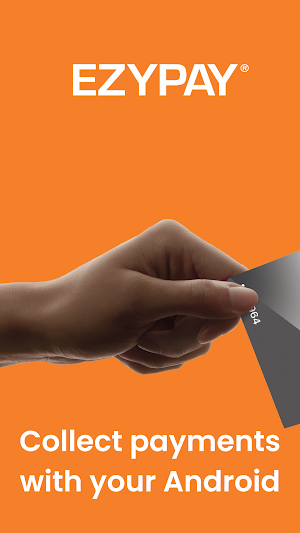
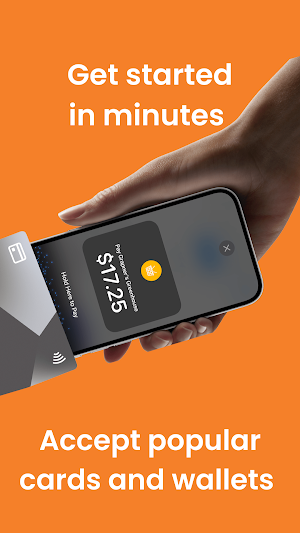
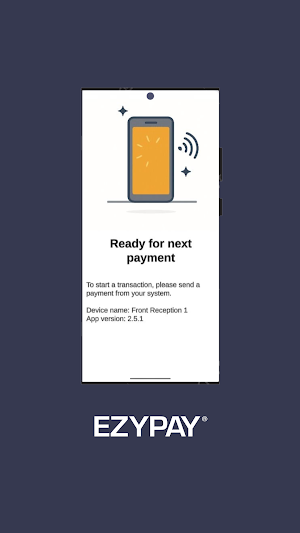
Ezypay Tap to Pay turns your Android device into a mobile POS. It is a secure, tap-to-pay, NFC mobile POS that accepts Visa, Mastercard, Google Pay, and Apple Pay. Receive payments and get paid fast without an extra hardware.
Please note: A subscription with an Ezypay partner software is required. If you don’t already use one or are unsure, contact us.
Accept major payment types.
• Visa and Mastercard credit and debit card payments
• Google Pay and Apple Pay on smartphones and smartwatches
Give your customers more convenience. Customers can pay for memberships, classes, or ad-hoc services with just their smartphone or NFC-enabled smart device.
No additional hardware.
All you need is your compatible NFC-enabled Android device. There is no need for a card reader, dongle, or separate terminal.
Simple to set up and use
1. Download the payment app from Google Play Store
2. Complete a quick registration
3. Start accepting credit and debit cards, Google Pay, and Apple Pay transactions
Note: You will need an active internet connection to process payments.
Secure, safe and compliant processing
Ezypay Tap to Pay adheres to Ezypay’s strict PCI mPOS standards. Card data is encrypted and never stored on your device. Transactions use secure networks, keeping your business and customers protected.
Start accepting payments today.
All you need is a compatible Android device and a subscription with an Ezypay software partner. Download Ezypay Tap to Pay today.
Please note: A subscription with an Ezypay partner software is required. If you don’t already use one or are unsure, contact us.
Accept major payment types.
• Visa and Mastercard credit and debit card payments
• Google Pay and Apple Pay on smartphones and smartwatches
Give your customers more convenience. Customers can pay for memberships, classes, or ad-hoc services with just their smartphone or NFC-enabled smart device.
No additional hardware.
All you need is your compatible NFC-enabled Android device. There is no need for a card reader, dongle, or separate terminal.
Simple to set up and use
1. Download the payment app from Google Play Store
2. Complete a quick registration
3. Start accepting credit and debit cards, Google Pay, and Apple Pay transactions
Note: You will need an active internet connection to process payments.
Secure, safe and compliant processing
Ezypay Tap to Pay adheres to Ezypay’s strict PCI mPOS standards. Card data is encrypted and never stored on your device. Transactions use secure networks, keeping your business and customers protected.
Start accepting payments today.
All you need is a compatible Android device and a subscription with an Ezypay software partner. Download Ezypay Tap to Pay today.
What’s new
Version 1.0.56 · Updated September 1, 2026
Bug Fix
Alternatives to Ezypay Tap to Pay
Looking for apps like Ezypay Tap to Pay? Here are 4 similar Android apps on Google Play. The highest rated is Prestmit: Gift Cards & Crypto (4.6/5), and all 4 are free to download.
-
Handy Trader 3.6
-
Swapcard - Smart Event App 3.6
-
Prestmit: Gift Cards & Crypto 4.6
-
Square Point of Sale Beta
| App | Rating | Price | Installs | Last updated | Compare |
|---|---|---|---|---|---|
| Ezypay Tap to Pay | – | Free | 100+ | Sep 1, 2026 | |
| Handy Trader | 3.6 / 5 | Free | 50,000+ | Sep 8, 2026 | Compare |
| Swapcard - Smart Event App | 3.6 / 5 | Free | 100,000+ | Oct 24, 2026 | Compare |
| Prestmit: Gift Cards & Crypto | 4.6 / 5 | Free | 500,000+ | Oct 27, 2026 | Compare |
| Square Point of Sale Beta | – | Free | 500,000+ | Oct 28, 2026 | Compare |
Compare Ezypay Tap to Pay with the top alternatives: ratings, updates, ASO score and keyword gaps →