Zebcast Browser Video Cast
Stream Browser, web videos, photos and media to Chromecast, DLNA, Fire TV & more
About Zebcast Browser Video Cast
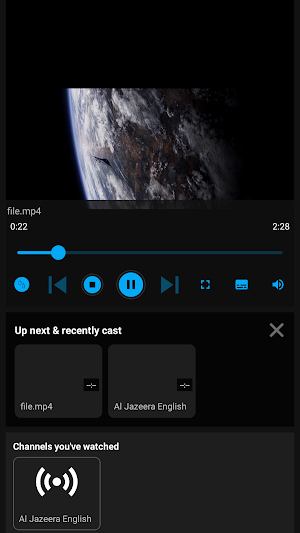
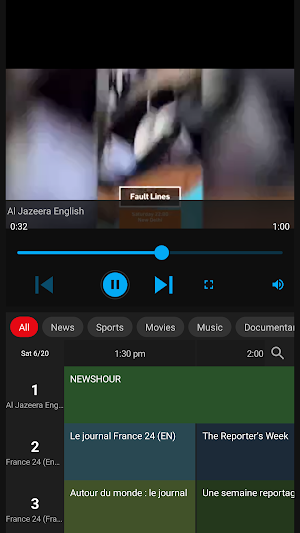
Zebcast turns your phone into a universal remote for your TV. Cast videos, photos, music, and web pages to the big screen — no cables, no fuss. Zebcast connects to the devices you already own and streams your own media, network files, and cloud content straight to your TV.
🌐 Cast from your browser
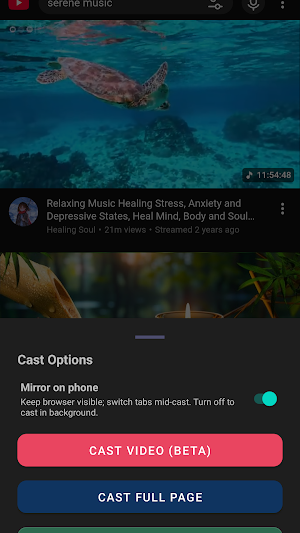
Open a web page in Zebcast's built-in browser and send it to your TV three ways:
- Cast the video — sent straight to your TV without re-recording your screen, so it stays sharp.
- Mirror the full page — show the whole web page on the big screen, not just the video.
- Background mode — keep casting while your phone screen turns off and you carry on using it.
Great for personal video sites, home-hosted streams, free-to-air web content, or keeping a web dashboard or photo slideshow running on a TV.
📺 Works with the devices you have
- Chromecast & Google TV
- Fire TV & Android TV (via Zebcast Direct)
- DLNA-certified TVs, players & receivers (including many Samsung smart TVs)
- Miracast / wireless display
- LG WebOS smart TVs
📁 Your media, your way
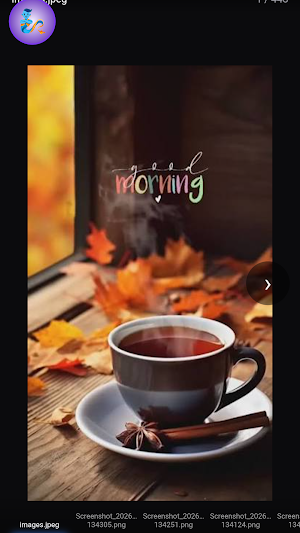
- Local videos, music & photos on your phone
- Network files over SMB / shared folders
- DLNA media servers on your home network
- Built-in media server — share your phone's library to other devices
☁️ Cloud casting
Stream files straight from your connected cloud storage — Google Drive, OneDrive, Dropbox, Google Photos and more — without downloading them first.
✨ Why Zebcast
- Fast, direct streaming with no re-uploading
- Clean, simple interface — connect and cast in seconds
- Handles a wide range of video, audio & image formats
- Background playback so you can keep using your phone
- Auto-discovers casting devices on your network
🎬 Great for
Home videos, family photos, personal media libraries, free online video, IPTV playlists you own, podcasts, and music — all on the biggest screen in the house.
⚠️ Please note
Zebcast casts your personal files, network media, and cloud content. It does not support copy-protected (DRM) content from subscription streaming apps — those services block casting outside their own apps, and no third-party app can bypass that. If your favourite show only plays inside its official app, it won't cast through Zebcast (or any app like it).
Download Zebcast and turn your TV into a window for everything you own. 📲
Similar Apps
Pavlok
The Pavlok app lets you win back your focus.
Stargon Browser
A compact browser with a powerful ad blocker.
Viome
Imagine living in a world where illness is optional
Dr. Dish Player
Professional Training Anywhere
