ExtremeCloud IQ Mobile Onboarding
Easy onboarding of networking devices with ExtremeCloud IQ
About ExtremeCloud IQ Mobile Onboarding
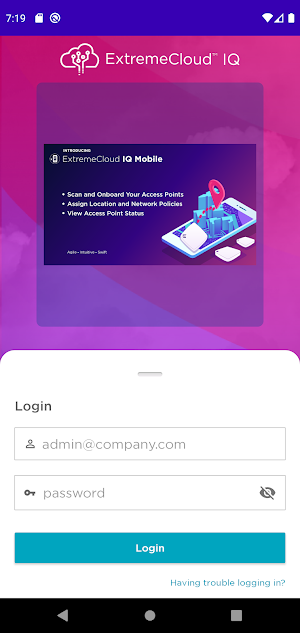
The ExtremeCloud IQ Mobile Onboarding app provides easy networking device onboarding from your smartphone. The app was designed to securely support both IT administrators and installers.
You can use this app to quickly onboard, monitor and troubleshoot access points. ExtremeCloud IQ Mobile Onboarding app supports the following features:
· Launch Extreme Cloud IQ Mobile with proper admin or installer roles
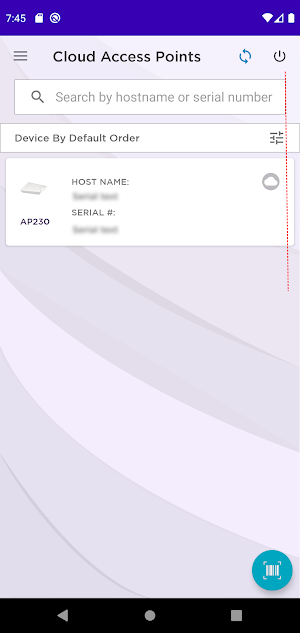
· Onboard Access Point (AP) by scanning the device barcode or QR code. Or manually enter the serial number of the networking device
· Assign AP to location and floorplans
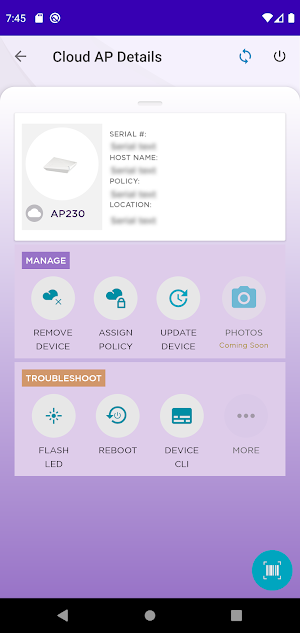
· Assign device network configuration policy
· Verify cloud connection and status of the device
· Ability to remove, add or update an AP
· Remotely reboot an AP
· Locate an AP by flashing the LED light
· Securely troubleshoot an AP using CLI commands (Pilot subscription required)
Similar Apps

Netradar network analysis
Download the Netradar cellular & Wi-Fi performance monitoring app if you need...

Reyee Router
-Easy networking: support wired and wireless networking, support replacement of old routers...

All WiFi Router Settings WiFi
It’s easy, convenient and versatile tool helping any Android user to manage...

Enphase Enlighten
Enlighten is the monitoring experience built specifically for the system owner. Delivering...
Frequently Asked Questions (FAQ)
What is the purpose of the ExtremeCloud IQ Mobile Onboarding app?
Who can use the ExtremeCloud IQ Mobile Onboarding app?
What can I do with the ExtremeCloud IQ Mobile Onboarding app?
What features does the ExtremeCloud IQ Mobile Onboarding app support?
How can I onboard an access point using the ExtremeCloud IQ Mobile Onboarding app?
Can I remotely reboot an access point using the ExtremeCloud IQ Mobile Onboarding app?
Is there a feature to locate an access point using the ExtremeCloud IQ Mobile Onboarding app?
What is required to securely troubleshoot an access point using the ExtremeCloud IQ Mobile Onboarding app?


