Kiosk EwiiDine
Self-order kiosk for restaurants - powered by EwiiDine. Fast, contactless dining
About Kiosk EwiiDine
EwiiDine Kiosk turns any iPad into a powerful self-order terminal for your restaurant. Let your customers browse the menu, customize their orders, and pay - all without waiting in line. Built for modern restaurants that want faster service, higher average order value, and a smoother dining experience.
WHY EWIIDINE KIOSK?
Running a restaurant is hard enough. Peak-hour queues, missed orders, and overworked staff slow everything down. EwiiDine Kiosk solves this by giving every customer their own ordering terminal - reducing wait times, eliminating order errors, and freeing your team to focus on what matters: great food and great service.
KEY FEATURES
Beautiful Menu Display
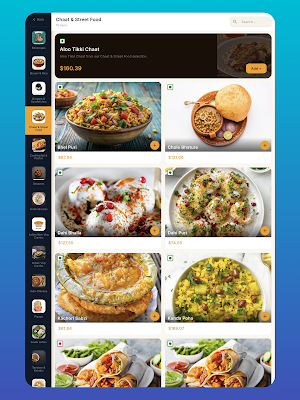
Showcase your menu with high-quality photos, rich descriptions, and clear pricing. Organize items by category, highlight specials, and let your food speak for itself.
Easy Order Customization
Customers can add modifiers, choose variants, and customize every item exactly how they like it. Support for combos, add-ons, and special instructions built right in.
Integrated Payments
Accept credit cards, debit, and digital wallets securely through Stripe. Fast, PCI-compliant checkout that keeps the line moving.
Direct Kitchen Integration
Orders flow instantly to the EwiiDine Kitchen Display System (KDS) - no paper tickets, no miscommunication. Your kitchen team sees every order in real time.
Bilingual Support
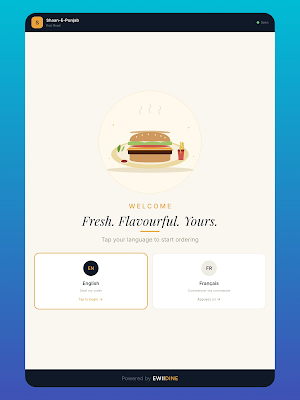
Full English and French interface - ideal for Quebec, Canada, and any bilingual market.
Your Brand, Your Kiosk
Display your restaurant logo, colors, and branding. The kiosk feels like an extension of your restaurant - not a third-party app.
Works With EwiiDine Dashboard
Every kiosk order syncs automatically with your EwiiDine dashboard. Track sales, analyze performance, manage inventory - all from one place.
Built For Speed
Optimized for iPad. Smooth animations, instant response, and a UI designed to guide customers through ordering in under 60 seconds.
Kiosk Mode
Landscape-locked, full-screen experience. Customers cannot accidentally exit the app or access other features - perfect for unattended use at your counter or entrance.
PERFECT FOR
- Quick service restaurants (QSR)
- Fast casual concepts
- Cafes and bakeries
- Food courts
- Ghost kitchens and virtual brands
- High-volume counter-service restaurants
HOW IT WORKS
1. Install EwiiDine Kiosk on your iPad
2. Sign in with your EwiiDine restaurant account
3. Select the branch and mount your iPad at the counter
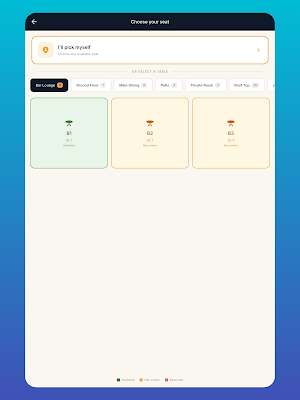
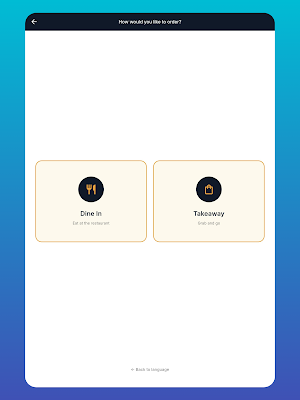
4. Customers tap to order, pay, and receive a ticket - your kitchen does the rest
REQUIREMENTS
- iPad with iOS 15.0 or later
- Active EwiiDine restaurant subscription
- Wi-Fi or cellular connection
- Optional: receipt printer, card reader
PART OF THE EWIIDINE SUITE
EwiiDine Kiosk works seamlessly with:
- EwiiDine Waiter (tableside ordering)
- EwiiDine KDS (kitchen display)
- EwiiDine Display (customer order board)
- EwiiDine Delivery Partner (driver app)
- EwiiDine Dashboard (admin and analytics)
One ecosystem. One powerful restaurant platform.
Ready to modernize your restaurant? Download EwiiDine Kiosk today and transform how your customers order.
Questions? Visit ewiidine.ca or contact our support team.
Similar Apps

Jostle
Stay connected to your workplace with the Jostle mobile app!

ShopWoodmans
Welcome to our new and improved ShopWoodmans App!

Food City
Redesigned application for Food City

TurboTax: File Your Tax Return
E-file Taxes & Get Your Refund

Sushi Oishii
Sushi oishii is known for inventive sushi & Japanese fare with a twist.

Beyond Menu - Food Delivery
Find food for pickup or delivery from local restaurants near you.
