

Single Focus
Angel Mobi Productivity
One screen. One task. A calm focus timer that blocks distractions.
- Downloads
- 10+
- on Google Play
- Price
- Free
- No in-app purchases
- Updated
- Aug 28
- 2026 · v2.2.1
Screenshots


About Single Focus
Single Focus keeps only one thing on your screen: the task you chose.
No feeds. No tabs. No extra buttons fighting for attention. Just your note, a quiet timer, and a space to stay with the work.
HOW IT WORKS
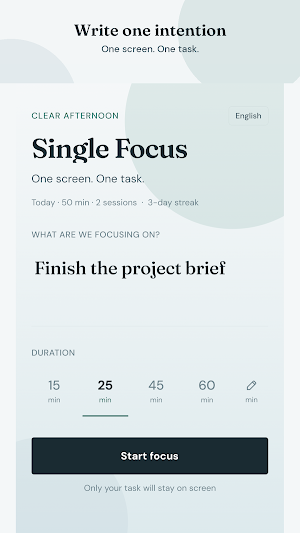
1. Write one task or note.
2. Pick a duration: 15, 25, 45, or 60 minutes.
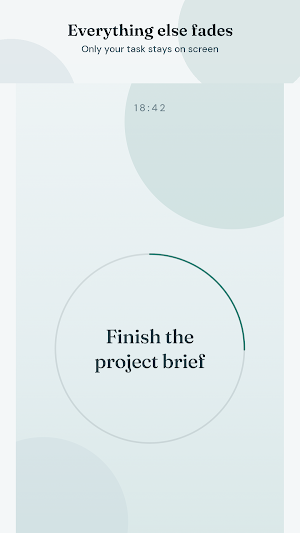
3. Start focus — everything else fades away.
4. To leave early, hold the exit zone. Accidental taps won’t break your session.
WHY IT FEELS DIFFERENT
• One-task immersion — the UI collapses to a single intention
• Soft focus ring that tracks your session progress
• Gentle midpoint cue when you’re halfway there
• Time-of-day atmosphere: morning, afternoon, evening, night
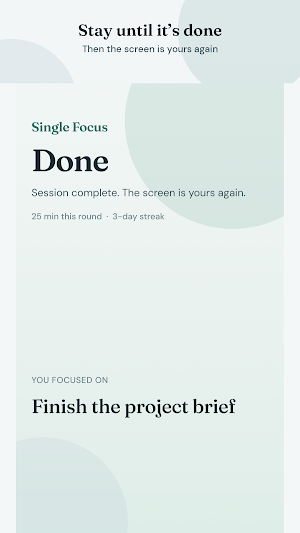
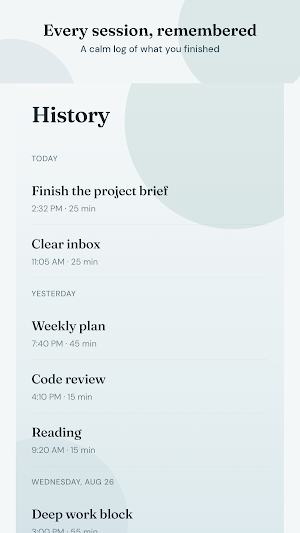
• Light daily stats and streak after completed sessions
• Screen stays awake while you focus
• Navigation chrome hides so the phone feels quieter
WHO IT’S FOR
Writers, students, makers, and anyone who wants a cleaner way to start — and finish — one meaningful block of work.
Single Focus. One screen. One task.
No feeds. No tabs. No extra buttons fighting for attention. Just your note, a quiet timer, and a space to stay with the work.
HOW IT WORKS
1. Write one task or note.
2. Pick a duration: 15, 25, 45, or 60 minutes.
3. Start focus — everything else fades away.
4. To leave early, hold the exit zone. Accidental taps won’t break your session.
WHY IT FEELS DIFFERENT
• One-task immersion — the UI collapses to a single intention
• Soft focus ring that tracks your session progress
• Gentle midpoint cue when you’re halfway there
• Time-of-day atmosphere: morning, afternoon, evening, night
• Light daily stats and streak after completed sessions
• Screen stays awake while you focus
• Navigation chrome hides so the phone feels quieter
WHO IT’S FOR
Writers, students, makers, and anyone who wants a cleaner way to start — and finish — one meaningful block of work.
Single Focus. One screen. One task.
What’s new
Version 2.2.1 · Updated August 28, 2026
First release
Alternatives to Single Focus
Looking for apps like Single Focus? Here are 3 similar Android apps on Google Play. All of them are free to download.
| App | Rating | Price | Installs | Last updated | Compare |
|---|---|---|---|---|---|
| Single Focus | – | Free | 10+ | Aug 28, 2026 | |
| Tongue Twister Pro | – | Free | 1+ | – | Compare |
| Micro-Wins | – | Free | 1+ | Aug 28, 2026 | Compare |
| Text & Doc Scanner | – | Free | 10+ | Nov 1, 2022 | Compare |
Compare Single Focus with the top alternatives: ratings, updates, ASO score and keyword gaps →