

Ergonomic Timelapse
Ergonomic Pixel Studio Photography
Intervalometer for timelapse JPEGs with interval and session limits.
- Downloads
- 33+
- on Google Play
- Price
- $1.99
- No in-app purchases
- Updated
- Sep 28
- 2026 · v0.3.2
Screenshots


About Ergonomic Timelapse
imelapse is a simple intervalometer for Android. It uses your phone’s rear camera to take JPEG photos at a fixed interval so you can capture slow changes over time—sunsets, clouds, construction, plants, traffic, or night skies.
WHAT IT DOES
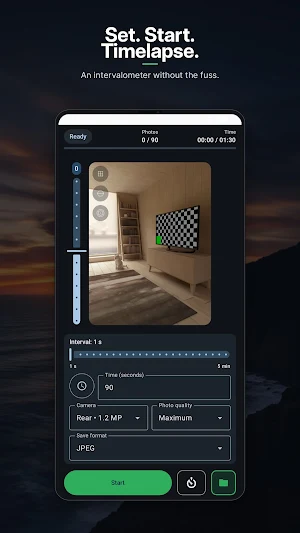
• Live rear-camera preview while you set up the shot
• Automatic photo capture on a timer (intervalometer)
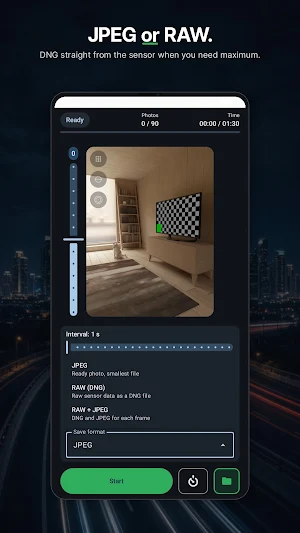
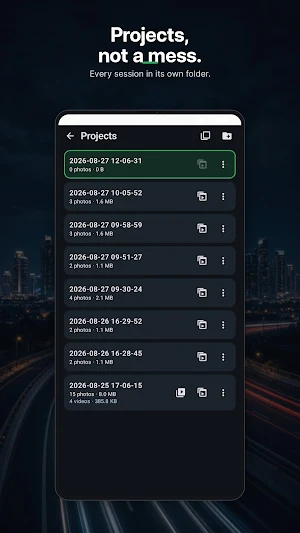
• Saves each frame as a JPEG into a dated session folder in Pictures/Timelapse
• Start / Stop session control with an optional countdown delay before the first shot
• On-screen progress: photo count, elapsed time, and session status
INTERVAL & LIMITS
• Interval from 1 second up to 5 minutes
• Stop automatically after a set number of photos, or after a set duration
• Choose one limit mode at a time: photo count or total time
• Optional self-timer delay (0 / 2 / 10 seconds) before capture begins
• Between-frame countdown when the interval is longer than 1 second
CAMERA CONTROLS
• Tap to focus and lock focus for a stable sequence
• Exposure readout on preview (aperture, ISO, shutter speed when available)
• Photo quality presets (maximum, high, fast)
• Settings remembered between sessions
WHO IT’S FOR
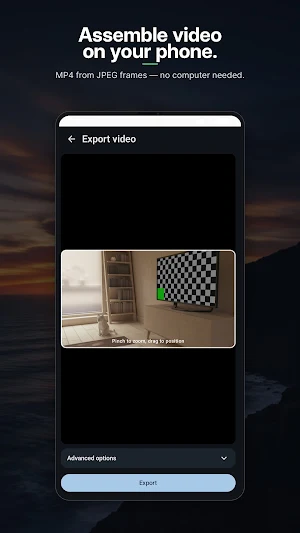
Photographers and makers who want a lightweight, no-frills intervalometer without video encoding in the app. Shoot the still frames on your phone, then assemble the timelapse later in the editor of your choice.
NOTES
• Requires camera permission
• Keep the app open on screen while a session is running (foreground capture)
• Designed for portrait use with the rear camera
Timelapse — set the interval, hit Start, and let the camera work.
WHAT IT DOES
• Live rear-camera preview while you set up the shot
• Automatic photo capture on a timer (intervalometer)
• Saves each frame as a JPEG into a dated session folder in Pictures/Timelapse
• Start / Stop session control with an optional countdown delay before the first shot
• On-screen progress: photo count, elapsed time, and session status
INTERVAL & LIMITS
• Interval from 1 second up to 5 minutes
• Stop automatically after a set number of photos, or after a set duration
• Choose one limit mode at a time: photo count or total time
• Optional self-timer delay (0 / 2 / 10 seconds) before capture begins
• Between-frame countdown when the interval is longer than 1 second
CAMERA CONTROLS
• Tap to focus and lock focus for a stable sequence
• Exposure readout on preview (aperture, ISO, shutter speed when available)
• Photo quality presets (maximum, high, fast)
• Settings remembered between sessions
WHO IT’S FOR
Photographers and makers who want a lightweight, no-frills intervalometer without video encoding in the app. Shoot the still frames on your phone, then assemble the timelapse later in the editor of your choice.
NOTES
• Requires camera permission
• Keep the app open on screen while a session is running (foreground capture)
• Designed for portrait use with the rear camera
Timelapse — set the interval, hit Start, and let the camera work.
What’s new
Version 0.3.2 · Updated September 28, 2026
Bug fixes and improvements.
Alternatives to Ergonomic Timelapse
Looking for apps like Ergonomic Timelapse? Here are 3 similar Android apps on Google Play. All of them are free to download.


| App | Rating | Price | Installs | Last updated | Compare |
|---|---|---|---|---|---|
| Ergonomic Timelapse | – | $1.99 | 10+ | Sep 28, 2026 | |
| Ergonomic Photo Resizer | – | Free | 5+ | – | Compare |
| Ergonomic Raw Developer | – | Free | 10+ | Oct 1, 2026 | Compare |
| Mountain Weather | – | Free | 100+ | Sep 30, 2026 | Compare |