Eprecus ERP Mobile App
Use the Eprecus ERP Mobile app to manage your organization or Self Service.
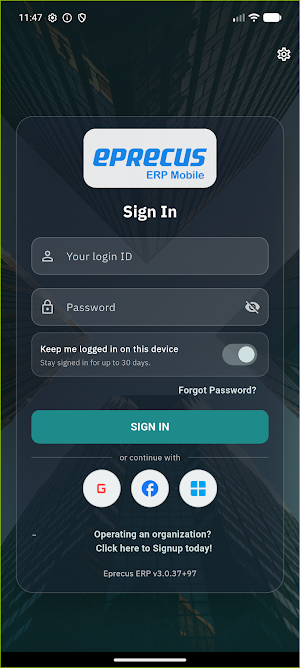
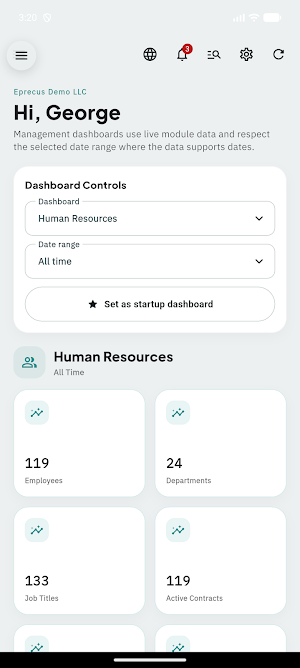
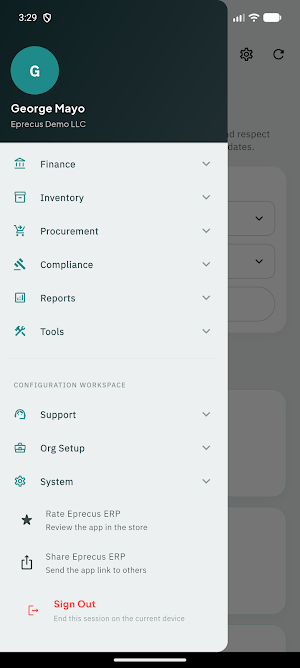
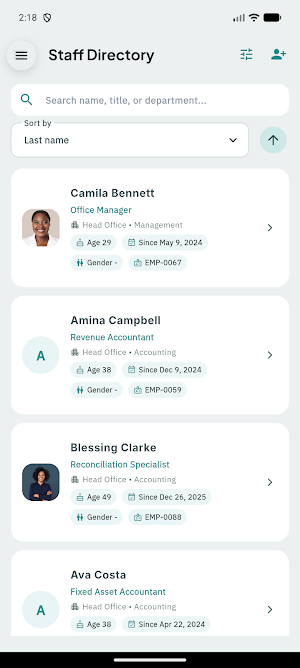
About Eprecus ERP Mobile App
Eprecus ERP Mobile gives business owners, tenant administrators, managers, finance teams, payroll teams, HR teams, and authorized operations staff a secure mobile workspace to manage core business workflows in real time.
From employee management and payroll oversight to finance visibility, inventory control, approvals, and in-app alerts, Eprecus ERP Mobile helps your team stay connected and productive without being tied to a desk.
Whether you are reviewing workforce activity, checking payroll readiness, managing departments and job titles, following up on operational blockers, or monitoring business performance, Eprecus ERP Mobile brings the most important ERP functions into a fast, modern mobile experience.
What you can do with Eprecus ERP Mobile:
1. HR and Workforce Management
View and manage employee records
Open employee profiles with readiness and compliance insights
Review contracts and employment lifecycle details
Manage departments, job titles, and organizational structure
Monitor workforce setup progress and operational gaps
Access employee-related actions and follow-up workflows
2. Payroll and Compensation Oversight
Review payroll readiness indicators
Inspect employee setup issues that can affect payroll
Monitor approved-hours dependencies and compensation status
Access payroll-related setup and supporting controls
Follow payroll blockers and supporting workflows
3. Time, Attendance, and Operations
Access time and attendance workflows
Review workforce operational screens and supporting controls
Follow related alerts, changes, and required actions
4. Finance and Business Visibility
View dashboard KPIs and management summaries
Access accounting and financial control areas
Monitor operational metrics across major business functions
Navigate directly to important records from business notifications
5. Approvals and Notifications
Stay informed with in-app notification history
Open linked records from actionable notifications
Track alerts across HR, payroll, billing, and operational workflows
Keep up with important tasks, approvals, and system updates
6.Administration and Controls
Access secure tenant administration tools
Use role-aware navigation based on your permissions
Adjust supported app preferences and settings
Stay signed in securely with protected session handling
7. Why teams choose Eprecus ERP Mobile
Built for real business operations, not just reporting
Mobile access to the workflows managers actually need
Clean, fast experience for high-priority day-to-day tasks
Designed for multi-tenant ERP environments
Secure session and access controls for enterprise use
Pairs with the wider Eprecus ERP platform for web and mobile continuity
8.Eprecus ERP Mobile is designed for:
Business owners
Tenant administrators
HR administrators
Payroll administrators
Finance teams
Operations managers
Department managers
Authorized enterprise users
9. Important
Eprecus ERP Mobile is the administration and business-operations mobile app for the Eprecus ERP platform.
Employees who need self-service features should use the dedicated Eprecus ESS app where applicable.
10.Security and access
Your experience inside the app is permission-aware and tenant-scoped. Features and data available to you depend on your organization’s configuration, your assigned role, and your access rights.
11. Need help?
For onboarding, setup, or support, contact your organization’s Eprecus ERP administrator or support team. Or visit https://support.eprecus.com
Similar Apps

KeenCare
Care Worker app

Members Portal
The CSS Members Portal App

Sudo Worship
Worship team coordination - singing, scheduling, events

RedTeam Mobile
RedTeam Mobile for Android

ok manager
Professional CRM for service teams to manage leads, customers.

Kafa
Train like a pro: Join KAFA Club for elite football coaching
