
Game Emulator & Retro Games
FOYCAL SYSTEMS Tools In-app purchases Contains ads
Game Emulator & Retro Games: Play gameboy emulator & enjoy classic games anytime
- Rating
- 3.8
- 718 ratings
- Downloads
- 764K+
- on Google Play
- Price
- Free
- In-app purchases
- Updated
- May 19
- 2026 · v11.0
Screenshots


About Game Emulator & Retro Games
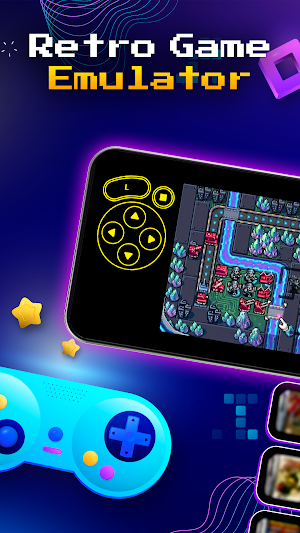
Game Emulator & Retro Games brings the golden era of legendary consoles right to your fingertips. As a retro games emulator, this app lets you experience your favorite childhood classic games with a seamless interface designed for true nostalgia lovers. Whether you need a reliable gameboy emulator or a versatile retro games emulator for handheld-style platforms, Game Emulator & Retro Games allows you to rediscover the pixel-perfect adventures that defined a generation.
🎮 Highlight Features:
⚡ Wide Game Compatibility: A powerful retro games emulator engine supporting a large library of classic games from various legacy platforms.
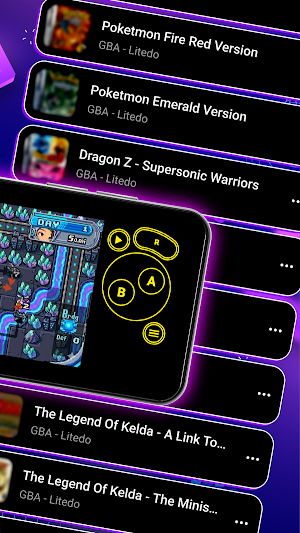
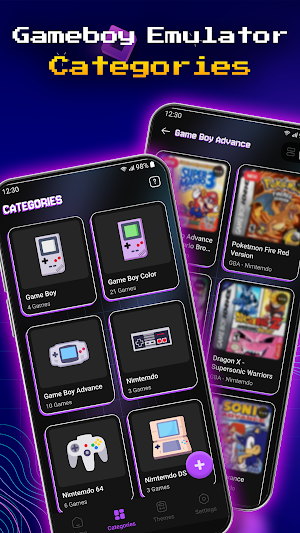
⚡ Smart Categories: Effortlessly organize your classic games by system generations, such as handheld and home console styles, within the gameboy emulator interface.
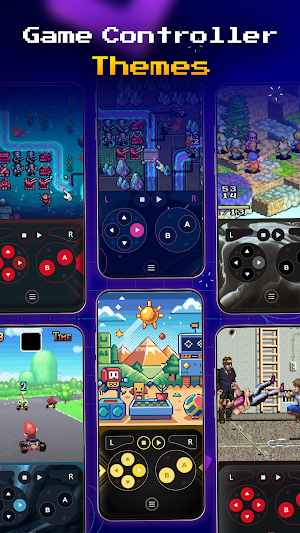
⚡ Game Controller Themes: Express your style in this retro games emulator with a wide variety of customizable skins for your virtual buttons.
⚡ Customize Game Controls: Personalize your gameboy emulator layout by dragging to move or pinching to resize on-screen buttons to fit your grip.
⚡ Cheat Code Support: Enhance your single-player classic games experience with optional support for manual cheat code entry.
⚡ Sync & Backup: Keep your retro games emulator library and progress safely synced across devices via cloud storage integration.
⚡ Save & Load Anytime: Never lose progress in this gameboy emulator, featuring multiple save points to resume exactly where you left off.
⚡ Adjustable Speed Controls: Optimize your classic games experience with flexible gameplay speed and optimized performance.
🕹️ How to Start:
1. Obtain legally owned files of your favorite classic games from trusted sources.
2. Ensure the files are compatible with this gameboy emulator and stored on your device.
3. Your files will be stored in the "File Manager" or "Downloads" folder.
4. Open Game Emulator & Retro Games, select "Scan Folder" or "Add Manually" to start playing.
⚠️ Please note: No games are included in the app. Users must provide their own legally obtained ROM files. Game Emulator & Retro Games is intended for personal and legal use only—we encourage all players to respect game copyrights.
Revisit your childhood memories with Game Emulator & Retro Games and enjoy a powerful retro games emulator that fits right in your pocket.
Thank you for choosing our app!
🎮 Highlight Features:
⚡ Wide Game Compatibility: A powerful retro games emulator engine supporting a large library of classic games from various legacy platforms.
⚡ Smart Categories: Effortlessly organize your classic games by system generations, such as handheld and home console styles, within the gameboy emulator interface.
⚡ Game Controller Themes: Express your style in this retro games emulator with a wide variety of customizable skins for your virtual buttons.
⚡ Customize Game Controls: Personalize your gameboy emulator layout by dragging to move or pinching to resize on-screen buttons to fit your grip.
⚡ Cheat Code Support: Enhance your single-player classic games experience with optional support for manual cheat code entry.
⚡ Sync & Backup: Keep your retro games emulator library and progress safely synced across devices via cloud storage integration.
⚡ Save & Load Anytime: Never lose progress in this gameboy emulator, featuring multiple save points to resume exactly where you left off.
⚡ Adjustable Speed Controls: Optimize your classic games experience with flexible gameplay speed and optimized performance.
🕹️ How to Start:
1. Obtain legally owned files of your favorite classic games from trusted sources.
2. Ensure the files are compatible with this gameboy emulator and stored on your device.
3. Your files will be stored in the "File Manager" or "Downloads" folder.
4. Open Game Emulator & Retro Games, select "Scan Folder" or "Add Manually" to start playing.
⚠️ Please note: No games are included in the app. Users must provide their own legally obtained ROM files. Game Emulator & Retro Games is intended for personal and legal use only—we encourage all players to respect game copyrights.
Revisit your childhood memories with Game Emulator & Retro Games and enjoy a powerful retro games emulator that fits right in your pocket.
Thank you for choosing our app!
User reviews

great old memories

All the gba emulator of fail this gba game emulator

Nice man the app I Love this app😃

good

best 👍🏻
Alternatives to Game Emulator & Retro Games
Looking for apps like Game Emulator & Retro Games? Here are 5 similar Android apps on Google Play.
-
Game Booster GFX - No Lag
-
Nickname Generator - Nickname
-
3D Fish Live Wallpapers 4k HD
-
Hanas - Family Learning App
-
Faminomic - Family Economic
| App | Rating | Price | Installs | Last updated | Compare |
|---|---|---|---|---|---|
| Game Emulator & Retro Games | 3.8 / 5 | Free | 500,000+ | May 19, 2026 | |
| Game Booster GFX - No Lag | – | – | 500,000+ | Apr 16, 2026 | Compare |
| Nickname Generator - Nickname | – | – | 10,000+ | – | Compare |
| 3D Fish Live Wallpapers 4k HD | – | – | – | Jan 12, 2026 | Compare |
| Hanas - Family Learning App | – | – | – | Dec 27, 2025 | Compare |
| Faminomic - Family Economic | – | – | 1,000+ | Sep 29, 2026 | Compare |