VSCoder Copilot
AI-powered coding companion for VS Code - edit, sync, and code on the go.
About VSCoder Copilot
🚀 VSCoder Copilot – Code Smarter, Anywhere
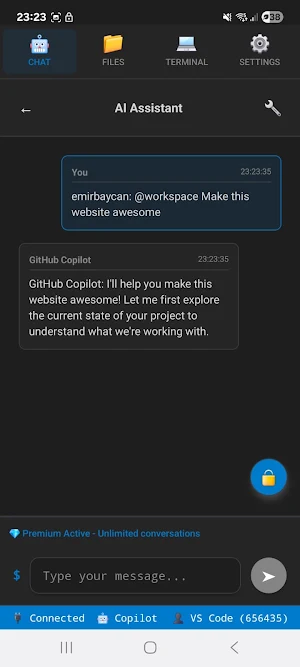
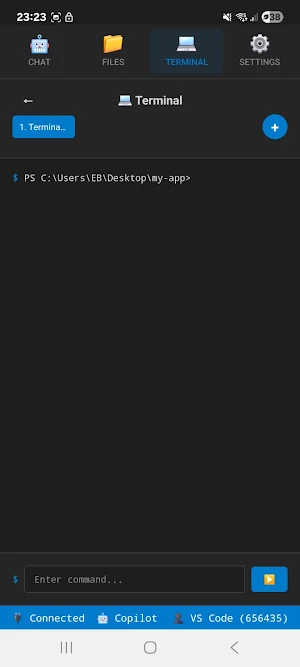
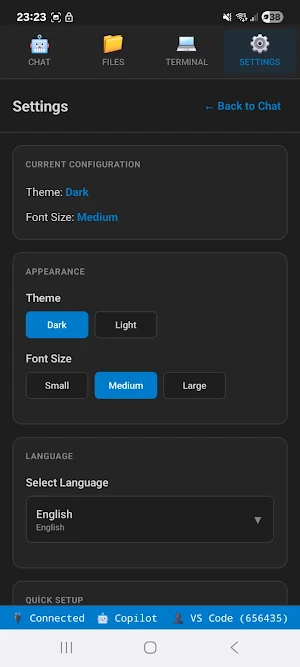
Turn your phone into an AI-powered coding companion. VSCoder Copilot brings the full power of GitHub Copilot and seamless VS Code remote editing directly to your mobile device. Review, edit, and build projects anytime — no complex setup required.
✨ Features
🌍 Code from anywhere
Securely connect your phone to VS Code across home, office, or mobile networks. No port forwarding or VPN needed.
🤖 Full GitHub Copilot on mobile
Get AI-powered code suggestions, explanations, and completions right inside the app.
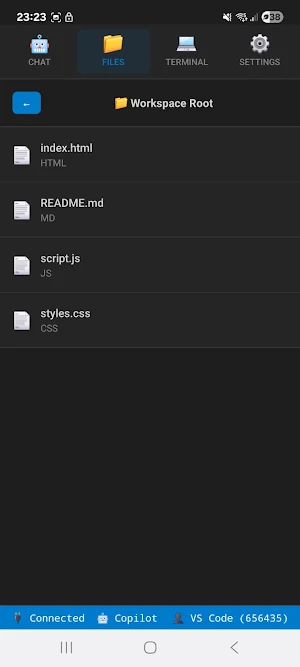
📂 Edit your projects remotely
Browse and edit your entire VS Code workspace from your phone with real-time sync.
⚡ Instant setup
Install the extension in VS Code
Start the VSCoder server
Pair your mobile app with a 6-digit code
Start coding instantly
🔒 Secure pairing
Connections are temporary, private, and protected by time-limited pairing codes.
💡 Perfect for
Code reviews on the go
Debugging during commute or travel
Quick fixes without your laptop
Remote dev workflows with Copilot
Why developers love VSCoder Copilot
Fast & lightweight: Optimized for mobile performance.
Simple & secure: No firewall hassle or risky setups.
Boost productivity: AI + remote access = smarter coding.
👉 Whether you’re a student, hobbyist, or professional developer, VSCoder Copilot helps you keep coding wherever you are.
Similar Apps

PicLumen
AI Image Generator

Kickresume: AI Resume Builder
Join 8M+ job seekers who got their dream job with Kickresume’s AI resume builder

Fireflies: AI notetaker
Record, transcribe, and summarize your conversations

Mindbook Pro
Secure notes app with vault, 12 languages & custom themes. Private space.

yescan - PDF OCR Scanner
Yescan is a scanner application that can quickly scan various types of documents

Clever AI Hub - Pro AI Agents
From chat to photo & video generation powered by Voe3.1, Gemini, Grok and Claude
