About SKAA cmd
Take control of your SKAA® audio devices (speakers and headphones) with SKAA cmd.
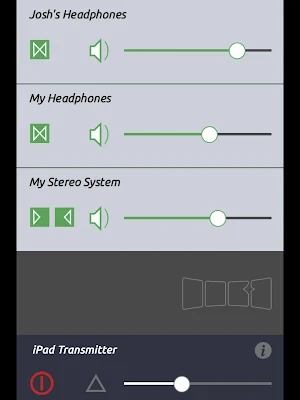
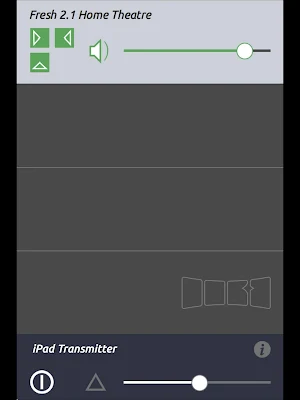
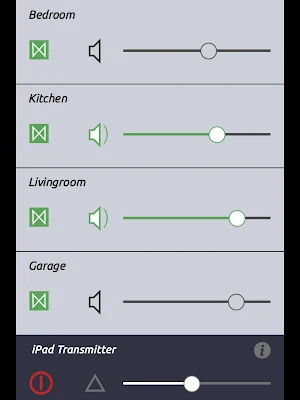
SKAA cmd lets you name each audio device (examples: “Kitchen speaker”, “Mike’s headphones”) and gives you individual volume and mute controls for each — all on one screen. You can also control them all at once with master volume and mute.
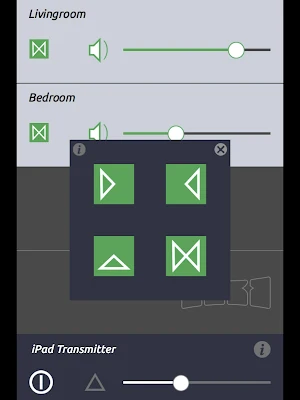
Adjust which audio channels are routed to each device (left, right, stereo or mono) — great for setting up stereo pairs of speakers.
www.SKAA.com.
Similar Apps

Bluetooth Finder
🔍 Find My Bluetooth Device – Fast & EasyLost your Bluetooth headphones,...

Ditto Music
Over a million musicians and labels use Ditto Music to release unlimited...

JS KOLIBRI
The JS KOLIBRI personal screening system is an application for a small-sized...

NEC Electrician Exam Prep 2025
Helping you pass your Journeyman Electrician certification exams is our primary goal....

SoundID™ Headphone Equalizer
🎧 Experience Music Like Never Before with SoundID™! 🎧Imagine that hearing perception...