

VisualMemo Slideshow
Lifestyle
VisualMemo Slideshow: Craft visual tales
- Downloads
- 100+
- on Google Play
- Price
- Free
- No in-app purchases
- Updated
- Feb 28
- 2024 · v1.0.2
Screenshots

About VisualMemo Slideshow
In the dynamic world of visual storytelling, DromoSoft introduces VisualMemo Slideshow—an exceptional application designed to redefine the landscape of video creation and editing. Laden with a versatile set of features, including seamless image-to-video conversion, video playlist management, playback acceleration, cutting, and merging capabilities, VisualMemo Slideshow stands as an innovative toolkit tailored to meet the diverse needs of content creators across various domains.
At its core, VisualMemo Slideshow excels in transforming static images into dynamic, compelling video narratives. The image-to-video conversion feature, marked by its simplicity and adaptability, caters to a broad spectrum of needs—from personal storytelling to the creation of impactful promotional content. DromoSoft's commitment to user-friendly interactions is evident in the seamless integration of this foundational feature, ensuring accessibility and expressive freedom for users of all levels.
A notable feature of VisualMemo Slideshow lies in its robust video playlist management system. This functionality empowers users to structure and organize their creative space efficiently, whether managing content streams for social media or curating a cohesive brand presence for businesses. The playlist management ensures versatility and ease of use, providing a seamless experience for creators to streamline their video content.
Recognizing the accelerated pace of modern communication, VisualMemo Slideshow introduces an innovative playback acceleration feature. Users can dynamically adjust the speed of their videos, unlocking creative possibilities. Whether crafting captivating time-lapse sequences or delivering information with a heightened tempo, this feature adds a layer of creativity and practicality to the video creation process.
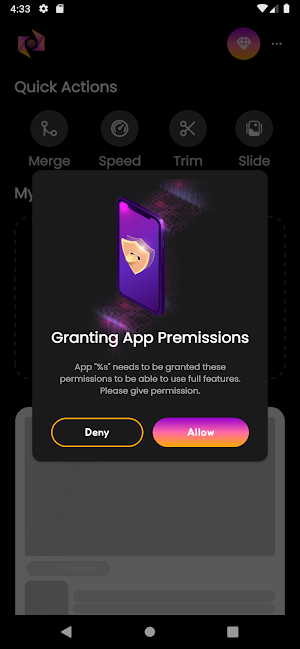
Precision in video editing is a cornerstone of VisualMemo Slideshow, evident in its cutting and merging capabilities. Users can seamlessly trim unwanted segments, maintaining a polished and streamlined quality in their videos. The merging feature enhances creative possibilities, allowing the combination of multiple clips to craft cohesive and impactful visual narratives.
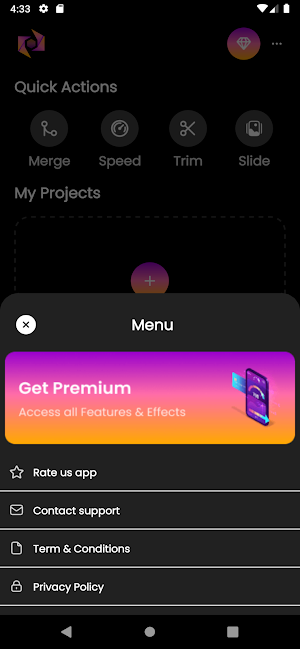
Beyond its feature-rich offerings, VisualMemo Slideshow distinguishes itself with an intuitive and user-friendly interface. Designed to cater to both novice and seasoned content creators, the application ensures a smooth and intuitive navigation experience. Clear menus and concise instructions guide users through the video creation journey, fostering an inclusive platform for individuals with varying levels of technical proficiency.
In conclusion, VisualMemo Slideshow by DromoSoft transcends the boundaries of conventional applications; it is a dynamic canvas for unparalleled creativity and storytelling. With its seamless image-to-video conversion, playlist management, acceleration, cutting, and merging features, VisualMemo Slideshow caters to a diverse audience of content creators. Whether one is a social media influencer, a business professional, or an aspiring artist, VisualMemo Slideshow empowers users to bring their visual stories to life while adhering to policies and guidelines.
At its core, VisualMemo Slideshow excels in transforming static images into dynamic, compelling video narratives. The image-to-video conversion feature, marked by its simplicity and adaptability, caters to a broad spectrum of needs—from personal storytelling to the creation of impactful promotional content. DromoSoft's commitment to user-friendly interactions is evident in the seamless integration of this foundational feature, ensuring accessibility and expressive freedom for users of all levels.
A notable feature of VisualMemo Slideshow lies in its robust video playlist management system. This functionality empowers users to structure and organize their creative space efficiently, whether managing content streams for social media or curating a cohesive brand presence for businesses. The playlist management ensures versatility and ease of use, providing a seamless experience for creators to streamline their video content.
Recognizing the accelerated pace of modern communication, VisualMemo Slideshow introduces an innovative playback acceleration feature. Users can dynamically adjust the speed of their videos, unlocking creative possibilities. Whether crafting captivating time-lapse sequences or delivering information with a heightened tempo, this feature adds a layer of creativity and practicality to the video creation process.
Precision in video editing is a cornerstone of VisualMemo Slideshow, evident in its cutting and merging capabilities. Users can seamlessly trim unwanted segments, maintaining a polished and streamlined quality in their videos. The merging feature enhances creative possibilities, allowing the combination of multiple clips to craft cohesive and impactful visual narratives.
Beyond its feature-rich offerings, VisualMemo Slideshow distinguishes itself with an intuitive and user-friendly interface. Designed to cater to both novice and seasoned content creators, the application ensures a smooth and intuitive navigation experience. Clear menus and concise instructions guide users through the video creation journey, fostering an inclusive platform for individuals with varying levels of technical proficiency.
In conclusion, VisualMemo Slideshow by DromoSoft transcends the boundaries of conventional applications; it is a dynamic canvas for unparalleled creativity and storytelling. With its seamless image-to-video conversion, playlist management, acceleration, cutting, and merging features, VisualMemo Slideshow caters to a diverse audience of content creators. Whether one is a social media influencer, a business professional, or an aspiring artist, VisualMemo Slideshow empowers users to bring their visual stories to life while adhering to policies and guidelines.
Alternatives to VisualMemo Slideshow
Looking for apps like VisualMemo Slideshow? Here are 6 similar Android apps on Google Play. The highest rated is Magisto - Video Editor & Music (4.5/5), and all 6 are free to download.
-
Magisto - Video Editor & Music 4.5
-
Before/After Collage maker 3.7
-
Vakie: Video Maker with Effect 3.6
-
Video maker & editor 4.1
-
Splice - Video Editor & Maker 3.9
-
Video Editor & Maker-Love Edit 4.2
| App | Rating | Price | Installs | Last updated | Compare |
|---|---|---|---|---|---|
| VisualMemo Slideshow | – | Free | 100+ | Feb 28, 2024 | |
| Magisto - Video Editor & Music | 4.5 / 5 | Free | 50,000,000+ | Apr 30, 2025 | Compare |
| Before/After Collage maker | 3.7 / 5 | Free | 100,000+ | – | Compare |
| Vakie: Video Maker with Effect | 3.6 / 5 | Free | 1,000,000+ | Apr 20, 2023 | Compare |
| Video maker & editor | 4.1 / 5 | Free | 1,000,000+ | May 19, 2026 | Compare |
| Splice - Video Editor & Maker | 3.9 / 5 | Free | 10,000,000+ | – | Compare |
| Video Editor & Maker-Love Edit | 4.2 / 5 | Free | 500,000+ | Jun 12, 2020 | Compare |
Similar apps on Google Play
- Magisto - Video Editor & Music
- Before/After Collage maker
- Vakie: Video Maker with Effect
- Video maker & editor
- Splice - Video Editor & Maker
- Video Editor & Maker-Love Edit
- Music Video Maker - Slide Show
- Video Maker & Photo Slideshow
- Music Video Editor - VCUT Pro
- Movavi Clips - Video Editor
- Video Crop :editor, trim & cut
- GoCut - Effect Video Editor
- GIF To Video, GIF To MP4
- Photo To Video Maker Pro: PVCT
- Zoomerang - Ai Video Maker
- Reelsy Reel Maker Video Editor
- VideoLite | Video Editor
- Photo Video Maker: Slideshows
- Photo Video Maker With Music
- Add Music To Video & Editor
- Smart Video Crop - Video Cut
- Glitch Photo Editor & Glitch V
- Mojo: Reels and Video Editor
- Add Music To Video & Editor
- Video Maker Music Video Editor
