
Calendar for Edge Panel
EdgePro Productivity
Quickly to manage your schedule from Edge Panel
- Rating
- 4.0
- 20 ratings
- Downloads
- 500+
- on Google Play
- Price
- $1.99
- No in-app purchases
- Updated
- Aug 23
- 2025 · v2.2
Screenshots
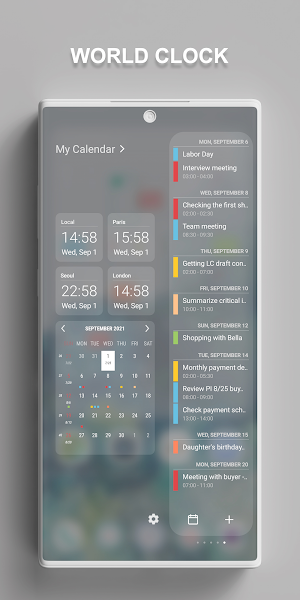
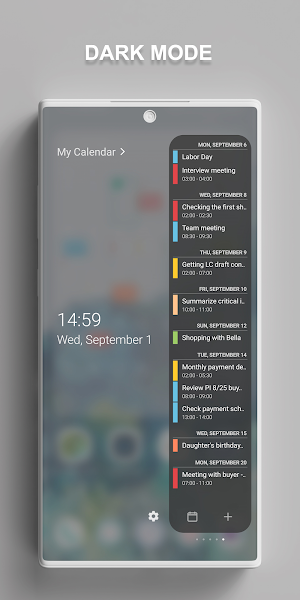
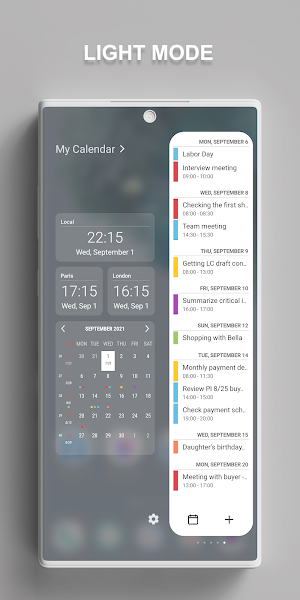
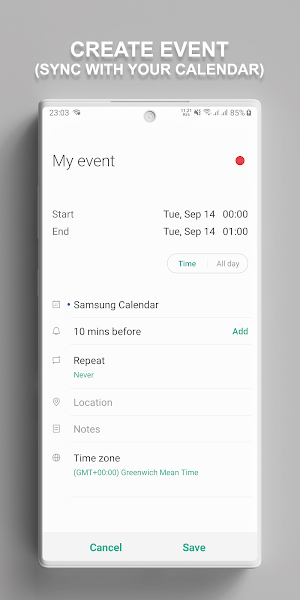


About Calendar for Edge Panel
Quickly to manage your schedule from Edge Panel
** Features:
• Sync all of your events from calendar into Edge Panel
• Visually show Lunar and Solar calendar by month, week number
• Easily to manage your events like as add, edit, delete, set alarm,...
• Support many world clocks
• Many options allow custom UI and feature
...
** Supported devices:
• works only on Samsung devices which have Edge Screen such as Galaxy Z, Note, S, A, M... series
** How to use:
• Setting app > Edge Screen > Edge Panels > check Edge Calendar panel
• When update a new version: Setting app > Edge Screen > Edge Panels > uncheck Edge Calendar panel, then check again.
• In case of any problems, please do 2nd step again (uncheck and check again).
** Permissions:
• Calendar: access calendar to help you manage events in Edge Panel
** Contact us:
• Let us know your thoughts here: [email protected]
EdgePro team.
** Features:
• Sync all of your events from calendar into Edge Panel
• Visually show Lunar and Solar calendar by month, week number
• Easily to manage your events like as add, edit, delete, set alarm,...
• Support many world clocks
• Many options allow custom UI and feature
...
** Supported devices:
• works only on Samsung devices which have Edge Screen such as Galaxy Z, Note, S, A, M... series
** How to use:
• Setting app > Edge Screen > Edge Panels > check Edge Calendar panel
• When update a new version: Setting app > Edge Screen > Edge Panels > uncheck Edge Calendar panel, then check again.
• In case of any problems, please do 2nd step again (uncheck and check again).
** Permissions:
• Calendar: access calendar to help you manage events in Edge Panel
** Contact us:
• Let us know your thoughts here: [email protected]
EdgePro team.
What’s new
Version 2.2 · Updated August 23, 2025
- Support Cover Screen widget for Z Flip series - Support Widgets - Support multiple languages - Support many clocks - Updated UI design - Stability improvements, bug fixes
Frequently asked questions
What is Calendar for Edge Panel?
Calendar for Edge Panel is a feature that allows you to manage your schedule quickly from the Edge Panel on your Samsung devices.
What are the features of Calendar for Edge Panel?
The features of Calendar for Edge Panel include syncing all your events from the calendar, showing Lunar and Solar calendars visually, managing events (adding, editing, deleting, setting alarms), supporting world clocks, and offering customization options.
Which devices are supported by Calendar for Edge Panel?
Calendar for Edge Panel works only on Samsung devices that have an Edge Screen, such as the Galaxy Z, Note, S, A, and M series.
How can I use Calendar for Edge Panel?
To use Calendar for Edge Panel, go to the Settings app on your Samsung device, then navigate to Edge Screen > Edge Panels, and check the Edge Calendar panel. If you update to a new version, you may need to uncheck and check the Edge Calendar panel again.
What permissions does Calendar for Edge Panel require?
Calendar for Edge Panel requires access to your calendar in order to help you manage events in the Edge Panel.
How can I contact the EdgePro team?
You can contact the EdgePro team by sending your thoughts and feedback to [email protected].
Alternatives to Calendar for Edge Panel
Looking for apps like Calendar for Edge Panel? Here are 4 similar Android apps on Google Play. The highest rated is GoAFFCU Mobile Banking (4.8/5), and all 4 are free to download.
-
Keesler Federal Mobile Banking 4.7
-
Edge Card Launcher: Side Panel 4.4
-
GoAFFCU Mobile Banking 4.8
-
1 Edge - Float Edge Panels 4.4
| App | Rating | Price | Installs | Last updated | Compare |
|---|---|---|---|---|---|
| Calendar for Edge Panel | 4.0 / 5 | $1.99 | 500+ | Aug 23, 2025 | |
| Keesler Federal Mobile Banking | 4.7 / 5 | Free | 100,000+ | Sep 17, 2026 | Compare |
| Edge Card Launcher: Side Panel | 4.4 / 5 | Free | 100,000+ | Jan 14, 2026 | Compare |
| GoAFFCU Mobile Banking | 4.8 / 5 | Free | 10,000+ | Sep 17, 2026 | Compare |
| 1 Edge - Float Edge Panels | 4.4 / 5 | Free | 100,000+ | Jul 8, 2026 | Compare |