

EclipseDroid USB Free Version
W. Strickling Books & Reference
Astronomy app, computing local circumstances for a solar eclipse
- Rating
- 4.0
- 163 ratings
- Downloads
- 28.4K+
- on Google Play
- Price
- Free
- No in-app purchases
- Updated
- Jul 27
- 2026 · v9.3.1
Screenshots


About EclipseDroid USB Free Version
EclipseDroid is the ultimate companion for each engaged solar eclipse observer and all people, who are interested in solar eclipses. The app calculates exact data for any solar eclipse at any location. Relax and watch the eclipse and not your cameras, EclipseDroid will work for you!
New in Version 8: Search eclipses for your location, Portuguese language support.
Version 5 includes an EFlight mode for eclipse observation from an aircraft. Now all timing tasks will run in a service which prevent from being terminated in background.
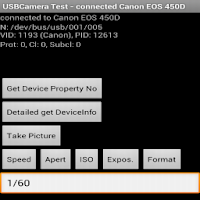
EclipseDroid is especially designed to support engaged solar eclipse observers in their observations. It will show timetables and countdowns for the contact times, make acoustic announcements of the contacts or other user defined events. It will launch other apps, show text announcements and trigger internal or external cameras connected by USB (USB host capability and USB OTG cable required) or optical cable. All these events can be defined and customized in a script by the user. The timings of the events depend on the contact times which are calculated with high precision from the actual device's position or a custom location. For using USB functionality please set "USB Debugging" to On in Android Settings, Developer Settings.
To prepare your eclipse observation, select a desired location from the map, from a list or input free coordinates. To rehearse and check your observation program, simply run EclipseDroid in eclipse simulation mode. When selecting and checking your observation site, avoid unpleasant surprises like buildings or trees blocking your eclipse view! Just call the AR screen of EclipseDroid to see an overlay of the Sun's position at eclipse time with an actual camera image (only availabe in full version).
EclipseDroid has several screens and layouts to show the precise contact times for your location. These are the beginning and end of the eclipse (C1 and C4), the beginning and end of the total or annual phase (C2 and C3), the time of mid eclipse and the current percentage of coverage of the solar disk. You have the choice of two layouts: a smart layout showing the local circumstances and an animation of the eclipse in a condensed form or the classic layout with countdowns for all contacts, an events list with the next upcoming events and the actual eclipse view, if the eclipse is running.
In the 'eclipse details' screen you get full information about the local circumstances of the eclipse. Pressing 'Menu' will add the eclipse to your favorite personal calendar.
More features in Pro version:
- Eclipses > 2019,
- Database for Elements -3000 to 300 available
- global events and magnitude time table
- link to NASA maps.
- > 10 photos
- AR screen
- barometric logging
Required Permissions:
- Hardware controls: Camera for AR.
If compatibility refusal for devices without front camera: Try installation from my website http://www.strickling.net/eclipsedroid.htm!
- Exact location and network location: For site-specific calculations of the contact times.
- Internet Access: Online selection and network based localization of an observation site, database download.
- SD card access: Storing settings, event lists, logs, locations and databases.
- System tools: Keep screen on if connected to external power
- Your Account - Read Google service configuration: Needed for the Google maps module
Lunar eclipses are not supported, nor does the app contain pretty pictures of huge graphics!
Bugs or problems found? Please send an error report for bug fixing or send an email instead of giving bad ratings!
Translators welcome! If you like this app and prefer it in your language, contact me! Translation is rather easy.
New in Version 8: Search eclipses for your location, Portuguese language support.
Version 5 includes an EFlight mode for eclipse observation from an aircraft. Now all timing tasks will run in a service which prevent from being terminated in background.
EclipseDroid is especially designed to support engaged solar eclipse observers in their observations. It will show timetables and countdowns for the contact times, make acoustic announcements of the contacts or other user defined events. It will launch other apps, show text announcements and trigger internal or external cameras connected by USB (USB host capability and USB OTG cable required) or optical cable. All these events can be defined and customized in a script by the user. The timings of the events depend on the contact times which are calculated with high precision from the actual device's position or a custom location. For using USB functionality please set "USB Debugging" to On in Android Settings, Developer Settings.
To prepare your eclipse observation, select a desired location from the map, from a list or input free coordinates. To rehearse and check your observation program, simply run EclipseDroid in eclipse simulation mode. When selecting and checking your observation site, avoid unpleasant surprises like buildings or trees blocking your eclipse view! Just call the AR screen of EclipseDroid to see an overlay of the Sun's position at eclipse time with an actual camera image (only availabe in full version).
EclipseDroid has several screens and layouts to show the precise contact times for your location. These are the beginning and end of the eclipse (C1 and C4), the beginning and end of the total or annual phase (C2 and C3), the time of mid eclipse and the current percentage of coverage of the solar disk. You have the choice of two layouts: a smart layout showing the local circumstances and an animation of the eclipse in a condensed form or the classic layout with countdowns for all contacts, an events list with the next upcoming events and the actual eclipse view, if the eclipse is running.
In the 'eclipse details' screen you get full information about the local circumstances of the eclipse. Pressing 'Menu' will add the eclipse to your favorite personal calendar.
More features in Pro version:
- Eclipses > 2019,
- Database for Elements -3000 to 300 available
- global events and magnitude time table
- link to NASA maps.
- > 10 photos
- AR screen
- barometric logging
Required Permissions:
- Hardware controls: Camera for AR.
If compatibility refusal for devices without front camera: Try installation from my website http://www.strickling.net/eclipsedroid.htm!
- Exact location and network location: For site-specific calculations of the contact times.
- Internet Access: Online selection and network based localization of an observation site, database download.
- SD card access: Storing settings, event lists, logs, locations and databases.
- System tools: Keep screen on if connected to external power
- Your Account - Read Google service configuration: Needed for the Google maps module
Lunar eclipses are not supported, nor does the app contain pretty pictures of huge graphics!
Bugs or problems found? Please send an error report for bug fixing or send an email instead of giving bad ratings!
Translators welcome! If you like this app and prefer it in your language, contact me! Translation is rather easy.
What’s new
Version 9.3.1 · Updated July 27, 2026
9.3.1: Bugfixes 9.3.0: Updated notification to prevent app shutdown 9.2.1: Weather link changed to clearoutside.com 9.2.0: Russian langugage support, optional isochrones in OSM Map view 9.1.0: DeltaT updates and DeltaT input option, Android 16 Support 9.0.0: New USB module to support more Canon and Nikon Cameras 8.2.0: Update for Android Q ScopedStorage requirements, Bugfixes
User reviews

Awesome!

Best liteweight with much options, a nessecery app in devices, it deserve 7 stars

Too good!

This is a great app! I had several apps installed yesterday and this displayed the best and most complete information with no advertising getting in the way. I'm buying the pro version as a thank you, and I hope you're around in 2024!

Alots

WAS a very good app but the latest update broke it. Crashes on start up. I'll update this review once it's fixed, but I really liked it when it worked. Thanks for the quick fix. It's worth 5 stars just for that. It's a very good app and that's from a 45 year astronomer. If you made an iOS version I have 8 o...
Alternatives to EclipseDroid USB Free Version
Looking for apps like EclipseDroid USB Free Version? Here are 6 similar Android apps on Google Play. The highest rated is Astrophoto Calculator (3.5/5), and 3 of the 6 are free to download.



| App | Rating | Price | Installs | Last updated | Compare |
|---|---|---|---|---|---|
| EclipseDroid USB Free Version | 4.0 / 5 | Free | 10,000+ | Jul 27, 2026 | |
| Eclipse 2023 | – | 1.99 USD | 1+ | Apr 19, 2021 | Compare |
| Eclipse 2024 | – | 1.99 USD | 50+ | Dec 30, 2017 | Compare |
| GPS-Speedo Pro | – | 1.99 USD | 100+ | Aug 23, 2025 | Compare |
| AstroFlight | – | Free | 500+ | Aug 22, 2025 | Compare |
| USBCamera Test | – | Free | 1,000+ | – | Compare |
| Astrophoto Calculator | 3.5 / 5 | Free | 10,000+ | Aug 21, 2025 | Compare |