
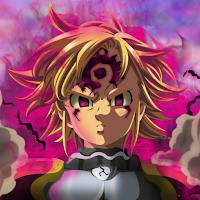
Seven Deadly Sins Wallpaper HD
Dragon94 Personalization Contains ads
High-quality mobile wallpapers for Seven Deadly Sins (Nanatsu no Taizai) fans
- Downloads
- 500+
- on Google Play
- Price
- Free
- No in-app purchases
- Updated
- Sep 9
- 2022 · v1.0
Screenshots


About Seven Deadly Sins Wallpaper HD
This app provides a collection of high-quality (HD, Full HD, 2K, 4K) photos. Find your wallpapers of characters.
By using Seven Deadly Sins Wallpaper HD, you will have HD images for free.
HOW TO USE
1. Open Seven Deadly Sins Wallpaper HD
2. Choose your favorite picture
3. Click "Set wallpaper" to set the Home screen Lock screen or both.
4. Click "Fullscreen" if you want to view the photo in full-screen mode.
5. Click "Save" to download the photo to your phone.
6. Click "Share" if you want to share the photo on Facebook, Twitter, Message, Instagram, etc
7. Click "Favorite" if you want to save the photo to the favorites menu.
FEATURES
- 100% Free
- Beautiful user interface
- Super-fast & lightweight app
- High-quality videos (HD, Full HD, 2k, 4k)
- Easy to use
- Autofit wallpaper to your device resolution
- Favorites menu
Disclaimer
This app is made by anime fans, and it is unofficial. The content in this app is not affiliated with, endorsed, sponsored, or specifically approved by any company.
By using Seven Deadly Sins Wallpaper HD, you will have HD images for free.
HOW TO USE
1. Open Seven Deadly Sins Wallpaper HD
2. Choose your favorite picture
3. Click "Set wallpaper" to set the Home screen Lock screen or both.
4. Click "Fullscreen" if you want to view the photo in full-screen mode.
5. Click "Save" to download the photo to your phone.
6. Click "Share" if you want to share the photo on Facebook, Twitter, Message, Instagram, etc
7. Click "Favorite" if you want to save the photo to the favorites menu.
FEATURES
- 100% Free
- Beautiful user interface
- Super-fast & lightweight app
- High-quality videos (HD, Full HD, 2k, 4k)
- Easy to use
- Autofit wallpaper to your device resolution
- Favorites menu
Disclaimer
This app is made by anime fans, and it is unofficial. The content in this app is not affiliated with, endorsed, sponsored, or specifically approved by any company.
Frequently asked questions
What does the Seven Deadly Sins Wallpaper HD app provide?
This app provides a collection of high-quality (HD, Full HD, 2K, 4K) photos of the Seven Deadly Sins characters.
How can I set a wallpaper using the Seven Deadly Sins Wallpaper HD app?
To set a wallpaper, open the app, choose your favorite picture, and click on "Set wallpaper" to set it as your Home screen, Lock screen, or both.
Can I view the photos in full-screen mode?
Yes, you can view the photos in full-screen mode by clicking on "Fullscreen."
Can I download the photos to my phone?
Yes, you can download the photos to your phone by clicking on "Save."
Can I share the photos on social media platforms?
Yes, you can share the photos on platforms like Facebook, Twitter, Message, Instagram, etc., by clicking on "Share."
Is the app free to use?
Yes, the app is 100% free to use.
Does the app have a favorites menu?
Yes, the app has a favorites menu where you can save your favorite photos.
Alternatives to Seven Deadly Sins Wallpaper HD
Looking for apps like Seven Deadly Sins Wallpaper HD? Here are 6 similar Android apps on Google Play. All of them are free to download.
-
Elizabeth Liones Wallpaper HD
-
Hinata Hyuga Wallpaper HD 2K
-
Kamado Nezuko Wallpaper HD 2K
-
Demon Slayer Couple Wallpaper
-
My Hero Academia Wallpaper HD
-
Fairy Tail Wallpaper HD 2K 4K
| App | Rating | Price | Installs | Last updated | Compare |
|---|---|---|---|---|---|
| Seven Deadly Sins Wallpaper HD | – | Free | 500+ | Sep 9, 2022 | |
| Elizabeth Liones Wallpaper HD | – | Free | 100+ | Sep 5, 2022 | Compare |
| Hinata Hyuga Wallpaper HD 2K | – | Free | 1,000+ | Sep 8, 2022 | Compare |
| Kamado Nezuko Wallpaper HD 2K | – | Free | 500+ | Aug 15, 2022 | Compare |
| Demon Slayer Couple Wallpaper | – | Free | 500+ | Aug 15, 2022 | Compare |
| My Hero Academia Wallpaper HD | – | Free | 100+ | Sep 5, 2022 | Compare |
| Fairy Tail Wallpaper HD 2K 4K | – | Free | 100+ | Sep 8, 2022 | Compare |
Similar apps on Google Play
- Elizabeth Liones Wallpaper HD
- Hinata Hyuga Wallpaper HD 2K
- Kamado Nezuko Wallpaper HD 2K
- Demon Slayer Couple Wallpaper
- My Hero Academia Wallpaper HD
- Fairy Tail Wallpaper HD 2K 4K
- Boruto Wallpaper HD 2K 4K
- Bakugo Katsuki Wallpaper HD 2K
- Fate Anime Wallpaper HD 2K 4K
- Itachi Wallpaper HD 2K 4K
- Uchiha Sasuke Wallpaper HD 2K
- Kaguya sama Wallpaper HD 2K 4K
- Evangelion Wallpaper HD 2K 4K
- Mieruko-chan Wallpaper HD 2K
- Akatsuki Ninja Wallpaper HD 2K
- Re Zero Wallpaper HD 2K 4K
- Original Anime Wallpaper HD 2K
- Arknights Wallpaper HD 2K 4K
- Death Note Wallpaper HD 2K 4K
- Micchon Shikimori Wallpaper HD
- Komi san Wallpaper HD 2K 4K
- Anime Girl Wallpaper HD 2K 4K
- Natsu Wallpaper HD 2K 4K
- Zuberg Alice Wallpaper HD 2K
- Zero Two Wallpaper HD 2K 4K
- Tokyo Ghoul Wallpaper HD 2K 4K
- Meliodas Wallpaper HD 2K 4K
- Levi Ackerman Wallpaper HD 2K
- Manjiro Sano Wallpaper HD 2K
- Takt Op. Destiny Wallpaper HD
- Todoroki Shoto Wallpaper HD 2K
- Kirito x Asuna Wallpaper HD 2K
- Tokyo Revengers Wallpaper HD
- Spy x Family Wallpaper HD 2K
- Yeager Eren Wallpaper HD 2K 4K
- Haruno Sakura Wallpaper HD 2K
- Haikyuu Wallpaper HD 2K 4K
- Genos Wallpaper HD 2K 4K
- Kirigaya Kazuto Wallpaper HD
- Toga Wallpaper HD 2K 4K
- Garou Wallpaper HD 2K 4K
- Dabi Wallpaper HD 2K 4K
- Anya Wallpaper HD 2K 4K
- Black Clover Wallpaper HD 2K
- Nobara Kugisaki Wallpaper HD
- Chainsaw man Wallpaper HD 2K
- Eugeo Wallpaper HD 2K 4K
- Gaara Wallpaper HD 2K 4K
- Asta Wallpaper HD 2K 4K
- Ackerman Mikasa Wallpaper HD
- Satoru Gojo Wallpaper HD 2K 4K
- Jujutsu Kaisen Wallpaper HD 2K
- Inosuke Hashibira Wallpaper HD
- Kyojuro Rengoku Wallpaper HD
- Tengen Uzui Wallpaper HD 2K 4K
- Tanjiro Wallpaper HD 2K 4K
- Shinobu Kocho Wallpaper HD 2K
- Zenitsu Wallpaper HD 2K 4K
- Kimetsu no yaiba Wallpaper HD