
Document Scanner -PDF Creator
Business Marketing Tools Apps Business Contains ads
Doc scanner you let you scan your documents anytime, anywhere.
- Downloads
- 50+
- on Google Play
- Price
- Free
- No in-app purchases
- Updated
- Feb 7
- 2023 · v2.2
Screenshots


About Document Scanner -PDF Creator
Doc scanner you let you scan your documents anytime, anywhere.
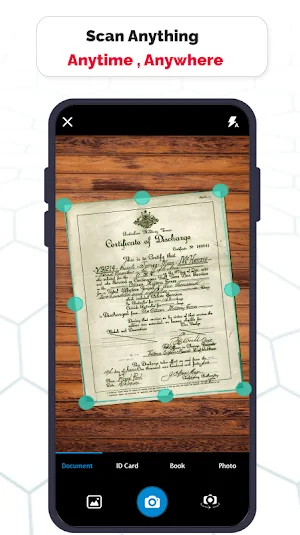
The Doc Scanner is a PDF document scanner app. You can scan anything - documents, receipts, photos, reports, business cards, whiteboards — with text you can reuse from each PDF and photo scan. High Quality Scans - The scan quality is of no match, You just get your documents digitally original. Scan anything with precision with this mobile PDF scanner. Portable Scanner, The Doc scanner once installed can turn every smartphone into portable scanners. Easy Scanner Scan and Instant print out documents in any size. Cam Scanner Lite Take a picture of the whiteboard or blackboard and produce it exactly the same with the help of Doc Scanner at home even if you're offline. No internet required for the app to function.
Combine scans into one file, so you can take multiple scans and consolidate into one document. All type of Doc Scan - Scan in color, Grey, Sky Blue.
Portable Document Scanner By having this document scanner in your phone, you can save your time and efforts by quickly scanning anything on the fly. Images to PDF Converter You can select some image from Image Gallery and convert it into a PDF file as document. PDF Document Scanner Scans PDF with edge detection feature additionally.
Smart Doc Scanner basic features :
- Scan any document and convert to PDF or Image.
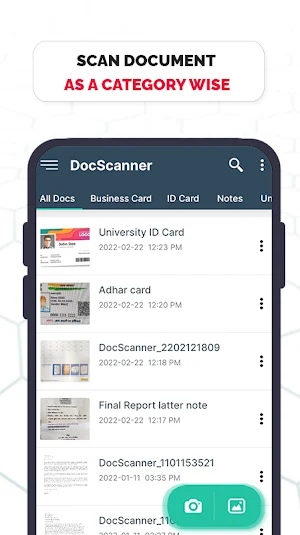
- Organize your scanned papers in folders & share as PDF/JPG files.
- Enhancement includes smart cropping and many more.
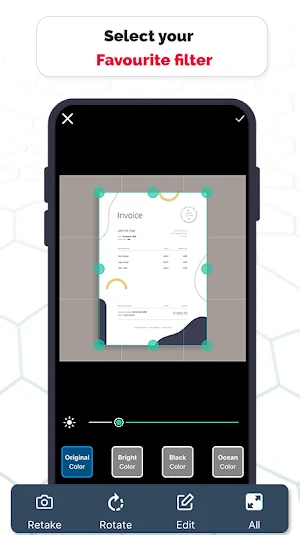
- Editing Tools your PDF into modes like B/W, Lighten, Color and dark.
- Turn scans into clear and sharp PDF.
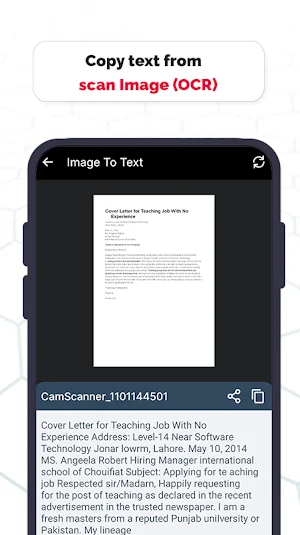
- Extract texts from Image OCR, transfer image to text so you can search, edit or share.
- Scan QR Code/Bar-code and Share scanned QR Code.
- Create QR Code.
- Turns your old documents into a clear and sharp one by removing the noise.
- Share & Print the scanned doc directly from the app.
Scan two side ID Card into one file and convert it into PDF with single tap. Best Document Scanner It has all the features that a scanner should have. The OCR Text Recognition let you recognize text from images, then edit texts or share text to other apps. Remove grain/noise from old document/Image Remove Noise from old image using various advanced filter techniques and make it more clear and sharp than before. With this app, scan document and convert images to document the easiest way. Flashlight This scanner app also have Flashlight feature that helps you in taking scans in low-light environment.
Verify your identity by dropping in your signature draw using signature board and upload sign. Add initials, names, signing date, email address, and more to your scanned document. QR Code Scanner This app also have QR Code Scanner feature. Bar code Scanner the Another great feature, Bar-code scanner is also integrated in this app. You can then crop, edit, rotate and apply filters and export the document as either PNG or PDF with a single tap. Paper Scanner is Scans are saved to your device in image or PDF format. Fast Scanner support a lot of image editing options, so you can make the scanned images as easy to read as possible. PDF Creator is to Convert scanned images to the best quality PDF file.
Disclaimer:
The content provided in this our app are the property of respective copyright holders and All rights reserved to the respective owners of the sites. and we are only listing all the publicly available data as it is. So, If you are the "Original copyright holder" and think that we may be using your files, images or anything else, instead of filing a DMCA, just contact us via our [email protected] email we will take proper action to change or remove copyright materials. It will take in our business day(s) to remove your images and data.
The Doc Scanner is a PDF document scanner app. You can scan anything - documents, receipts, photos, reports, business cards, whiteboards — with text you can reuse from each PDF and photo scan. High Quality Scans - The scan quality is of no match, You just get your documents digitally original. Scan anything with precision with this mobile PDF scanner. Portable Scanner, The Doc scanner once installed can turn every smartphone into portable scanners. Easy Scanner Scan and Instant print out documents in any size. Cam Scanner Lite Take a picture of the whiteboard or blackboard and produce it exactly the same with the help of Doc Scanner at home even if you're offline. No internet required for the app to function.
Combine scans into one file, so you can take multiple scans and consolidate into one document. All type of Doc Scan - Scan in color, Grey, Sky Blue.
Portable Document Scanner By having this document scanner in your phone, you can save your time and efforts by quickly scanning anything on the fly. Images to PDF Converter You can select some image from Image Gallery and convert it into a PDF file as document. PDF Document Scanner Scans PDF with edge detection feature additionally.
Smart Doc Scanner basic features :
- Scan any document and convert to PDF or Image.
- Organize your scanned papers in folders & share as PDF/JPG files.
- Enhancement includes smart cropping and many more.
- Editing Tools your PDF into modes like B/W, Lighten, Color and dark.
- Turn scans into clear and sharp PDF.
- Extract texts from Image OCR, transfer image to text so you can search, edit or share.
- Scan QR Code/Bar-code and Share scanned QR Code.
- Create QR Code.
- Turns your old documents into a clear and sharp one by removing the noise.
- Share & Print the scanned doc directly from the app.
Scan two side ID Card into one file and convert it into PDF with single tap. Best Document Scanner It has all the features that a scanner should have. The OCR Text Recognition let you recognize text from images, then edit texts or share text to other apps. Remove grain/noise from old document/Image Remove Noise from old image using various advanced filter techniques and make it more clear and sharp than before. With this app, scan document and convert images to document the easiest way. Flashlight This scanner app also have Flashlight feature that helps you in taking scans in low-light environment.
Verify your identity by dropping in your signature draw using signature board and upload sign. Add initials, names, signing date, email address, and more to your scanned document. QR Code Scanner This app also have QR Code Scanner feature. Bar code Scanner the Another great feature, Bar-code scanner is also integrated in this app. You can then crop, edit, rotate and apply filters and export the document as either PNG or PDF with a single tap. Paper Scanner is Scans are saved to your device in image or PDF format. Fast Scanner support a lot of image editing options, so you can make the scanned images as easy to read as possible. PDF Creator is to Convert scanned images to the best quality PDF file.
Disclaimer:
The content provided in this our app are the property of respective copyright holders and All rights reserved to the respective owners of the sites. and we are only listing all the publicly available data as it is. So, If you are the "Original copyright holder" and think that we may be using your files, images or anything else, instead of filing a DMCA, just contact us via our [email protected] email we will take proper action to change or remove copyright materials. It will take in our business day(s) to remove your images and data.
User reviews

So many days used this application I really highly recommend best document scanner application

This is one of the best working app for open pdf files. I recommend it

This is a very good application so many days used this pdf creator application

India is number one application and nice experience in document scanner application

Lovely service provided in app

Great experience in application
Alternatives to Document Scanner -PDF Creator
Looking for apps like Document Scanner -PDF Creator? Here are 6 similar Android apps on Google Play. All of them are free to download.
-
Image to PDF - PDF Maker Tools
-
Notes - Notebook & Color Notes
-
Billing Book - Invoice Maker
-
Expense Book- Cash Ledger Book
-
Bill Reminder - Track Payments
-
Festival Story Maker - Poster,
| App | Rating | Price | Installs | Last updated | Compare |
|---|---|---|---|---|---|
| Document Scanner -PDF Creator | – | Free | 50+ | Feb 7, 2023 | |
| Image to PDF - PDF Maker Tools | – | Free | 50+ | – | Compare |
| Notes - Notebook & Color Notes | – | Free | 100+ | Oct 25, 2025 | Compare |
| Billing Book - Invoice Maker | – | Free | 1,000+ | – | Compare |
| Expense Book- Cash Ledger Book | – | Free | 1,000+ | – | Compare |
| Bill Reminder - Track Payments | – | Free | 1,000+ | – | Compare |
| Festival Story Maker - Poster, | – | Free | 10,000+ | Dec 14, 2025 | Compare |