Document Scan: PDF Reader
Document scanner app with a powerful camera for scanning photos and PDFs.
About Document Scan: PDF Reader
Looking for a top-notch scanner app? Try Scan Document!
Scan Document is your go-to solution for turning your mobile device into a powerful portable scanner. With automatic text recognition (OCR) and a range of productivity-enhancing features, this app helps you save time by quickly scanning, saving, and sharing documents in PDF, JPG, DOC, DOCX, and XLS formats.
Key Features:
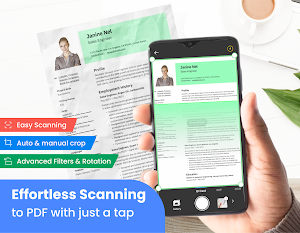
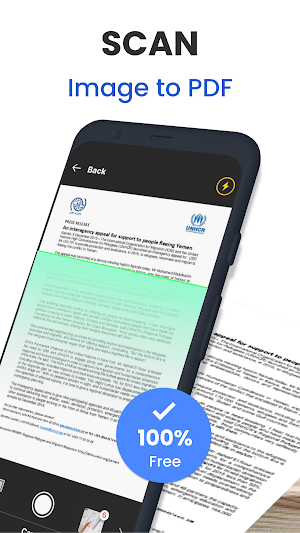
Convert Documents to PDF: Easily import multiple images or scan paper files using your camera, then convert them into PDF. Adjust size, crop, rotate, and enhance colors for superior PDF output.
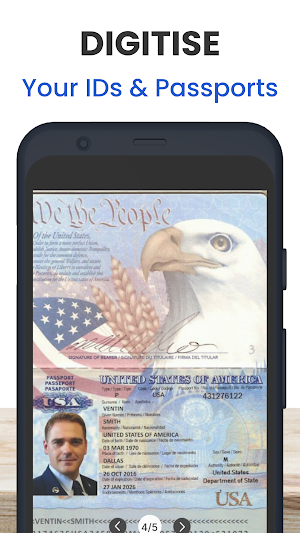
Advanced Camera Scanning: Use your phone’s camera to rapidly digitize various paper documents like receipts, notes, invoices, business cards, and certificates.
Optimized Scan Quality: Enjoy crystal-clear scans with accurate colors and sharp graphics. Smart cropping and auto-enhancement ensure your texts and images are vibrant and of the highest quality.
Extract Text with OCR: Extract text from photos and scanned documents using OCR technology. Convert images to editable text or PDF format, then easily edit, search, and share.
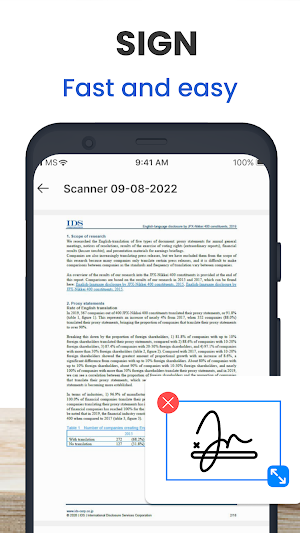
PDF Reader and Viewer: Open, view, and manage your PDF documents effortlessly. Use the simple list view to organize files, scroll, zoom, rename, delete, and view file details.
Document Editor: Customize your scans with color, grayscale, or black-and-white modes. The app automatically detects page edges and offers multiple contrast levels for sharp monochrome texts, ensuring fast and efficient scanning.
At Document Scan, we’re dedicated to providing the best scanning experience. We constantly work to improve the app and value your feedback. For inquiries or suggestions, reach out to us at [email protected]. Your support means the world to us!
Download Document Scan: Scan & Edit PDF today and transform your Android device into a powerful document scanner and editor.
PDF Scanner: Combine JPG, JPEG, scanned photos, pictures, and PNG files for free.
Camera Scanner: Scan images and documents to PDF in seconds.
PDF Scanner for Android: Merge multiple images into a single PDF document.
Scan to PDF: Create high-quality PDF documents from scanned images.
Scan & Convert to PDF: Free app to scan and convert JPG and other images to PDF.
Document Scan: PDF Reader details
Document Scan: PDF Reader is a free Productivity app for Android with 1,000+ installs on Google Play. It was released on August 22, 2024 and last updated on August 22, 2024. It's developed by Mega Utility Applications. It requires Android 6.0 or later. The app contains ads.
- Category
- Productivity
- Installs
- 1,000+
- Price
- Free
- In-app purchases
- No
- Ads
- Contains ads
- Current version
- 1.0.0
- Requires Android
- 6.0
- Content rating
- Everyone
- Released
- August 22, 2024
- Last updated
- August 22, 2024
- Developer
- Mega Utility Applications
Alternatives to Document Scan: PDF Reader
Looking for apps like Document Scan: PDF Reader? Here are 4 similar Android apps on Google Play. The highest rated is Math.AI - Homework Math Solver (5.0/5), and all 4 are free to download.

Clap to find my phone
Misplaced Your Phone? Find It Instantly with Clap to find my phone!🔥...
Math.AI - Homework Math Solver
Conquer Math Like a Pro with Math.AI - Your All-in-One Homework Solver...
Edit Spreadsheet: Excel Reader
📗 Explore the Next Generation of Mobile Spreadsheet Management with Excel Edit...
PDF Reader: Editor Tool
✅ Ideal for individuals who need to read, annotate, and manage a...
| App | Rating | Price | Installs |
|---|---|---|---|
| Document Scan: PDF Reader | – | Free | 1,000+ |
| Clap to find my phone | – | Free | 5,000+ |
| Math.AI - Homework Math Solver | 5.0 / 5 | Free | 1,000+ |
| Edit Spreadsheet: Excel Reader | – | Free | 50+ |
| PDF Reader: Editor Tool | – | Free | 0+ |
