

Document Scanner: Doc PDF ID
Productivity Contains ads
The Document Scanner app quickly scans, saves, and shares documents as PDFs.
- Downloads
- 62+
- on Google Play
- Price
- Free
- No in-app purchases
- Updated
- Dec 26
- 2024 · v1.0.4
Screenshots


About Document Scanner: Doc PDF ID
The Document Scanner app transforms your device into a powerful portable scanner, helping you streamline your work and daily tasks. Download it now to instantly scan, save, and share any document as a PDF or password-protected PDF.
Ready to keep your office in your pocket and boost your productivity?
Leverage Document Scanner’s features to effortlessly manage your paperwork. Say goodbye to bulky copy machines and embrace this ultra-fast, free scanner app.
HOW IT WORKS
• Turn any document into a scan with the app.
• Use the PDF scanner to create a quick photo scan or PDF.
• Scan and convert any document to PDF with ease.
FEATURES:
Quickly Digitize Documents
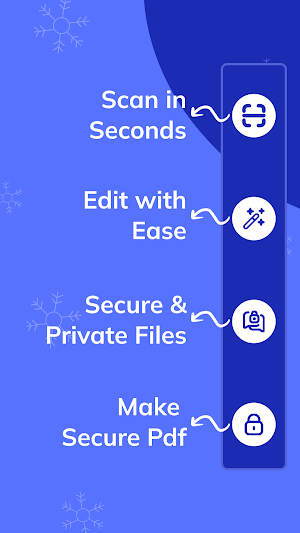
Scan and digitize all types of paper documents using your phone’s camera: receipts, notes, invoices, business cards, whiteboard discussions, certificates, and more.
Optimize Scan Quality
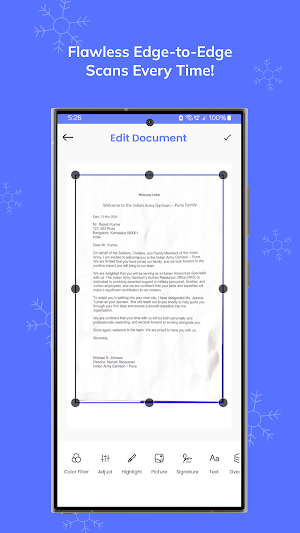
Smart cropping and auto-enhancements ensure your scans have crisp text, sharp graphics, and vibrant colors for a professional look.
Share PDFs
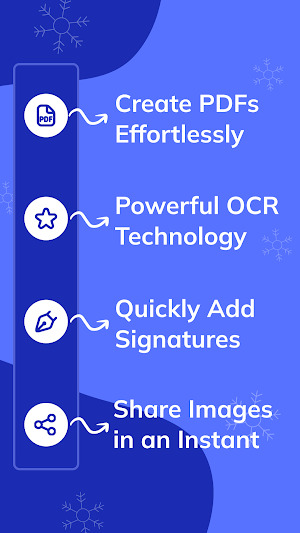
Easily share scanned documents in PDF format through social media or email.
Advanced Document Editing
Annotate your documents with a full suite of editing tools and add custom watermarks to personalize your files.
Quick Search
Categorize your documents into folders for easy access, helping you find exactly what you need quickly.
Secure Important Documents
Protect sensitive documents with a passcode for secure access and peace of mind.
Save Business Cards to Contacts
Scan business cards, and the app will automatically extract contact information, saving it directly to your device’s contacts.
Cleanup Scans
Edit and remove imperfections like stains, marks, creases, and even handwriting, leaving your scans neat and professional.
Ready to keep your office in your pocket and boost your productivity?
Leverage Document Scanner’s features to effortlessly manage your paperwork. Say goodbye to bulky copy machines and embrace this ultra-fast, free scanner app.
HOW IT WORKS
• Turn any document into a scan with the app.
• Use the PDF scanner to create a quick photo scan or PDF.
• Scan and convert any document to PDF with ease.
FEATURES:
Quickly Digitize Documents
Scan and digitize all types of paper documents using your phone’s camera: receipts, notes, invoices, business cards, whiteboard discussions, certificates, and more.
Optimize Scan Quality
Smart cropping and auto-enhancements ensure your scans have crisp text, sharp graphics, and vibrant colors for a professional look.
Share PDFs
Easily share scanned documents in PDF format through social media or email.
Advanced Document Editing
Annotate your documents with a full suite of editing tools and add custom watermarks to personalize your files.
Quick Search
Categorize your documents into folders for easy access, helping you find exactly what you need quickly.
Secure Important Documents
Protect sensitive documents with a passcode for secure access and peace of mind.
Save Business Cards to Contacts
Scan business cards, and the app will automatically extract contact information, saving it directly to your device’s contacts.
Cleanup Scans
Edit and remove imperfections like stains, marks, creases, and even handwriting, leaving your scans neat and professional.
User reviews

No issues so far! Scans look good, and the app works fast.

"Fantastic scanner app! It’s perfect for quickly capturing documents, receipts, or notes. The app auto-detects edges, and the filters like color and black-and-white make scans look professional. Plus, OCR lets me turn scans into editable text, which saves tons of time. I can easily save files as PDFs or images, and ...
Alternatives to Document Scanner: Doc PDF ID
Looking for apps like Document Scanner: Doc PDF ID? Here are 3 similar Android apps on Google Play. The highest rated is Genius Scan - PDF Scanner (4.9/5), and all 3 are free to download.

| App | Rating | Price | Installs | Last updated | Compare |
|---|---|---|---|---|---|
| Document Scanner: Doc PDF ID | – | Free | 50+ | Dec 26, 2024 | |
| PDF Scanner Plus - Doc Scanner | 4.6 / 5 | Free | 1,000,000+ | Oct 12, 2026 | Compare |
| Genius Scan - PDF Scanner | 4.9 / 5 | Free | 10,000,000+ | Sep 22, 2026 | Compare |
| Tiny Scanner - PDF Scanner App | 4.6 / 5 | Free | 10,000,000+ | Jul 29, 2026 | Compare |