
HTML Editor – Code Studio
Tools Contains ads
HTML, CSS, and JavaScript code editor with live preview for web development.
- Downloads
- 5K+
- on Google Play
- Price
- Free
- No in-app purchases
- Updated
- Aug 26
- 2026 · v3.0
Screenshots
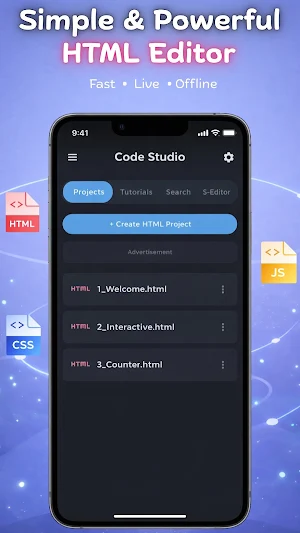
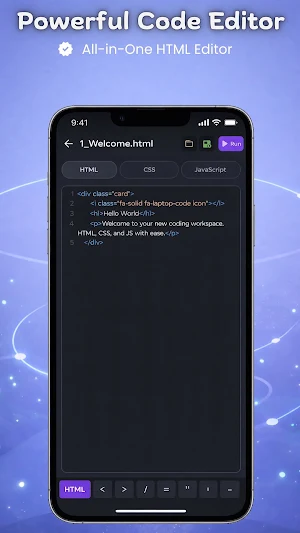
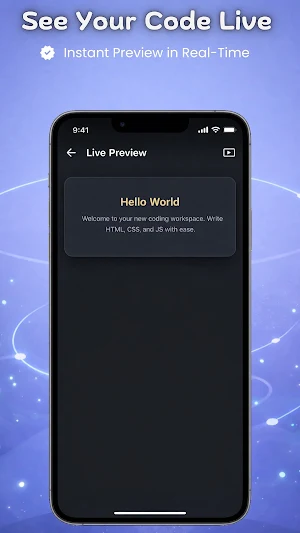
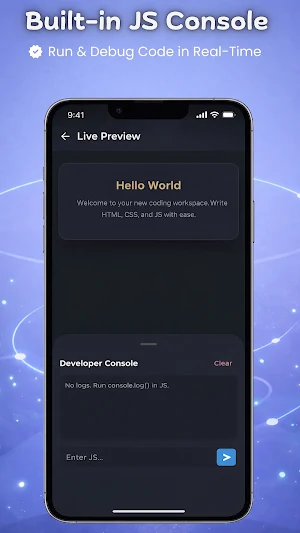


About HTML Editor – Code Studio
Code Studio is a powerful mobile code editor built for writing, testing, and previewing HTML, CSS, and JavaScript directly on your smartphone. Designed for web development students, learners, and professionals, this application provides a dedicated, portable workspace for coding on the go.
This programming utility allows you to execute source code and view the output instantly, eliminating the need for a desktop setup for quick testing and practice.
🚀 Core Features:
Multi-Language Support: Write, edit, and format HTML, CSS, and JavaScript code seamlessly.
Instant Live Preview: Render your code immediately within the integrated web viewer to see your UI in action.
Syntax Highlighting: Read and write source code easily with accurate, color-coded syntax formatting.
Offline Coding: Execute and test your web projects anytime, anywhere—no active internet connection required.
Internal Workspace: Save your code snippets and projects securely within the application for quick access and file management.
Lightweight & Fast: A distraction-free UI optimized for Android devices to ensure a smooth programming experience.
👨💻 Who is this for?
Students practicing web development concepts and programming logic.
Developers needing a portable platform to test UI layouts and scripts.
Anyone looking to write and preview web code on a mobile device without hassle.
Start writing and executing your web projects today with a streamlined, easy-to-use mobile development environment.
This programming utility allows you to execute source code and view the output instantly, eliminating the need for a desktop setup for quick testing and practice.
🚀 Core Features:
Multi-Language Support: Write, edit, and format HTML, CSS, and JavaScript code seamlessly.
Instant Live Preview: Render your code immediately within the integrated web viewer to see your UI in action.
Syntax Highlighting: Read and write source code easily with accurate, color-coded syntax formatting.
Offline Coding: Execute and test your web projects anytime, anywhere—no active internet connection required.
Internal Workspace: Save your code snippets and projects securely within the application for quick access and file management.
Lightweight & Fast: A distraction-free UI optimized for Android devices to ensure a smooth programming experience.
👨💻 Who is this for?
Students practicing web development concepts and programming logic.
Developers needing a portable platform to test UI layouts and scripts.
Anyone looking to write and preview web code on a mobile device without hassle.
Start writing and executing your web projects today with a streamlined, easy-to-use mobile development environment.
What’s new
Version 3.0 · Updated August 26, 2026
• Google Drive Sync & AI Assistant implemented. • Bugs fixed & performance improved. • Fixed back handler logic.
User reviews

best App op and ❤️❤️❤️my love App

This Application is very nice for web development . This is best for students and also best for elders for making web. In this I find my favorite thing that shortcut code input. this is free application with good function. thanks developers 🙃

good I can do it on my

it is good but I can not recharge it it is good

this app is great

👍
Alternatives to HTML Editor – Code Studio
Looking for apps like HTML Editor – Code Studio? Here are 3 similar Android apps on Google Play. The highest rated is CodeGym: learn Java (4.6/5), and all 3 are free to download.



| App | Rating | Price | Installs | Last updated | Compare |
|---|---|---|---|---|---|
| HTML Editor – Code Studio | – | Free | 5,000+ | Aug 26, 2026 | |
| CodeGym: learn Java | 4.6 / 5 | Free | 100,000+ | Sep 28, 2026 | Compare |
| OPERI | – | Free | 5,000+ | Aug 31, 2026 | Compare |
| Coast: Native Work Order CMMS | 4.4 / 5 | Free | 50,000+ | Oct 26, 2026 | Compare |