

Video Sticker Editor (Add Icon, Sticker On Video)
Desa Technology Video Players & Editors Contains ads
This app helps you easy to add sticker on your video.
- Rating
- 2.4
- 64 ratings
- Downloads
- 10K+
- on Google Play
- Price
- Free
- No in-app purchases
- Updated
- Mar 12
- 2021 · v1203.2021
Screenshots
About Video Sticker Editor (Add Icon, Sticker On Video)
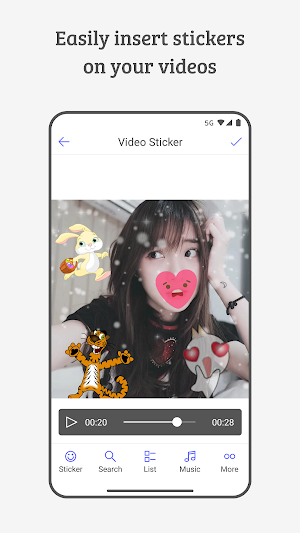
This app helps you easy to add sticker on your video. You can choose variety of stickers, audios and make an awesome custom video to share with your friends and family. Just select a video from your gallery then just add sticker to video and done.
Main Features:
• Insert multiple stickers to your video.
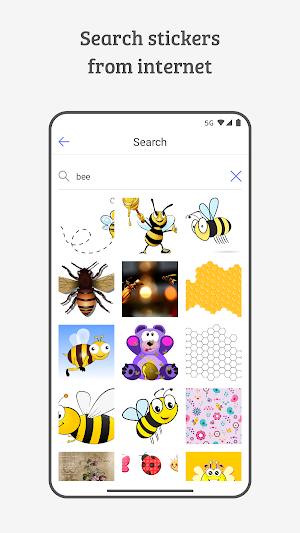
• Search stickers from internet.
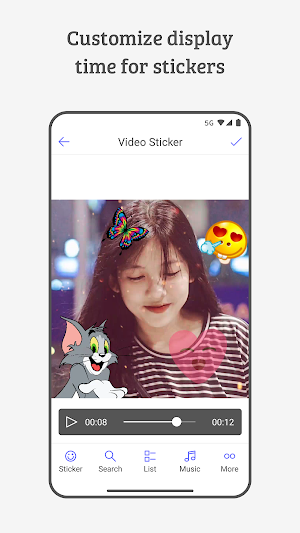
• Select display time for each sticker.
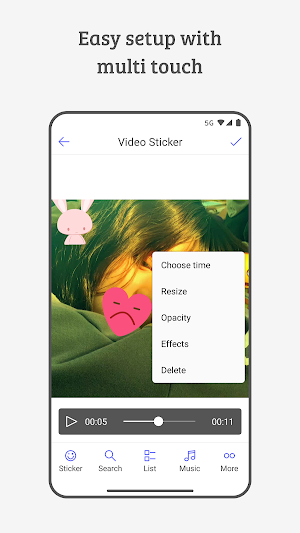
• Change position and size of the sticker.
• Rotate 360 degree sticker as you like.
• Change the opacity for each sticker.
• Change effects for each sticker.
• Change contrast for stickers.
• Insert music into your video.
• Cut or select favorite music.
• Supports all video and audio formats.
• Preview your new video before saving it.
• Fast processing and high quality output.
• Simple user interface easy to use it.
How To Use?
• Select any video from your gallery.
• Just simply add sticker as per your choice.
• Also you can insert music into videos.
• Save the video on your phone gallery.
• Share it in many social media platforms.
Do you like this app? Please leave your reviews and suggestions, it will help us make this app better in the next versions! Thank you!
Main Features:
• Insert multiple stickers to your video.
• Search stickers from internet.
• Select display time for each sticker.
• Change position and size of the sticker.
• Rotate 360 degree sticker as you like.
• Change the opacity for each sticker.
• Change effects for each sticker.
• Change contrast for stickers.
• Insert music into your video.
• Cut or select favorite music.
• Supports all video and audio formats.
• Preview your new video before saving it.
• Fast processing and high quality output.
• Simple user interface easy to use it.
How To Use?
• Select any video from your gallery.
• Just simply add sticker as per your choice.
• Also you can insert music into videos.
• Save the video on your phone gallery.
• Share it in many social media platforms.
Do you like this app? Please leave your reviews and suggestions, it will help us make this app better in the next versions! Thank you!
What’s new
Version 1203.2021 · Updated March 12, 2021
Search stickers from internet.
User reviews

Excellent
Alternatives to Video Sticker Editor (Add Icon, Sticker On Video)
Looking for apps like Video Sticker Editor (Add Icon, Sticker On Video)? Here are 3 similar Android apps on Google Play. The highest rated is GIF maker:Gif creator & editor (4.5/5), and all 3 are free to download.
-
GIF maker GIF camera - GifGuru 3.9
-
Video Editor & GIF creator 3.2
-
GIF maker:Gif creator & editor 4.5
| App | Rating | Price | Installs | Last updated | Compare |
|---|---|---|---|---|---|
| Video Sticker Editor (Add Icon, Sticker On Video) | 2.4 / 5 | Free | 10,000+ | Mar 12, 2021 | |
| GIF maker GIF camera - GifGuru | 3.9 / 5 | Free | 1,000,000+ | Nov 6, 2023 | Compare |
| Video Editor & GIF creator | 3.2 / 5 | Free | 500+ | Dec 8, 2021 | Compare |
| GIF maker:Gif creator & editor | 4.5 / 5 | Free | 100,000+ | – | Compare |