
Find Word
HỒ BẢO MINH Word
Find Word is an intellectual game.
- Downloads
- 10+
- on Google Play
- Price
- Free
- No in-app purchases
- Updated
- May 2
- 2024 · v1.0.2
Screenshots


About Find Word
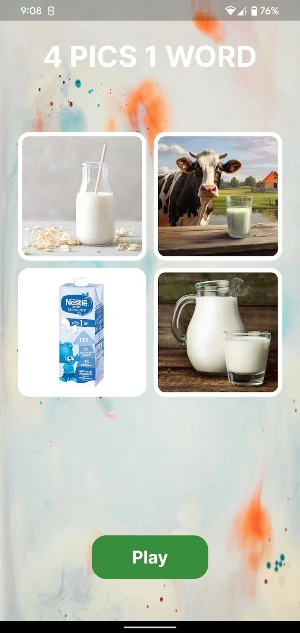
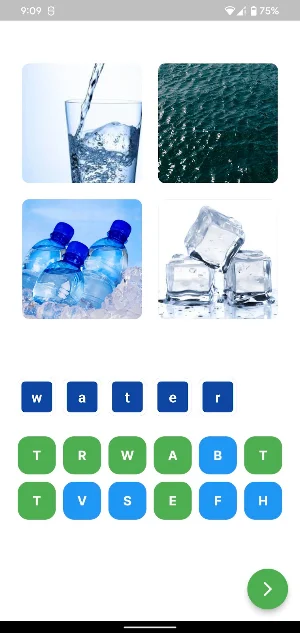
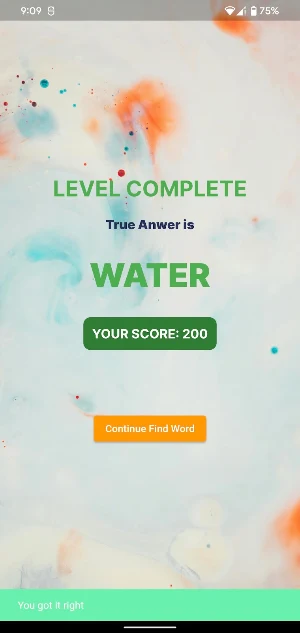
There are a total of four questions, your task is to answer those four questions correctly. To start playing, press the play button on the home screen, a question will appear. Select words in the suggestions section, selected words will display in green. You can delete the selected word by clicking on each letter in the answer section. Then press the continue button at the bottom right corner of the screen to check the answer. If it is correct, you will switch to the game win screen. Otherwise, a message will be displayed saying the answer is wrong and you need to answer again.
Play today's Queens puzzle
One queen in every row, column and color. A free daily puzzle from Fiplay, same board for everyone. It plays right here, no download.
Alternatives to Find Word
Looking for apps like Find Word? Here are 6 similar Android apps on Google Play. The highest rated is Word Connect - Fun Word Puzzle (4.8/5), and all 6 are free to download.
-
Word Smash - Puzzle Game 4.5
-
Word Blast: Word Search Games 4.6
-
Word Swipe Pic 4.7
-
Wordplay: Exercise your brain 4.3
-
Word Vistas- Stack Word Search 4.6
-
Word Connect - Fun Word Puzzle 4.8
| App | Rating | Price | Installs | Last updated | Compare |
|---|---|---|---|---|---|
| Find Word | – | Free | 10+ | May 2, 2024 | |
| Word Smash - Puzzle Game | 4.5 / 5 | Free | 100+ | Oct 31, 2022 | Compare |
| Word Blast: Word Search Games | 4.6 / 5 | Free | 500,000+ | Oct 9, 2026 | Compare |
| Word Swipe Pic | 4.7 / 5 | Free | 5,000,000+ | Jun 22, 2020 | Compare |
| Wordplay: Exercise your brain | 4.3 / 5 | Free | 100,000+ | Jul 4, 2024 | Compare |
| Word Vistas- Stack Word Search | 4.6 / 5 | Free | 50,000+ | Oct 19, 2026 | Compare |
| Word Connect - Fun Word Puzzle | 4.8 / 5 | Free | 500+ | Jul 25, 2022 | Compare |
Compare Find Word with the top alternatives: ratings, updates, ASO score and keyword gaps →
Similar apps on Google Play
- Word Smash - Puzzle Game
- Word Blast: Word Search Games
- Word Swipe Pic
- Wordplay: Exercise your brain
- Word Vistas- Stack Word Search
- Word Connect - Fun Word Puzzle
- Word Smash: Word Games
- Word Mind: Crossword puzzle
- Word Sauce: Word Connect
- Word Search World Traveler
- Word Search: Crossword puzzle
- Word Puzzle
- Word Piles - Stacks Word Games
- Word Serenity: Fun Word Search
- Word Slices
- Word Search Pictures Crossword
- Word Charm
- Tricky Words: Word Connect
- Wordsearch PuzzleLife
- Word Connect: Crossword Game
- Word connect: Word puzzle game
- Word Timber: Link Puzzle Games
- Infinite Words - Word Search
- Word Twist: Search & Stacks
- Letters - Word Search
- Word Search Stack Puzzle
- Word Cross Scenery
- Word Wiz - Connect Words Game
- Word Season - Crossword Game
- Word Rebus - Dingbat Crossword
- WordBrain - Word puzzle game
- Word Stacks
- CrossWord: Word Game Offline
- World of Wonders - Word Games
- Word Search Game: Offline
- Word Lots
- Word Blitz
- Wordscapes In Bloom
- Word Tower: Relaxing Word Game
- Word Relax: Word Puzzle Games
- Word Puzzle Time - Crossword
- Kitty Scramble: Word Game
- Word Architect - Crosswords
- Word Calm - Scape puzzle game
- Word Chaos
- Word Sleuth - Find Hidden Word
- Travel Words: Fun word games
- Ruzzle
- ToyTopia: Block Puzzle
- Wordlution : Word Game
- Word Guru: 5 in 1 Search Word
- Word Cross
- Wordsmyth - Calm Word Play
- Worder: Guess the word game
- Travel words: Word find games
- Holyscapes - Bible Word Game
- Wordify Words & Puzzles - Conn
- Word Connect - Offline
- Word Story: Word Search Puzzle