

DataFort-Data Restore Helper
Maza App Studio Tools
Scan lost media and files on your phone, then recover selected items.
- Downloads
- 120K+
- on Google Play
- Price
- Free
- No in-app purchases
- Updated
- Sep 20
- 2026 · v1.0.5
Screenshots

About DataFort-Data Restore Helper
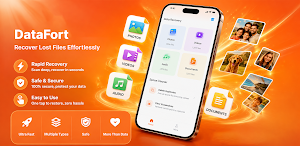
Deleted photos, videos, audio files, or important documents by mistake? DataFort helps you scan your phone for files that may still be recoverable and save selected items back to your device when possible.
DataFort is built for a simple, user-started recovery workflow. You can choose what type of file to scan, review detected results, select the items you need, and restore them locally. The app does not automatically recover every detected file, so you stay in control of what is saved.
Main features:
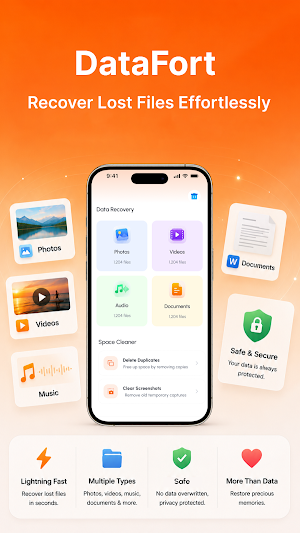
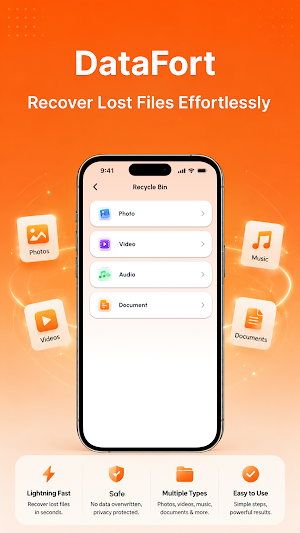
- Scan device storage for recoverable photos, videos, audio, documents, and other files
- Review detected results before restoring
- Save selected recovered files back to your phone
- Check recovery progress while the task is running
- Receive recovery status or completion notifications
Supported file types may include:
- Photos: JPG, PNG, HEIC, WebP
- Videos: MP4, MOV, AVI, MKV
- Audio: MP3, WAV, AAC, FLAC
- Documents: PDF, DOC, DOCX, XLS, TXT
- Archives: ZIP, RAR
How recovery works:
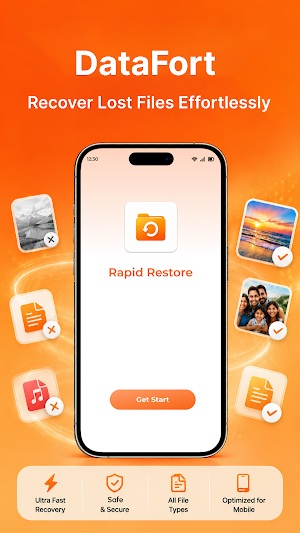
1. Start a scan from the app
2. Review recoverable results
3. Select the files you want to restore
4. Save recovered files back to your device
DataFort can be useful after accidental deletion, missing media, lost documents, or when you want to check whether recoverable files remain on device storage. Scanning and recovery are handled on your device, and files are not uploaded for recovery.
Some recovery tasks may take time. DataFort may show a foreground notification or completion alert so you can see recovery status if you leave the app while scanning or restoring files.
Recovery results may vary depending on storage conditions, deletion timing, device behavior, and whether deleted data has already been overwritten. No file recovery app can guarantee that every deleted file will be restored.
DataFort is built for a simple, user-started recovery workflow. You can choose what type of file to scan, review detected results, select the items you need, and restore them locally. The app does not automatically recover every detected file, so you stay in control of what is saved.
Main features:
- Scan device storage for recoverable photos, videos, audio, documents, and other files
- Review detected results before restoring
- Save selected recovered files back to your phone
- Check recovery progress while the task is running
- Receive recovery status or completion notifications
Supported file types may include:
- Photos: JPG, PNG, HEIC, WebP
- Videos: MP4, MOV, AVI, MKV
- Audio: MP3, WAV, AAC, FLAC
- Documents: PDF, DOC, DOCX, XLS, TXT
- Archives: ZIP, RAR
How recovery works:
1. Start a scan from the app
2. Review recoverable results
3. Select the files you want to restore
4. Save recovered files back to your device
DataFort can be useful after accidental deletion, missing media, lost documents, or when you want to check whether recoverable files remain on device storage. Scanning and recovery are handled on your device, and files are not uploaded for recovery.
Some recovery tasks may take time. DataFort may show a foreground notification or completion alert so you can see recovery status if you leave the app while scanning or restoring files.
Recovery results may vary depending on storage conditions, deletion timing, device behavior, and whether deleted data has already been overwritten. No file recovery app can guarantee that every deleted file will be restored.
Alternatives to DataFort-Data Restore Helper
Looking for apps like DataFort-Data Restore Helper? Here are 3 similar Android apps on Google Play. The highest rated is FastField: Field Service Forms (4.7/5), and all 3 are free to download.



| App | Rating | Price | Installs | Last updated | Compare |
|---|---|---|---|---|---|
| DataFort-Data Restore Helper | – | Free | 100,000+ | Sep 20, 2026 | |
| Halter | – | Free | 5,000+ | Oct 2, 2026 | Compare |
| Total Drive - Cloud Storage | 3.6 / 5 | Free | 500,000+ | Jul 27, 2026 | Compare |
| FastField: Field Service Forms | 4.7 / 5 | Free | 100,000+ | Oct 19, 2026 | Compare |