

Share Karo File Share Transfer
Antheia Tools Productivity Contains ads
ShareKaro you can transfer files of any size including photo, video, music & doc
- Downloads
- 5K+
- on Google Play
- Price
- Free
- No in-app purchases
- Updated
- Aug 18
- 2023 · v1.5
Screenshots

About Share Karo File Share Transfer
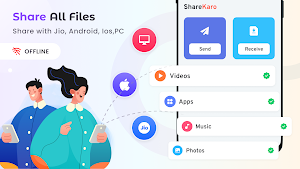
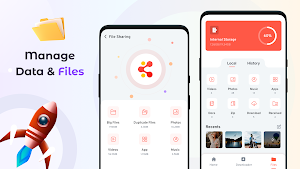
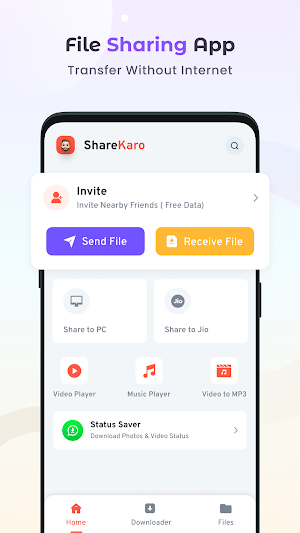
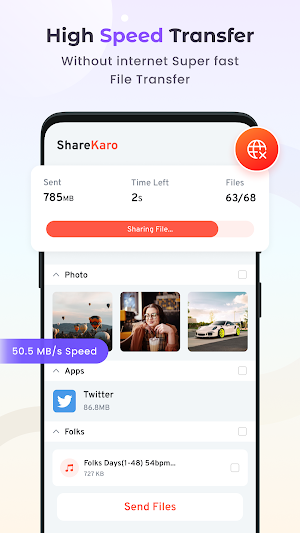
ShareKaro is an easy-to-use file sharing app that allows you to quickly and securely transfer files between Android devices without using mobile data. With ShareKaro, you can transfer files of any size, including photos, videos, music, and documents, at lightning-fast speeds.
ShareKaro is the perfect app for anyone who wants to quickly and easily share files with friends, family, and colleagues. Whether you need to transfer photos, videos, music, or documents, ShareKaro makes it easy to do so without using mobile data.
With ShareKaro, you can transfer files between Android devices in just a few simple steps. First, select the files you want to transfer, then connect to another device via Wi-Fi Direct. Once the connection is established, you can quickly transfer the files at lightning-fast speeds.
ShareKaro also offers a number of features to make file sharing even easier. For example, you can easily create a hotspot to connect with other devices without using a Wi-Fi network. Additionally, ShareKaro supports group sharing, allowing you to quickly share files with multiple people at once.
With ShareKaro, you can also rest assured that your files are being transferred securely. All file transfers are encrypted, ensuring that your data stays safe and secure.
Overall, if you're looking for an easy-to-use and secure file sharing app for Android, ShareKaro is the perfect solution. Try it today and experience lightning-fast file transfers without using mobile data.
ShareKaro is the perfect app for anyone who wants to quickly and easily share files with friends, family, and colleagues. Whether you need to transfer photos, videos, music, or documents, ShareKaro makes it easy to do so without using mobile data.
With ShareKaro, you can transfer files between Android devices in just a few simple steps. First, select the files you want to transfer, then connect to another device via Wi-Fi Direct. Once the connection is established, you can quickly transfer the files at lightning-fast speeds.
ShareKaro also offers a number of features to make file sharing even easier. For example, you can easily create a hotspot to connect with other devices without using a Wi-Fi network. Additionally, ShareKaro supports group sharing, allowing you to quickly share files with multiple people at once.
With ShareKaro, you can also rest assured that your files are being transferred securely. All file transfers are encrypted, ensuring that your data stays safe and secure.
Overall, if you're looking for an easy-to-use and secure file sharing app for Android, ShareKaro is the perfect solution. Try it today and experience lightning-fast file transfers without using mobile data.
What’s new
Version 1.5 · Updated August 18, 2023
Faster sharing speed Better User experience Bug fixes and performance improvements Enjoy Easy File Transfer with high speeds
Alternatives to Share Karo File Share Transfer
Looking for apps like Share Karo File Share Transfer? Here are 3 similar Android apps on Google Play. The highest rated is Fingerprint Live Animation (3.2/5), and all 3 are free to download.



| App | Rating | Price | Installs | Last updated | Compare |
|---|---|---|---|---|---|
| Share Karo File Share Transfer | – | Free | 5,000+ | Aug 18, 2023 | |
| Translate All Languages | – | Free | 100,000+ | Aug 5, 2026 | Compare |
| HD Camera | – | Free | 500,000+ | Jul 1, 2026 | Compare |
| Fingerprint Live Animation | 3.2 / 5 | Free | 10,000+ | Sep 13, 2023 | Compare |