About C Pass: Spass to CSV
C Pass: Spass to CSV converts encrypted .spass password backup files into clean CSV files directly on your device.
It is designed for users who already have a .spass backup file and need a simple, private way to convert their saved login data into CSV format for import into another password manager.
Key features
• Convert encrypted .spass backup files to CSV
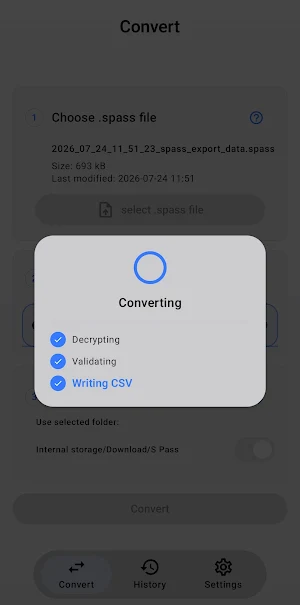
• Process files locally on your device
• No account or login required
• No cloud upload
• No server processing
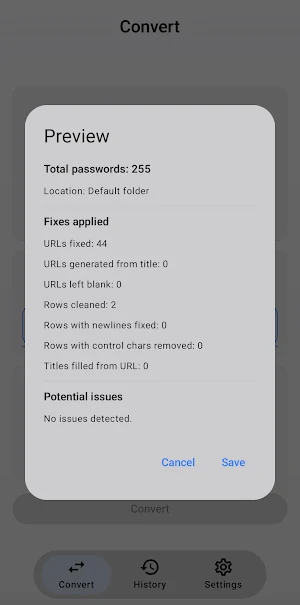
• Clean CSV output for password-manager import
• Preserves login data such as name, website URL, username, password, and notes
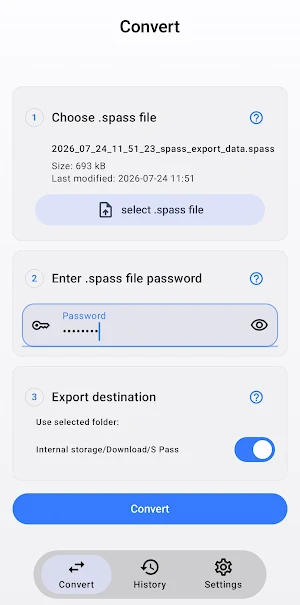
• Simple file selection and export workflow
Privacy-first conversion
Your .spass backup file is processed locally on your device. The app does not upload your password backup, does not send your converted CSV file to any server, and does not require an online account.
Your sensitive password data stays on your device throughout the conversion process.
Who is this app for?
• Users moving saved passwords between password managers
• Users who need CSV output from an encrypted .spass backup
• Advanced users who need a local password-data conversion utility
• Anyone who prefers offline processing for sensitive password files
Important
This app is an independent utility. It is not affiliated with, endorsed by, or sponsored by Samsung, Google, or any of their affiliates.
Similar Apps

Goldman Sachs Wellness
Get access to personalized financial tools and resources at no cost to you.

Vantix Law
Take control of your Vantix Law program wherever you are.

Arkansas FCU Mobile Banking
Bank on the go with Arkansas Federal

Local Eclectic
Jewelry as unique as you are
