
Webp to PNG image or JPG image
Cowcona Tools Contains ads
Converts WEBP images into PNG or JPG images format.
- Downloads
- 2.1K+
- on Google Play
- Price
- Free
- No in-app purchases
- Updated
- Aug 16
- 2026 · v4.0
Screenshots


About Webp to PNG image or JPG image
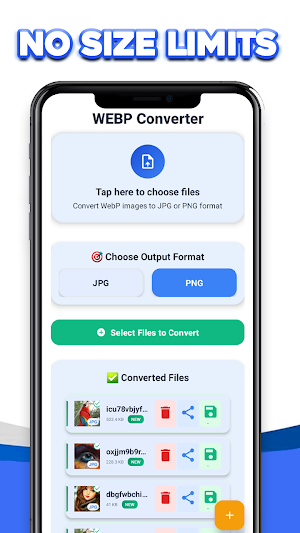
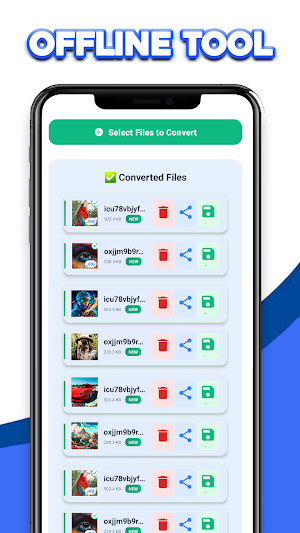
Easily convert WebP images to JPG or PNG formats fast, Free conversion without registration, no file size limits, no watermarks, and an offline conversation tool.
Simplify your image conversion tasks with WebP Converter – the ultimate tool for transforming WebP files into popular formats like JPG and PNG. Whether you're a designer or developer, or just need quick image format changes, this app is built to meet your needs. With a sleek and responsive design, the app is packed with features to enhance your experience:
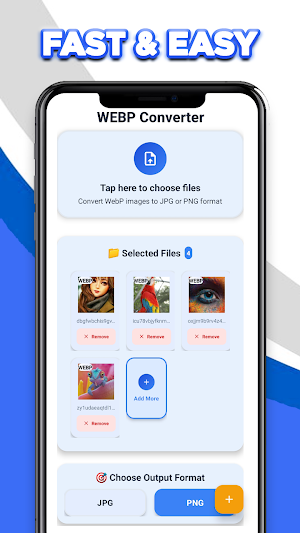
Multi-File Support: Convert multiple files at once, saving time and effort.
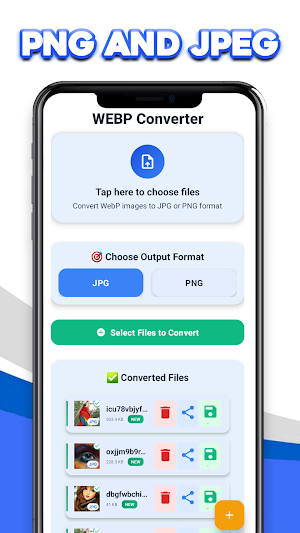
Customizable Outputs: Choose two popular output formats to fit your project needs.
File Previews: View thumbnails of your selected files before converting.
Error-Free Workflow: Easily remove files from your list with a simple click.
Instant Access to Results: you can save your converted files directly to the phone gallery or share them.
Built with performance and simplicity in mind, WebP Converter ensures that professionals and casual users can quickly and effortlessly convert WebP images into the format they need.
- Why Choose WebP Converter?
Supports multiple file conversions simultaneously.
Intuitive interface for all skill levels.
Reliable and efficient file handling with no quality loss.
- Who Is This For?
Graphic designers, web developers, and photographers.
Students, teachers, and anyone who needs quick image conversions.
Professionals require high-quality format transformations for documents, presentations, or websites.
Simplify your image conversion tasks with WebP Converter – the ultimate tool for transforming WebP files into popular formats like JPG and PNG. Whether you're a designer or developer, or just need quick image format changes, this app is built to meet your needs. With a sleek and responsive design, the app is packed with features to enhance your experience:
Multi-File Support: Convert multiple files at once, saving time and effort.
Customizable Outputs: Choose two popular output formats to fit your project needs.
File Previews: View thumbnails of your selected files before converting.
Error-Free Workflow: Easily remove files from your list with a simple click.
Instant Access to Results: you can save your converted files directly to the phone gallery or share them.
Built with performance and simplicity in mind, WebP Converter ensures that professionals and casual users can quickly and effortlessly convert WebP images into the format they need.
- Why Choose WebP Converter?
Supports multiple file conversions simultaneously.
Intuitive interface for all skill levels.
Reliable and efficient file handling with no quality loss.
- Who Is This For?
Graphic designers, web developers, and photographers.
Students, teachers, and anyone who needs quick image conversions.
Professionals require high-quality format transformations for documents, presentations, or websites.
Alternatives to Webp to PNG image or JPG image
Looking for apps like Webp to PNG image or JPG image? Here are 3 similar Android apps on Google Play. The highest rated is SynkedUP (4.9/5), and all 3 are free to download.



| App | Rating | Price | Installs | Last updated | Compare |
|---|---|---|---|---|---|
| Webp to PNG image or JPG image | – | Free | 1,000+ | Aug 16, 2026 | |
| Myrentpad - Vehicle inspection | – | Free | 1,000+ | Jun 23, 2026 | Compare |
| SynkedUP | 4.9 / 5 | Free | 1,000+ | Oct 12, 2026 | Compare |
| Shopl for frontline workers | – | Free | 50,000+ | Oct 12, 2026 | Compare |