

Moss Byte: Pixel Watch Face
Cottonray Personalization
A quiet pixel forest, bold digital time and a little lantern surprise.
- Price
- $1.99
- No in-app purchases
- Updated
- Sep 22
- 2026 · v1.0.0
Screenshots


About Moss Byte: Pixel Watch Face
A tiny forest on your wrist.
Moss Byte pairs warm pixel-art woodland with a clear digital clock. Mossy steps, small mushrooms and a glowing lantern bring a calm scene to your Wear OS watch.
TAP THE LANTERN
Small amber fireflies drift gently beside the lantern while the screen is active. Tap the lantern for a short extra burst of fireflies. You can turn all motion off in the watch-face editor.
YOUR EVERYDAY DETAILS
• Large original pixel numerals
• Time follows your watch's 12-hour or 24-hour setting
• Day and date
• Two customisable short-text information slots
• Default step count and watch battery, when available from your device
• A simple always-on display with small, muted time and date on black
MADE FOR WEAR OS
Requires a Wear OS 4 or newer watch that supports Watch Face Format. This is a watch face, not a phone app. It does not support older Tizen watches, fitness bands or Apple Watch.
After installing it on your watch, open your watch-face picker, add Moss Byte and select it. Long-press the watch face and open the editor to change the two information providers or the firefly preference. Exact menu names vary by watch.
Information availability and update frequency depend on your watch and the providers you select. Battery life varies with your device, always-on settings and usage. The watch face does not collect or transmit your displayed data.
One upfront purchase. No ads, subscription or in-app purchases.
Moss Byte pairs warm pixel-art woodland with a clear digital clock. Mossy steps, small mushrooms and a glowing lantern bring a calm scene to your Wear OS watch.
TAP THE LANTERN
Small amber fireflies drift gently beside the lantern while the screen is active. Tap the lantern for a short extra burst of fireflies. You can turn all motion off in the watch-face editor.
YOUR EVERYDAY DETAILS
• Large original pixel numerals
• Time follows your watch's 12-hour or 24-hour setting
• Day and date
• Two customisable short-text information slots
• Default step count and watch battery, when available from your device
• A simple always-on display with small, muted time and date on black
MADE FOR WEAR OS
Requires a Wear OS 4 or newer watch that supports Watch Face Format. This is a watch face, not a phone app. It does not support older Tizen watches, fitness bands or Apple Watch.
After installing it on your watch, open your watch-face picker, add Moss Byte and select it. Long-press the watch face and open the editor to change the two information providers or the firefly preference. Exact menu names vary by watch.
Information availability and update frequency depend on your watch and the providers you select. Battery life varies with your device, always-on settings and usage. The watch face does not collect or transmit your displayed data.
One upfront purchase. No ads, subscription or in-app purchases.
What’s new
Version 1.0.0 · Updated September 22, 2026
Gentle fireflies now move while the screen is active. Tap the lantern for an extra burst, or turn motion off in the editor. Added localized editor labels and date formats, including a fix for Arabic time digits.
Alternatives to Moss Byte: Pixel Watch Face
Looking for apps like Moss Byte: Pixel Watch Face? Here are 6 similar Android apps on Google Play. 3 of the 6 are free to download.

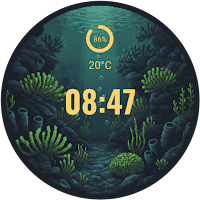


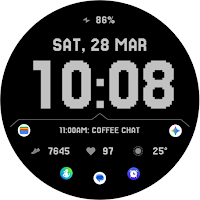
| App | Rating | Price | Installs | Last updated | Compare |
|---|---|---|---|---|---|
| Moss Byte: Pixel Watch Face | – | $1.99 | 0+ | Sep 22, 2026 | |
| Meridian Gilt | – | Free | 1+ | – | Compare |
| Reefox | – | Free | 1+ | – | Compare |
| Dino Watch Face | – | 1.59 USD | 100+ | – | Compare |
| Mane WatchFace D102 | – | Free | 1,000+ | Jul 26, 2025 | Compare |
| GRBL Retro Pixel | – | 0.99 USD | 10+ | – | Compare |
| TVV Minimal 9 Watch Face | – | 1.49 USD | 50+ | Aug 29, 2026 | Compare |
Similar apps on Google Play
- Meridian Gilt
- Reefox
- Dino Watch Face
- Mane WatchFace D102
- GRBL Retro Pixel
- TVV Minimal 9 Watch Face
- Christmas Tree Lights Xmas
- Aurwen
- Digital watch face D25
- Green Lake Art Watch Face
- Cascade Dial
- Pixel Kitty
- [KNA023] RETRO WEATHER
- Explorer - Digital Watch Face
- Lucid Watch Face
- GRBL C64 Retro
- Verato
- Emerald Glow
- Sencillo Watch Face
- Leaf Beat
- LED v2 watch face
- Verno Drift
- Moon Lake
- ChristmasCamping
- Velosk