
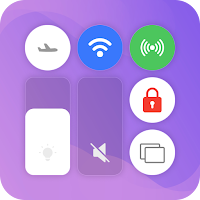
Control Center - Edge Panels
DEV SUKA MAJU Tools Contains ads
Easy using all apps in your mobile device with Control Center simple app
- Downloads
- 100K+
- on Google Play
- Price
- Free
- No in-app purchases
- Updated
- Jun 17
- 2025
Screenshots


About Control Center - Edge Panels
Take Control of Your Phone with the Custom Control Center - Edge Panels App
Feeling frustrated with the limitations of your phone's Control Center? Our innovative Control Center - Edge Panels empowers you to personalize your quick access menu, putting the functions you use most often at your fingertips.
Key Feature of This Control Center App:
Sound & Brightness Control: Adjust your device's brightness and sound levels with a dedicated slider, ensuring optimal viewing and listening experiences in any environment.
Dark Mode Toggle: Easily switch between light and dark modes to reduce eye strain and enhance visual comfort.
Wi-Fi Management: Connect to available Wi-Fi networks or toggle Wi-Fi on/off with a simple tap.
Bluetooth Connectivity: Seamlessly pair and connect your device to Bluetooth-enabled accessories.
Do Not Disturb Mode: Silence notifications and calls for uninterrupted focus or relaxation.
Screen Rotation Lock: Maintain your preferred screen orientation for a stable viewing experience.
Airplane Mode: Disable all wireless communications with a single touch.
Flashlight Control: Illuminate your surroundings with a quick tap of the flashlight icon.
Screen Recording: Capture tutorials, gameplay, or any on-screen activity for easy sharing or reference.
Screenshot Capture: Take instant screenshots of your device screen with a simple tap.
Unleash the Power of Control Center Customization:
Effortless Editing: Enjoy a user-friendly interface that allows for easy editing and rearranging of control center shortcuts.
Add Your Favorites: Seamlessly integrate the functions you use most often, like Wi-Fi, Bluetooth, flashlight, or specific apps, for instant access.
Enhanced Accessibility: Adjust the control center's size, transparency, or position to better suit your needs.
Visually Appealing: Personalize the look of your control center with custom icon styles or colors to match your preferences.
Beyond Convenience: A Boost to Your Productivity:
Streamline Your Workflow: Arrange your shortcuts strategically for optimal efficiency, minimizing time spent navigating through apps or settings.
Quick App Launch: Launch your favorite apps directly through pre-defined control center shortcuts for a faster and more seamless experience.
Simplify Everyday Tasks: Effortlessly access the functions you need most frequently, saving time and simplifying your daily phone usage.
With its intuitive interface, extensive customization options, and accessibility features, this app becomes your ultimate tool for creating a personalized and efficient Control Center - Edge Panels that perfectly suits your needs.
Download the Control Center - Edge Panels app today and take control of your mobile experience!
We’d very much appreciate if you have any recommendations or suggestions for us to improve this Control Center - Edge Panels. Your kind words encourage us a lot, thank you ❤️
Feeling frustrated with the limitations of your phone's Control Center? Our innovative Control Center - Edge Panels empowers you to personalize your quick access menu, putting the functions you use most often at your fingertips.
Key Feature of This Control Center App:
Sound & Brightness Control: Adjust your device's brightness and sound levels with a dedicated slider, ensuring optimal viewing and listening experiences in any environment.
Dark Mode Toggle: Easily switch between light and dark modes to reduce eye strain and enhance visual comfort.
Wi-Fi Management: Connect to available Wi-Fi networks or toggle Wi-Fi on/off with a simple tap.
Bluetooth Connectivity: Seamlessly pair and connect your device to Bluetooth-enabled accessories.
Do Not Disturb Mode: Silence notifications and calls for uninterrupted focus or relaxation.
Screen Rotation Lock: Maintain your preferred screen orientation for a stable viewing experience.
Airplane Mode: Disable all wireless communications with a single touch.
Flashlight Control: Illuminate your surroundings with a quick tap of the flashlight icon.
Screen Recording: Capture tutorials, gameplay, or any on-screen activity for easy sharing or reference.
Screenshot Capture: Take instant screenshots of your device screen with a simple tap.
Unleash the Power of Control Center Customization:
Effortless Editing: Enjoy a user-friendly interface that allows for easy editing and rearranging of control center shortcuts.
Add Your Favorites: Seamlessly integrate the functions you use most often, like Wi-Fi, Bluetooth, flashlight, or specific apps, for instant access.
Enhanced Accessibility: Adjust the control center's size, transparency, or position to better suit your needs.
Visually Appealing: Personalize the look of your control center with custom icon styles or colors to match your preferences.
Beyond Convenience: A Boost to Your Productivity:
Streamline Your Workflow: Arrange your shortcuts strategically for optimal efficiency, minimizing time spent navigating through apps or settings.
Quick App Launch: Launch your favorite apps directly through pre-defined control center shortcuts for a faster and more seamless experience.
Simplify Everyday Tasks: Effortlessly access the functions you need most frequently, saving time and simplifying your daily phone usage.
With its intuitive interface, extensive customization options, and accessibility features, this app becomes your ultimate tool for creating a personalized and efficient Control Center - Edge Panels that perfectly suits your needs.
Download the Control Center - Edge Panels app today and take control of your mobile experience!
We’d very much appreciate if you have any recommendations or suggestions for us to improve this Control Center - Edge Panels. Your kind words encourage us a lot, thank you ❤️
Alternatives to Control Center - Edge Panels
Looking for apps like Control Center - Edge Panels? Here are 6 similar Android apps on Google Play. All of them are free to download.
-
Photo Editor AI - Image Editor
-
QR Code Scanner - Scanner App
-
HD Reel - Mini Drama Series
-
Budget Tracker - Money Manager
-
Loan EMI - Auto Calculator
-
Fake Video Call - Prank Chat
| App | Rating | Price | Installs | Last updated | Compare |
|---|---|---|---|---|---|
| Control Center - Edge Panels | – | Free | 100,000+ | Jun 17, 2025 | |
| Photo Editor AI - Image Editor | – | Free | 10,000,000+ | Aug 11, 2025 | Compare |
| QR Code Scanner - Scanner App | – | Free | 10,000,000+ | Aug 11, 2025 | Compare |
| HD Reel - Mini Drama Series | – | Free | 10,000,000+ | Aug 29, 2025 | Compare |
| Budget Tracker - Money Manager | – | Free | 100,000+ | Jun 20, 2025 | Compare |
| Loan EMI - Auto Calculator | – | Free | 1,000,000+ | Jun 25, 2025 | Compare |
| Fake Video Call - Prank Chat | – | Free | 1,000,000+ | Sep 23, 2025 | Compare |