
CADView: DWG DXF Viewer
Productivity Contains ads
Lightweight Offline CAD viewer for DWG DXF drawings, blueprints and plans
- Downloads
- 5.4K+
- on Google Play
- Price
- Free
- No in-app purchases
- Updated
- Sep 19
- 2026 · v1.2
Screenshots
About CADView: DWG DXF Viewer
# CADView: DWG DXF Viewer
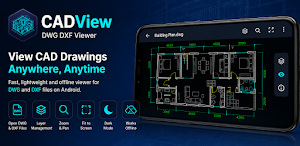
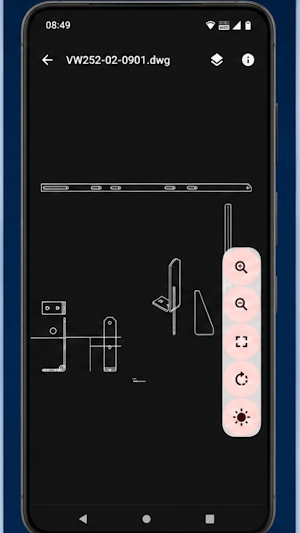
Open and view AutoCAD drawings directly on your Android device with CADView. Whether you are an engineer, architect, contractor, designer, student, or project manager, CADView makes it easy to access DWG and DXF files anytime, anywhere, even without an internet connection.
CADView is designed for fast, reliable, and offline viewing of technical drawings, floor plans, blueprints, schematics, and CAD designs. Simply open your files and navigate through drawings with smooth zoom and pan controls.
Key Features
* Open DWG files
* Open DXF files
* Works completely offline
* Fast drawing rendering
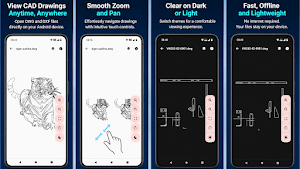
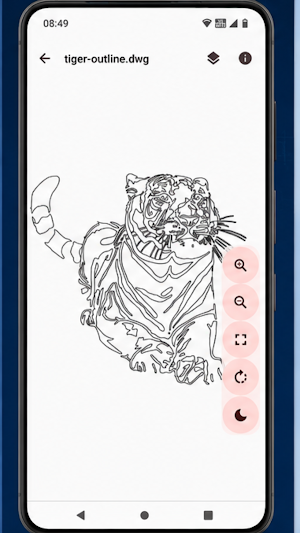
* Smooth zoom and pan
* Fit drawing to screen
* Dark mode support
* View layer information
* View drawing details
* Access recent files quickly
* Lightweight and easy to use
Designed For
* Architects
* Civil Engineers
* Mechanical Engineers
* Interior Designers
* Construction Professionals
* Site Supervisors
* Students and Educators
* Real Estate Professionals
Offline CAD Viewing
No internet connection is required. CADView processes and displays your drawings directly on your device, allowing you to view CAD files securely while traveling, on-site, or in remote locations.
Supported File Formats
* DWG
* DXF
Easy Navigation
Explore large technical drawings with intuitive touch controls:
* Pinch to zoom
* Drag to pan
* Double-tap zoom
* Fit-to-screen view
Lightweight and Fast
CADView focuses on what matters most: opening and viewing drawings quickly. There are no complicated editing tools or unnecessary features, making it ideal for users who need instant access to CAD files on mobile devices.
Privacy First
Your drawings stay on your device. CADView does not require you to upload files to the cloud to view them.
Download CADView today and carry your DWG and DXF drawings wherever your work takes you.
AutoCAD is a registered trademark of Autodesk, Inc. CADView is an independent application and is not affiliated with or endorsed by Autodesk.
Open and view AutoCAD drawings directly on your Android device with CADView. Whether you are an engineer, architect, contractor, designer, student, or project manager, CADView makes it easy to access DWG and DXF files anytime, anywhere, even without an internet connection.
CADView is designed for fast, reliable, and offline viewing of technical drawings, floor plans, blueprints, schematics, and CAD designs. Simply open your files and navigate through drawings with smooth zoom and pan controls.
Key Features
* Open DWG files
* Open DXF files
* Works completely offline
* Fast drawing rendering
* Smooth zoom and pan
* Fit drawing to screen
* Dark mode support
* View layer information
* View drawing details
* Access recent files quickly
* Lightweight and easy to use
Designed For
* Architects
* Civil Engineers
* Mechanical Engineers
* Interior Designers
* Construction Professionals
* Site Supervisors
* Students and Educators
* Real Estate Professionals
Offline CAD Viewing
No internet connection is required. CADView processes and displays your drawings directly on your device, allowing you to view CAD files securely while traveling, on-site, or in remote locations.
Supported File Formats
* DWG
* DXF
Easy Navigation
Explore large technical drawings with intuitive touch controls:
* Pinch to zoom
* Drag to pan
* Double-tap zoom
* Fit-to-screen view
Lightweight and Fast
CADView focuses on what matters most: opening and viewing drawings quickly. There are no complicated editing tools or unnecessary features, making it ideal for users who need instant access to CAD files on mobile devices.
Privacy First
Your drawings stay on your device. CADView does not require you to upload files to the cloud to view them.
Download CADView today and carry your DWG and DXF drawings wherever your work takes you.
AutoCAD is a registered trademark of Autodesk, Inc. CADView is an independent application and is not affiliated with or endorsed by Autodesk.
What’s new
Version 1.2 · Updated September 19, 2026
Version 3
Alternatives to CADView: DWG DXF Viewer
Looking for apps like CADView: DWG DXF Viewer? Here are 5 similar Android apps on Google Play. The highest rated is My San Jac (4.5/5), and all 5 are free to download.
-
ZWCAD Mobile - DWG Viewer 3.7
-
AutoCAD - DWG Viewer & Editor 2.9
-
EdrawMax: AI Flowchart Diagram 3.8
-
ConstructionOnline 3.9
-
My San Jac 4.5
| App | Rating | Price | Installs | Last updated | Compare |
|---|---|---|---|---|---|
| CADView: DWG DXF Viewer | – | Free | 5,000+ | Sep 19, 2026 | |
| ZWCAD Mobile - DWG Viewer | 3.7 / 5 | Free | 1,000,000+ | Aug 12, 2026 | Compare |
| AutoCAD - DWG Viewer & Editor | 2.9 / 5 | Free | 10,000,000+ | Oct 9, 2026 | Compare |
| EdrawMax: AI Flowchart Diagram | 3.8 / 5 | Free | 500,000+ | Jun 2, 2026 | Compare |
| ConstructionOnline | 3.9 / 5 | Free | 10,000+ | – | Compare |
| My San Jac | 4.5 / 5 | Free | 5,000+ | – | Compare |