
CLONEit - Transfer All Data
EricsVAN Tools Contains ads
Backup & transfer data from one phone to another in 2 steps, no network needed.
- Rating
- 4.5
- 16 ratings
- Downloads
- 1K+
- on Google Play
- Price
- Free
- No in-app purchases
- Updated
- Apr 2
- 2023 · v1.0
Screenshots

About CLONEit - Transfer All Data
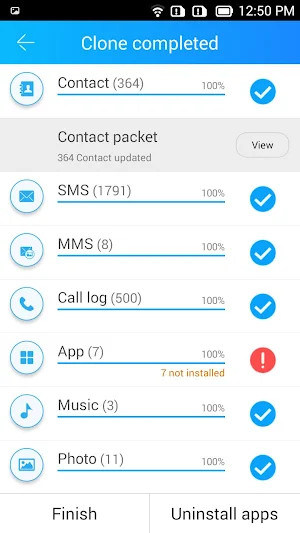
CLONEit can backup and transfer 12 types of mobile data from one phone to another in two easy steps, without the need for a cable, a computer or network.
[12 types of mobile data can be transferred]
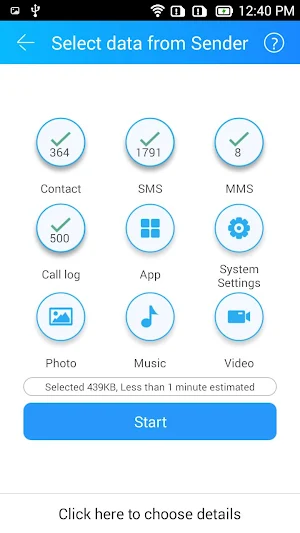
Including contacts, messages (SMS, MMS), call logs, applications, APP data, all types of files in SD card (pictures, videos, music), calendar, system settings (Wi-Fi account passwords, browser bookmarks), etc.
[Extremely fast]
The best transferring speed is up to 20M/s, which is 200 times faster than Bluetooth.
[Without fear of privacy leak]
Real-offline data transfer. No need to worry about scary data leaks and breaches.
[Other useful features will surprise you]
Uninstall preinstalled Apps, space cleaning, and so on (waiting to be found).
[Instructions]
Ensure both devices install CLONEit and then run the app. Replicate your phone in two steps:
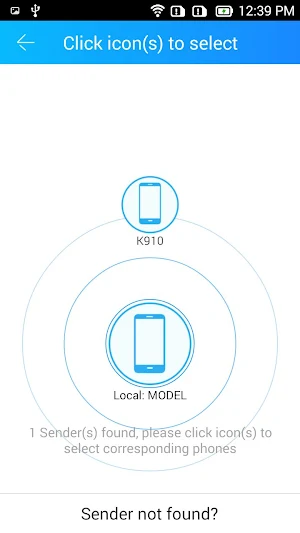
1. Click "Receiver" on the new phone and click "Sender" on the old one.
2. After they find and connect to each other, select types of mobile data for replication on the old phone and click "CLONEit". You will say "WOW! So easy to clone my data!"
[Professional data transfer tool, supports 40+ languages]
Just download CLONEit and try it out!
[12 types of mobile data can be transferred]
Including contacts, messages (SMS, MMS), call logs, applications, APP data, all types of files in SD card (pictures, videos, music), calendar, system settings (Wi-Fi account passwords, browser bookmarks), etc.
[Extremely fast]
The best transferring speed is up to 20M/s, which is 200 times faster than Bluetooth.
[Without fear of privacy leak]
Real-offline data transfer. No need to worry about scary data leaks and breaches.
[Other useful features will surprise you]
Uninstall preinstalled Apps, space cleaning, and so on (waiting to be found).
[Instructions]
Ensure both devices install CLONEit and then run the app. Replicate your phone in two steps:
1. Click "Receiver" on the new phone and click "Sender" on the old one.
2. After they find and connect to each other, select types of mobile data for replication on the old phone and click "CLONEit". You will say "WOW! So easy to clone my data!"
[Professional data transfer tool, supports 40+ languages]
Just download CLONEit and try it out!
User reviews

ok

ekfkeomit ek@fwko' eifoe@g

NVM🙂

🙄🙃
Alternatives to CLONEit - Transfer All Data
Looking for apps like CLONEit - Transfer All Data? Here are 6 similar Android apps on Google Play. All of them are free to download.
-
App Lock Master –Gallery Vault
-
Artwiz - Video Story Maker
-
Fingerprint Pattern App Lock
-
Calculator Hide App Lock Photo
-
Dinotes - Write Diary & Notes
-
Vide - Video Status Maker
| App | Rating | Price | Installs | Last updated | Compare |
|---|---|---|---|---|---|
| CLONEit - Transfer All Data | 4.5 / 5 | Free | 1,000+ | Apr 2, 2023 | |
| App Lock Master –Gallery Vault | – | Free | – | – | Compare |
| Artwiz - Video Story Maker | – | Free | 5,000+ | Mar 15, 2023 | Compare |
| Fingerprint Pattern App Lock | – | Free | – | – | Compare |
| Calculator Hide App Lock Photo | – | Free | 1,000+ | Apr 9, 2023 | Compare |
| Dinotes - Write Diary & Notes | – | Free | 500+ | Mar 23, 2023 | Compare |
| Vide - Video Status Maker | – | Free | 500+ | Mar 17, 2023 | Compare |