
Fleet View
CLAAS KGaA mbH Productivity
Fleet View is a nearly real time monitoring tool to improve the infield logistic
- Downloads
- 1K+
- on Google Play
- Price
- Free
- No in-app purchases
- Updated
- Jan 19
- 2021 · v2.5.125-c811205
Screenshots

About Fleet View
Fleet View ensures optimum transparency in harvesting logistics.
Use of the app is subject to the Conditions of Use for CLAAS Telematics/Fleet View mobile apps and to third-party licence conditions for third-party software used in the CLAAS Telematics/Fleet View mobile apps. By downloading the app, you agree to comply
with those conditions.
Conditions of Use: https://www.claas-telematics.com/Telematics/res/legal/TermsOfUse.pdf
Third Party Licensing Terms and Conditions: https://www.claas-telematics.com/Telematics/res/legal/LicenceAgreement.pdf
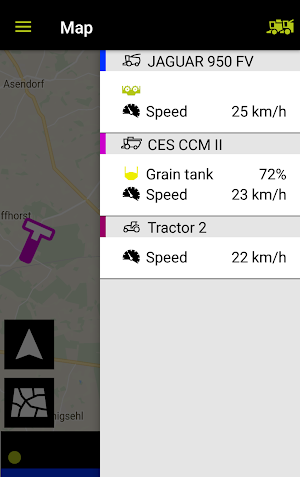
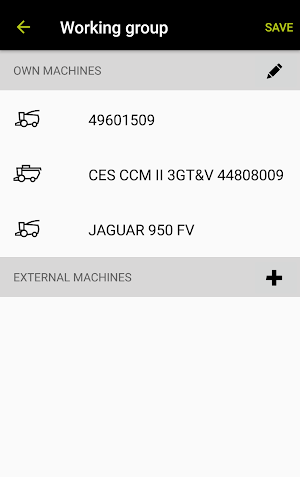
By using Fleet View, your drivers can check the position of the combine harvester and its grain tank filling level at any time and decide which combine harvester needs a transport vehicle first.
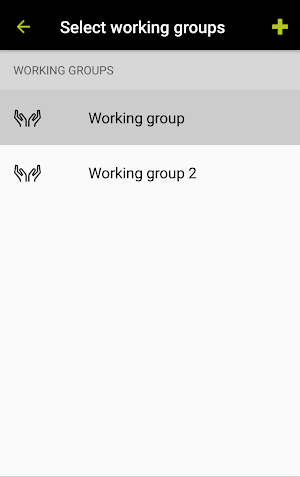
Fleet View allows creating harvesting groups made up of combine harvester and transport vehicles, enabling clear combinations.
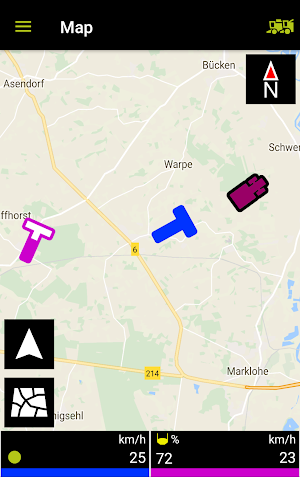
A map shows the position of the harvesting machines and transport vehicles as well as their speed and the time since data were received the last time.
Your CLAAS Dealer will be glad to advise you on the pre-conditions for using Fleet View.
Use of the app is subject to the Conditions of Use for CLAAS Telematics/Fleet View mobile apps and to third-party licence conditions for third-party software used in the CLAAS Telematics/Fleet View mobile apps. By downloading the app, you agree to comply
with those conditions.
Conditions of Use: https://www.claas-telematics.com/Telematics/res/legal/TermsOfUse.pdf
Third Party Licensing Terms and Conditions: https://www.claas-telematics.com/Telematics/res/legal/LicenceAgreement.pdf
By using Fleet View, your drivers can check the position of the combine harvester and its grain tank filling level at any time and decide which combine harvester needs a transport vehicle first.
Fleet View allows creating harvesting groups made up of combine harvester and transport vehicles, enabling clear combinations.
A map shows the position of the harvesting machines and transport vehicles as well as their speed and the time since data were received the last time.
Your CLAAS Dealer will be glad to advise you on the pre-conditions for using Fleet View.
What’s new
Version 2.5.125-c811205 · Updated January 19, 2021
- Bugfixing and stabilization. - Integration of legal documentations.
Alternatives to Fleet View
Looking for apps like Fleet View? Here are 3 similar Android apps on Google Play. All of them are free to download.

| App | Rating | Price | Installs | Last updated | Compare |
|---|---|---|---|---|---|
| Fleet View | – | Free | 1,000+ | Jan 19, 2021 | |
| CLAAS connect | – | Free | 10,000+ | Aug 27, 2026 | Compare |
| CEMOS Advisor | – | Free | 500+ | Jul 21, 2020 | Compare |
| TELEMATICS | – | Free | 10,000+ | Jun 8, 2020 | Compare |
Compare Fleet View with the top alternatives: ratings, updates, ASO score and keyword gaps →