
AX-Custom-BT
Metra Electronics Auto & Vehicles
App for controlling Axxess AX-BT Interface - for AX-BT v2.00 and later
- Downloads
- 1.5K+
- on Google Play
- Price
- Free
- No in-app purchases
- Updated
- Dec 6
- 2024 · v2_6
Screenshots
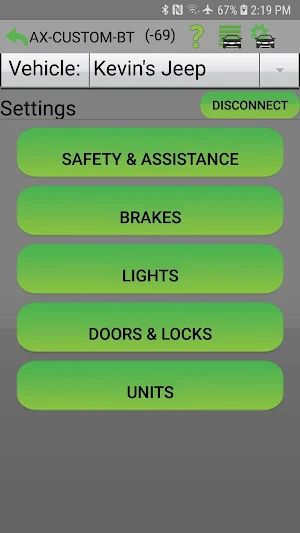

About AX-Custom-BT
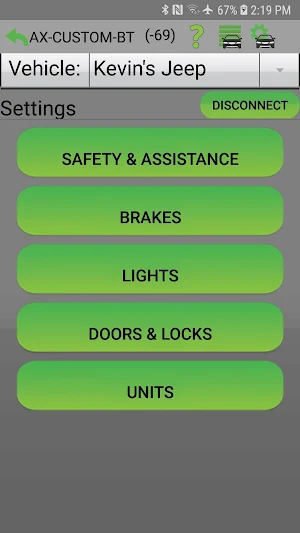
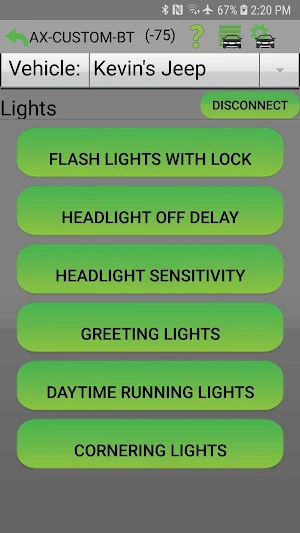
This new interface allows you to access, edit, and control settings for many of the most commonly lost vehicle personalization options after changing out the OEM radio. This could be settings for locks, security, engine off options, lights, a chime or other audio options that aren't available to control on the new head unit.
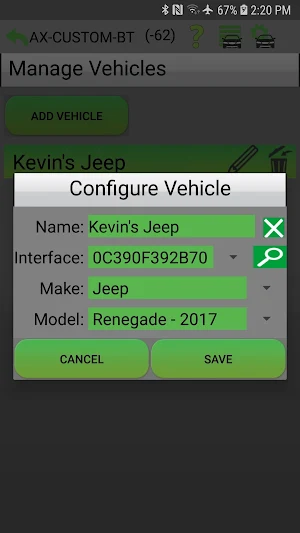
The Axxess Bluetooth® Interface (AX-BT) will let you manage these settings from the palm of your hand using this free AX-CUSTOM-BT app. It is designed as an add-on product for aftermarket radio upgrades when using a vehicle specific Axxess interface. The vehicle personalization options are specific to each application, and dependent on what was available in the factory radio prior to removal.
This App is compatible with AX-BT Version 2.00 and later only. For older versions use our Axxess Bluetooth Interface App.
The Axxess Bluetooth® Interface (AX-BT) will let you manage these settings from the palm of your hand using this free AX-CUSTOM-BT app. It is designed as an add-on product for aftermarket radio upgrades when using a vehicle specific Axxess interface. The vehicle personalization options are specific to each application, and dependent on what was available in the factory radio prior to removal.
This App is compatible with AX-BT Version 2.00 and later only. For older versions use our Axxess Bluetooth Interface App.
What’s new
Version 2_6 · Updated December 6, 2024
Updated to Support Android 14
Alternatives to AX-Custom-BT
Looking for apps like AX-Custom-BT? Here are 4 similar Android apps on Google Play. The highest rated is Axxess Bluetooth® Interface (3.3/5), and all 4 are free to download.



| App | Rating | Price | Installs | Last updated | Compare |
|---|---|---|---|---|---|
| AX-Custom-BT | – | Free | 1,000+ | Dec 6, 2024 | |
| AX-DSP-XL | 2.9 / 5 | Free | 5,000+ | Oct 9, 2026 | Compare |
| ST-DSP-X | – | Free | 100+ | – | Compare |
| Axxess Bluetooth® Interface | 3.3 / 5 | Free | 1,000+ | Jun 20, 2019 | Compare |
| Axxess Bluetooth Controller | 3.1 / 5 | Free | 1,000+ | Sep 16, 2014 | Compare |
Compare AX-Custom-BT with the top alternatives: ratings, updates, ASO score and keyword gaps →