About AC Auto Clicker - Auto Tap
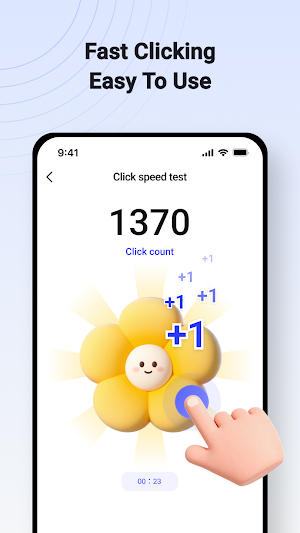
AC Auto Clicker is a user-controlled automation tool for Android that helps automate repetitive on-screen actions such as taps, swipes, and long presses. No root access is required.
With AC Auto Clicker, you can set tap positions, click order, click intervals, and swipe paths through a simple interface or floating control panel. You can also record gestures and replay them anytime, helping you save time and reduce repetitive manual actions.
AC Auto Clicker can be used for a variety of personal automation scenarios, such as games, work, routine tasks, and other repeated on-screen operations. All actions are manually configured and explicitly started by the user.
Why choose AC Auto Clicker?
Easy to Use
Clean and user-friendly interface
Simple setup for taps, swipes, and long presses
Floating control panel for quick start and stop
No root permission required
Powerful Features
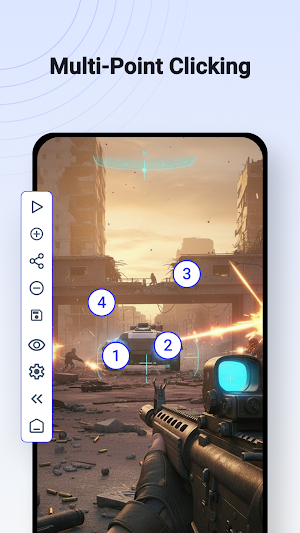
Single-point and multi-point tapping
Multi-touch and synchronous clicking
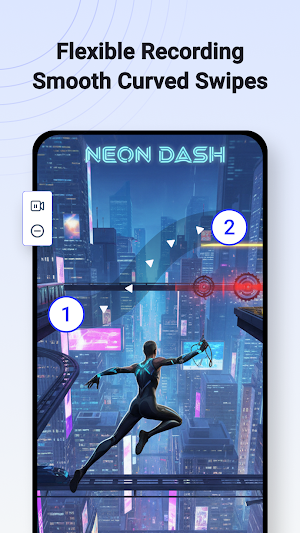
Custom swipe and long press actions
Record and replay gestures
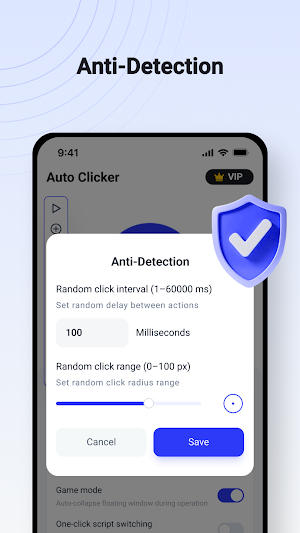
Adjustable click intervals and timing
Scheduled start and precise automation control
Flexible and Efficient
Save your automation configurations
Reuse recorded scripts and gesture setups
Suitable for repetitive tasks in games, work, and daily use
Helps improve efficiency and free your hands
Important Statement
AC Auto Clicker uses the Accessibility Service API solely to provide user-approved automation features such as tapping, swiping, and long pressing.
Accessibility Service Declaration
Accessibility permission is optional and disabled by default
Features work only after the user manually enables permission
All automation actions are configured and initiated by the user
The app does not perform actions without user awareness
The app does not bypass system restrictions, security mechanisms, or third-party protections
Privacy and Security
AC Auto Clicker does not use Accessibility services to collect or store personal or sensitive data, including:
Usernames
Passwords
Account credentials
Personal messages
Sensitive personal information
The app does not communicate with third-party services through the Accessibility API.
Download AC Auto Clicker now and enjoy a smarter, easier way to automate repetitive taps and gestures.
Similar Apps

FilterBox Notification Manager
Notification history, Customizable rules, AI blocking, and more.

Auto Clicker: Auto Tapper
Auto Clicker: Auto Tapper helps you save time from repeated clicks and gestures

EM Notch
Manage precision electronic components and industrial logistics.

MiraClean - File Manager
Clean junk, scan viruses, manage files, and protect privacy in one app

Ozarke
Inspiring Modern Home Goods

1Tap Cleaner (clear cache)
Clear cache, search histories, and defaults