
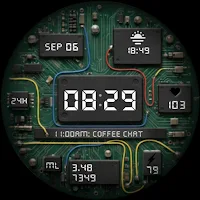
Electronic 05 Watch Face
Personalization
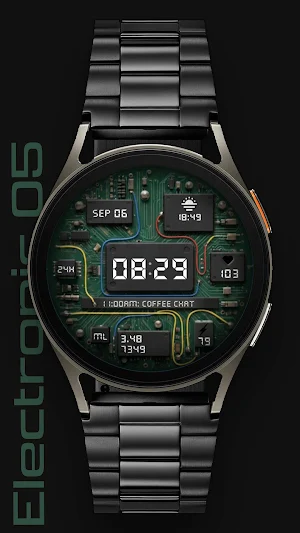
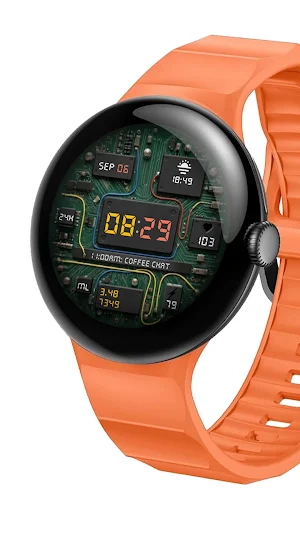
Tech style Wear OS digital watch face
- Downloads
- 10+
- on Google Play
- Price
- $0.99
- No in-app purchases
- Updated
- Mar 12
- 2026 · v3
Screenshots
Save to Pinterest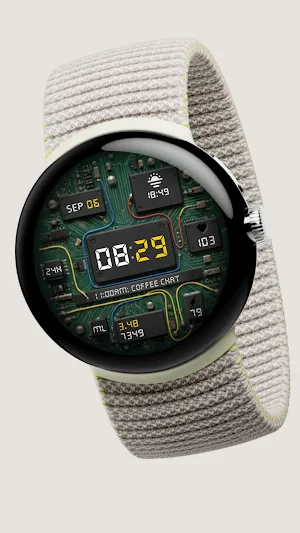


About Electronic 05 Watch Face
Electronics Digital Watch Face.
Tech.
Note before purchasing:
You don't have to worry , Google can charge you only one time for the content purchased from the same Google (Play Store) Account.
Sometimes the Play Store takes a little longer to confirm that you already bought the face watch app. Any additional order will be automatically refunded by Google, you will receive the money back.
There is no way to pay twice for the same watch face.
This watch face is designed for Wear OS
★ Features:
• Time 12/24 (Auto)
• Date & day
• Weather (Editable)
• Km/Miles (User Editable)
• Steps
• Battery status
• Heart rate
• Total 3 editable places, free to edit complications
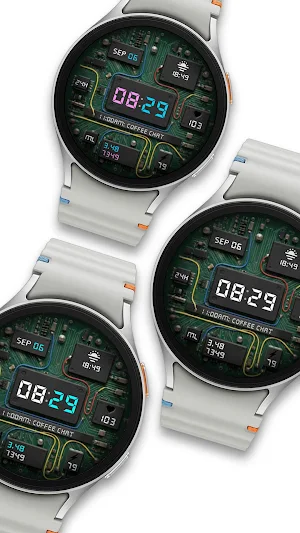
• 10+ Color style options
• AOD
Customization:
1. Touch and hold watch display
2. Tap on customize option
* // Km to Miles //
You can switch Km to Ml on watch directly - edit inside "Complication"
//
★ INSTALLATION NOTES:
Make sure that Watch is connected to the phone via Bluetooth.
You have to select your watch device from the install drop-down menu.
Select the target device in the Play Store app from the drop-down and tap on install. Download status will appear on watch, install and then select (activate) watch face. This way is preferred, if you have a problem, you can install it in two other ways, listed under, via phone companion app or web browser.
1. Make sure the watch is properly connected to the phone, open the Phone App on the phone and follow instructions on watch.
After a few minutes, the watch face will be installed. You can choose the installed watch face.
App downloaded to your phone serves only as a placeholder to make it easier to install & find the watch face on your Wear OS watch.
or
2. Alternatively, try installing the watch face from a web browser on your PC.
- Open watch face link in a web browser (Chrome, Firefox, Safari...)
on PC or Mac.
This Link:
https://play.google.com/store/apps/details?id=com.caveclub.electronic5
You can search for the watch face in
play.google.com or share a link from the Play Store app.
- Click 'Install on more devices' and select your watch. You must be logged with the same Google Account.
// LOOP Note //
If you're stuck at the payment loop (Play Store asks you to pay again), this could be a sync problem between your watch and Google Play server. You can try disconnecting / reconnecting the watch from your phone and try again. To do this quickly, set the "Airplane mode" on watch for 10 seconds. Please see "Note before purchasing" and "Installation Notes".
Feel free to contact: [email protected]
What’s new
Version 3 · Updated March 12, 2026
e5
Alternatives to Electronic 05 Watch Face
Looking for apps like Electronic 05 Watch Face? Here are 6 similar Android apps on Google Play. The highest rated is A445 Digital Health Face (4.9/5).
-
A445 Digital Health Face 4.9
-
Digital watch face D28
-
A455 Digital Info Face
-
Circuit Board X GTS11
-
X-Ray Pro 5
-
Ledglow
| App | Rating | Price | Installs | Last updated | Compare |
|---|---|---|---|---|---|
| Electronic 05 Watch Face | – | $0.99 | 10+ | Mar 12, 2026 | |
| A445 Digital Health Face | 4.9 / 5 | 1.99 USD | 5,000+ | – | Compare |
| Digital watch face D28 | – | 1.49 USD | 500+ | Aug 10, 2026 | Compare |
| A455 Digital Info Face | – | 1.99 USD | 1,000+ | Aug 19, 2026 | Compare |
| Circuit Board X GTS11 | – | 2.49 USD | 100+ | Aug 27, 2026 | Compare |
| X-Ray Pro 5 | – | 2.49 USD | 1+ | – | Compare |
| Ledglow | – | 0.99 USD | 1,000+ | Aug 30, 2026 | Compare |
Similar apps on Google Play
- A445 Digital Health Face
- Digital watch face D28
- A455 Digital Info Face
- Circuit Board X GTS11
- X-Ray Pro 5
- Ledglow
- WFP 129 Military watch face
- Y26 Digital Rhapsody WatchFace
- SamWatch Dashboard D
- SH089 Watch Face, WearOS watch
- Nixie Watch MB370
- WIN Tactical LCD Digital Face
- Nostalgia Meter ZKin Watch
- HIXIE GAS URX35 Watch face
- GAS NIXIE URX41 Watch face
- DIGI SATUNAR URX40 Watch face
- VJ-PCB DİGİTAL WATCH FACE
- HMKWatch Digital 141
- Electronic 03 Watch Face
- GAS NIXIE URX104 Watch face
- Microchip
- LED Digital Watch Face MB372
- HMKWatch Digital 271
- Tancha S71 Circuit Board
- PRADO 61 Digital Watch Face
- LCD Electrical
- Merge Labs KS 1