
Carplay for Android
komal123 Auto & Vehicles Contains ads
Mirror your Android to car display with ease using Carplay app for android!
- Downloads
- 100+
- on Google Play
- Price
- Free
- No in-app purchases
- Updated
- Apr 17
- 2024 · v1.0
Screenshots
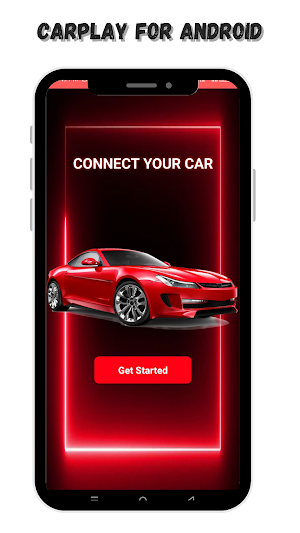
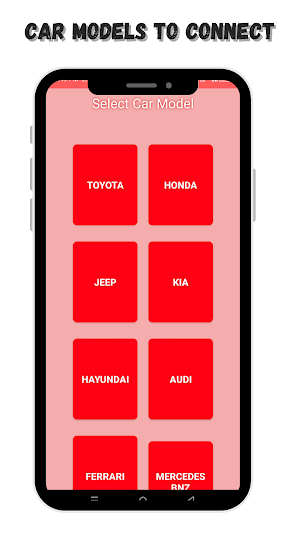
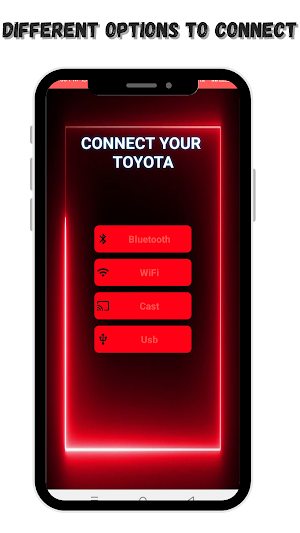
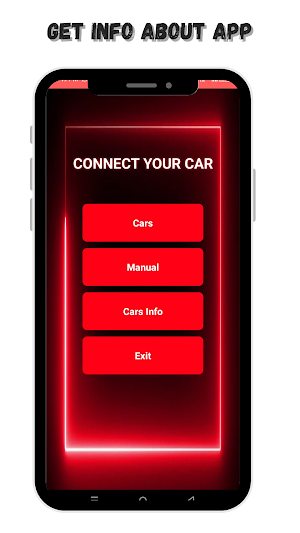


About Carplay for Android
Introducing Carplay for Android, the straightforward mobile app designed to mirror your Android device directly to your car's display. Enjoy the convenience of viewing your phone's screen on a larger dashboard interface, enhancing your driving experience with easy access to navigation, music, and apps.
This app leverages the familiar Apple Carplay interface, allowing you to interact with your favorite mobile applications safely while driving. Whether you’re looking to navigate to your next destination, choose playlists, or make hands-free calls, "Carplay for Android" makes it possible with minimal distraction.
Key Features:
Easy Setup: Quick and effortless setup process to get your Android screen mirrored to your car display.
Seamless Integration: Use your car’s dashboard screen to control and view your phone’s content, including GPS navigation and music streaming.
Enhanced Safety: Keep your eyes on the road with a simplified interface designed for safe, at-a-glance interaction.
Wide Compatibility: Compatible with a variety of Android devices and most car models equipped with screen mirroring capabilities.
Streamlined Access: Manage calls, texts, and notifications conveniently through your car’s dashboard.
Get Carplay for Android and turn your car into a smart car. Mirror your phone, drive smarter, and make your car’s infotainment system work for you, not against you. Download now to start enjoying a more connected and integrated driving experience.
This app leverages the familiar Apple Carplay interface, allowing you to interact with your favorite mobile applications safely while driving. Whether you’re looking to navigate to your next destination, choose playlists, or make hands-free calls, "Carplay for Android" makes it possible with minimal distraction.
Key Features:
Easy Setup: Quick and effortless setup process to get your Android screen mirrored to your car display.
Seamless Integration: Use your car’s dashboard screen to control and view your phone’s content, including GPS navigation and music streaming.
Enhanced Safety: Keep your eyes on the road with a simplified interface designed for safe, at-a-glance interaction.
Wide Compatibility: Compatible with a variety of Android devices and most car models equipped with screen mirroring capabilities.
Streamlined Access: Manage calls, texts, and notifications conveniently through your car’s dashboard.
Get Carplay for Android and turn your car into a smart car. Mirror your phone, drive smarter, and make your car’s infotainment system work for you, not against you. Download now to start enjoying a more connected and integrated driving experience.
Alternatives to Carplay for Android
Looking for apps like Carplay for Android? Here are 6 similar Android apps on Google Play. The highest rated is Xournal++ (1.4/5), and all 6 are free to download.
-
Pro Draw brushes for Procreate
-
Comedogenic Ingredient Checker
-
Xournal++ 1.4
-
Go Keyboard - Emojis
-
Word Game - Blossom Flower
-
Sound of Text (TTS)
| App | Rating | Price | Installs | Last updated | Compare |
|---|---|---|---|---|---|
| Carplay for Android | – | Free | 100+ | Apr 17, 2024 | |
| Pro Draw brushes for Procreate | – | Free | 1,000+ | Dec 16, 2023 | Compare |
| Comedogenic Ingredient Checker | – | Free | 1+ | Mar 1, 2024 | Compare |
| Xournal++ | 1.4 / 5 | Free | 100+ | Dec 31, 2023 | Compare |
| Go Keyboard - Emojis | – | Free | 100+ | Dec 21, 2023 | Compare |
| Word Game - Blossom Flower | – | Free | 10+ | Mar 24, 2024 | Compare |
| Sound of Text (TTS) | – | Free | 100+ | Mar 10, 2024 | Compare |