
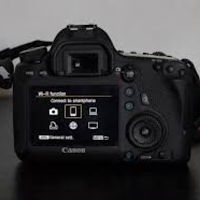
Canon Camera Connect Guide
BadawiDeveloper Tools Contains ads
Download Canon Camera Connect App Guide now
- Downloads
- 1K+
- on Google Play
- Price
- Free
- No in-app purchases
- Updated
- Sep 26
- 2023 · v1
Screenshots


About Canon Camera Connect Guide
Welcome to the Canon Camera Connect Apps Guide app
The Canon Camera Connect Guide is a how-to application for transferring images captured with compatible Canon cameras to smartphones/tablets.
By connecting to the camera via Wi-Fi (direct connection or via a wireless router), the app provides the following features:
・ Transfer and save camera images to a smartphone.
・ Remote shooting with live view camera shooting from a smartphone.
・ Connect to various Canon services .
Welcome to the Canon Camera Guide app.
How does the Canon camera guide work in coordination with your phone?!
Do you know the differences between Canon camera manual?
Do you know what are the advantages of Canon camera manual?
Here in the Canon Camera Guide application, we have collected information that will really help you with that...
And to know the details and how to connect the Canon Camera Guide to your phone
in our application, you will find everything you want and need to know about the Canon Camera Guide...
Content of the Canon Camera Guide application: -
- Canon Camera Manual Features and Details
- Canon Camera Manual Description
- Canon Camera Manual Photos
- Canon Camera Manual Customer Questions
- Canon Camera User Manual
- Canon Camera Manual Other Related Items
Use eos Utility Webcam Beta software to turn your compatible Canon camera guide camera into a high-quality webcam. Compatible Lenses - Canon EF lenses (including EF-S lenses, excluding EF-m lenses)
Canon Camera Guide App Features: -
+ Contains many images to see all Canon Camera Guide designs.
+ Canon camera manual is easy, clear and uncomplicated.
+ Weekly updates of the Canon Camera Guide app.
This app also offers the following features for compatible cameras.
・Get location information from a smartphone and add it to the image on the camera.
・Switch to Wi-Fi from pairing with a Bluetooth camera (or from touch operation with an NFC-enabled camera)
・ Remote camera shutter release with Bluetooth connection.
・ Download the latest firmware.
Vital Records
The Canon Camera Connect App Guide is intended for educational purposes only to guide you using the Canon Camera Connect App Guide. This Canon Camera Connect app guide is not affiliated with anyone, if you own copyright on it please contact us immediately and we will remove it.
Canon Camera Guide App Features: -
+ Contains many images to see all Canon Camera Guide designs.
+ Canon camera manual is easy, clear and uncomplicated.
+ Weekly updates of the Canon Camera Guide app.
+ Canon camera guide application with a nice, decent appearance and easy on the eyes.
+ Free Canon camera guide app.
+ This Canon Camera Guide application is rich in information and images.
If you like the Canon Camera Guide app, don't forget to rate us with five stars, leave your inquiries and comments and write to us to provide you with this.
In the end, we hope you have a great day with our Canon Camera Guide app.
Disclaimer:
This mobile app is a Canon camera guide. It is not an official app or part of it.
All images and names are copyright of their respective owners. All images and names in this app are available in public. This app contains images for cosmetic and educational purposes. Any request to remove one of the logos, images and names will be honored.
The Canon Camera Connect Guide is a how-to application for transferring images captured with compatible Canon cameras to smartphones/tablets.
By connecting to the camera via Wi-Fi (direct connection or via a wireless router), the app provides the following features:
・ Transfer and save camera images to a smartphone.
・ Remote shooting with live view camera shooting from a smartphone.
・ Connect to various Canon services .
Welcome to the Canon Camera Guide app.
How does the Canon camera guide work in coordination with your phone?!
Do you know the differences between Canon camera manual?
Do you know what are the advantages of Canon camera manual?
Here in the Canon Camera Guide application, we have collected information that will really help you with that...
And to know the details and how to connect the Canon Camera Guide to your phone
in our application, you will find everything you want and need to know about the Canon Camera Guide...
Content of the Canon Camera Guide application: -
- Canon Camera Manual Features and Details
- Canon Camera Manual Description
- Canon Camera Manual Photos
- Canon Camera Manual Customer Questions
- Canon Camera User Manual
- Canon Camera Manual Other Related Items
Use eos Utility Webcam Beta software to turn your compatible Canon camera guide camera into a high-quality webcam. Compatible Lenses - Canon EF lenses (including EF-S lenses, excluding EF-m lenses)
Canon Camera Guide App Features: -
+ Contains many images to see all Canon Camera Guide designs.
+ Canon camera manual is easy, clear and uncomplicated.
+ Weekly updates of the Canon Camera Guide app.
This app also offers the following features for compatible cameras.
・Get location information from a smartphone and add it to the image on the camera.
・Switch to Wi-Fi from pairing with a Bluetooth camera (or from touch operation with an NFC-enabled camera)
・ Remote camera shutter release with Bluetooth connection.
・ Download the latest firmware.
Vital Records
The Canon Camera Connect App Guide is intended for educational purposes only to guide you using the Canon Camera Connect App Guide. This Canon Camera Connect app guide is not affiliated with anyone, if you own copyright on it please contact us immediately and we will remove it.
Canon Camera Guide App Features: -
+ Contains many images to see all Canon Camera Guide designs.
+ Canon camera manual is easy, clear and uncomplicated.
+ Weekly updates of the Canon Camera Guide app.
+ Canon camera guide application with a nice, decent appearance and easy on the eyes.
+ Free Canon camera guide app.
+ This Canon Camera Guide application is rich in information and images.
If you like the Canon Camera Guide app, don't forget to rate us with five stars, leave your inquiries and comments and write to us to provide you with this.
In the end, we hope you have a great day with our Canon Camera Guide app.
Disclaimer:
This mobile app is a Canon camera guide. It is not an official app or part of it.
All images and names are copyright of their respective owners. All images and names in this app are available in public. This app contains images for cosmetic and educational purposes. Any request to remove one of the logos, images and names will be honored.
User reviews

Wow excellent

Excellent

Perfect Camera
Alternatives to Canon Camera Connect Guide
Looking for apps like Canon Camera Connect Guide? Here are 6 similar Android apps on Google Play. The highest rated is DJI Osmo Mobile 6 app Guide (3.6/5), and all 6 are free to download.
-
Alexa Echo Dot Setup Guide 3.3
-
DJI Osmo Mobile 6 app Guide 3.6
-
DJI Osmo Mobile 2 gimbal Guide 2.8
-
Lenovo Thinkplus LP5 Guide
-
DJI Mini 2 App Guide
-
A9 Mini Wifi HD Camera Guide
| App | Rating | Price | Installs | Last updated | Compare |
|---|---|---|---|---|---|
| Canon Camera Connect Guide | – | Free | 1,000+ | Sep 26, 2023 | |
| Alexa Echo Dot Setup Guide | 3.3 / 5 | Free | 10,000+ | Oct 6, 2023 | Compare |
| DJI Osmo Mobile 6 app Guide | 3.6 / 5 | Free | 10,000+ | Sep 26, 2023 | Compare |
| DJI Osmo Mobile 2 gimbal Guide | 2.8 / 5 | Free | 10,000+ | Sep 25, 2023 | Compare |
| Lenovo Thinkplus LP5 Guide | – | Free | 500+ | Oct 6, 2023 | Compare |
| DJI Mini 2 App Guide | – | Free | 1,000+ | Sep 25, 2023 | Compare |
| A9 Mini Wifi HD Camera Guide | – | Free | 100+ | Oct 6, 2023 | Compare |
Similar apps on Google Play
- Alexa Echo Dot Setup Guide
- DJI Osmo Mobile 6 app Guide
- DJI Osmo Mobile 2 gimbal Guide
- Lenovo Thinkplus LP5 Guide
- DJI Mini 2 App Guide
- A9 Mini Wifi HD Camera Guide
- 70mai Dash Cam M300 Guide
- Mi Wifi Extender Ac1200 Guide
- U8 Smart Watch Guide
- SKMEI Smart Watch guide
- Roku Floodlight Cam SE Guide
- Realme Smart Camera 360 Guide
- Qubo Smart Camera 360 Guide
- Redmi Watch 3 Guide
- Roku Video Doorbell Guide
- Yi Dome Camera 1080p Guide
- Dizo Watch 2 Sports Guide
- JBL Flip 6 Guide
- Z36 Smart Watch Guide
- Samsung Xpress Laser guide
- Huawei Watch Fit 2 Guide
- Realme Watch 2 pro Guide
- X7 Max Smart Watch Guide
- Smart Watch T200 plus Guide
- X8 Max Smart Watch Guide
- LIGE Smartwatch Guide
- S8 Ultra Smart Watch Guide
- T500 pro Smart Watch Guide
- Mi Band 2 Smart Watch Guide
- Mi WiFi Extender Guide
- W27 Pro Smart Watch Guide
- Realme Buds air 3 Guide
- Ambrane Wise Roam Watch Guide
- Smart Sport Watch Guide
- Amazfit Bip S Lite guide
- Black Shark JoyBuds Pro Guide
- Fitbit Alta HR guide
- Haylou Smart Watch Guide
- Haylou Solar Plus RT3 Guide
- Tp-Link Tapo C200 Camera Guide
- Joyroom FT5 Smart Watch Guide
- Honor Earbuds X3 Lite Guide
- Mi Band 5 Smart Watch Guide
- T500 Plus Smart Watch Guide
- Canon PIXMA Printer Guide
- forehead thermometer guide
- Ring 3 Smart Watch Guide